MENU Options
36
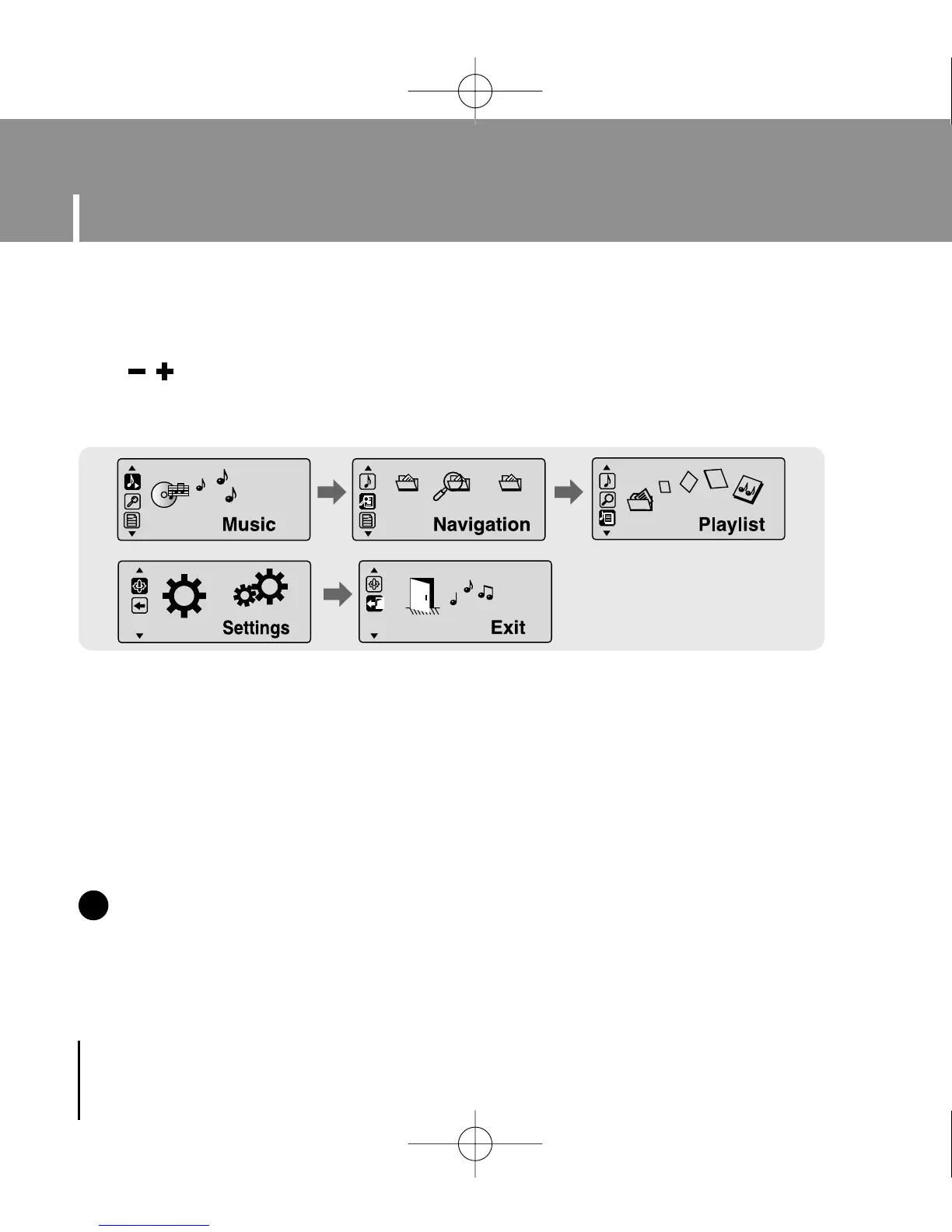
Press and hold the MENU button to switch to MENU mode.
Use , to move and press the MENU button briefly to select the menu you want.
Press and hold the MENU button to exit the MENU mode.
NN
NN
oo
oo
tt
tt
ee
ee
- Menu mode will be cancelled if no buttons are pressed within 25 seconds
- Language in the menu screen can be changed in [Settings] → [Language] → [Menu].
✍
● Music : To check the file currently playing.
● Navigation : To move to Navigation Mode and browse files and folders
● Playlist : To play back only the files you want
● Settings : To set the functions
● Exit : To exit MENU
YP-U1(SECA)Eng 8/22/05 3:22 PM Page 36


 To Next Page