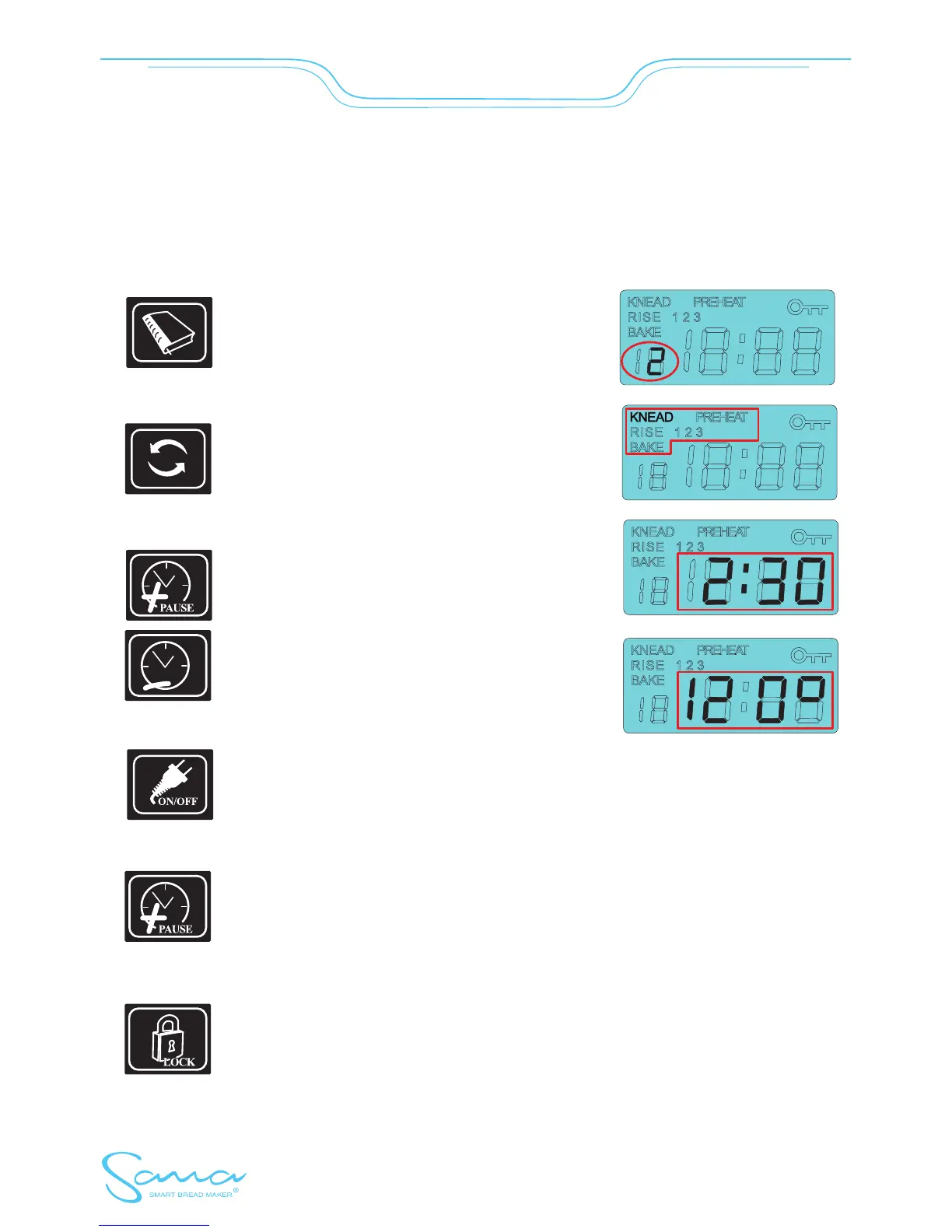
BREAD MAKER CONTROL AND PROGRAM SETTINGS
Press the Menu button to select the required program.
The function button leads you through all steps of
setting of values for your selected program.
Use „+” and „-” buttons to increase/decrease the
temperature, respectively to extend/shorten the time
for particular programs.
Plug the power cable into the outlet. The bread maker turns on automatically.
Press briefly to return values of particular programs to their default values. Press again
to end value setting and the overall time is counted. Hold the button for 2seconds to
start the selected and set program.
During the baking cycle, you can stop the bread maker by pressing and holding the
„PAUSE” button for 2 seconds. Press and hold this button to start the bread maker
again.
Program Off: Hold this button for 2 seconds to lock/unlock the control panel (the
control panel is unlocked for 5 minutes and the key sign on the display is flashing)
Program On: Hold this button for 2 seconds to lock/unlock the control panel (the key
sign on the display is permanently on/off)
smartbreadmaker.com
- 7 -
SmartBreadMaker


 To Next Page