EasyManua.ls Logo

S&A PRO Series - User Manual

S&A PRO Series
18 pages
Print Icon
To Next Page IconTo Next Page
Loading...
TY-JS-220607-001
1
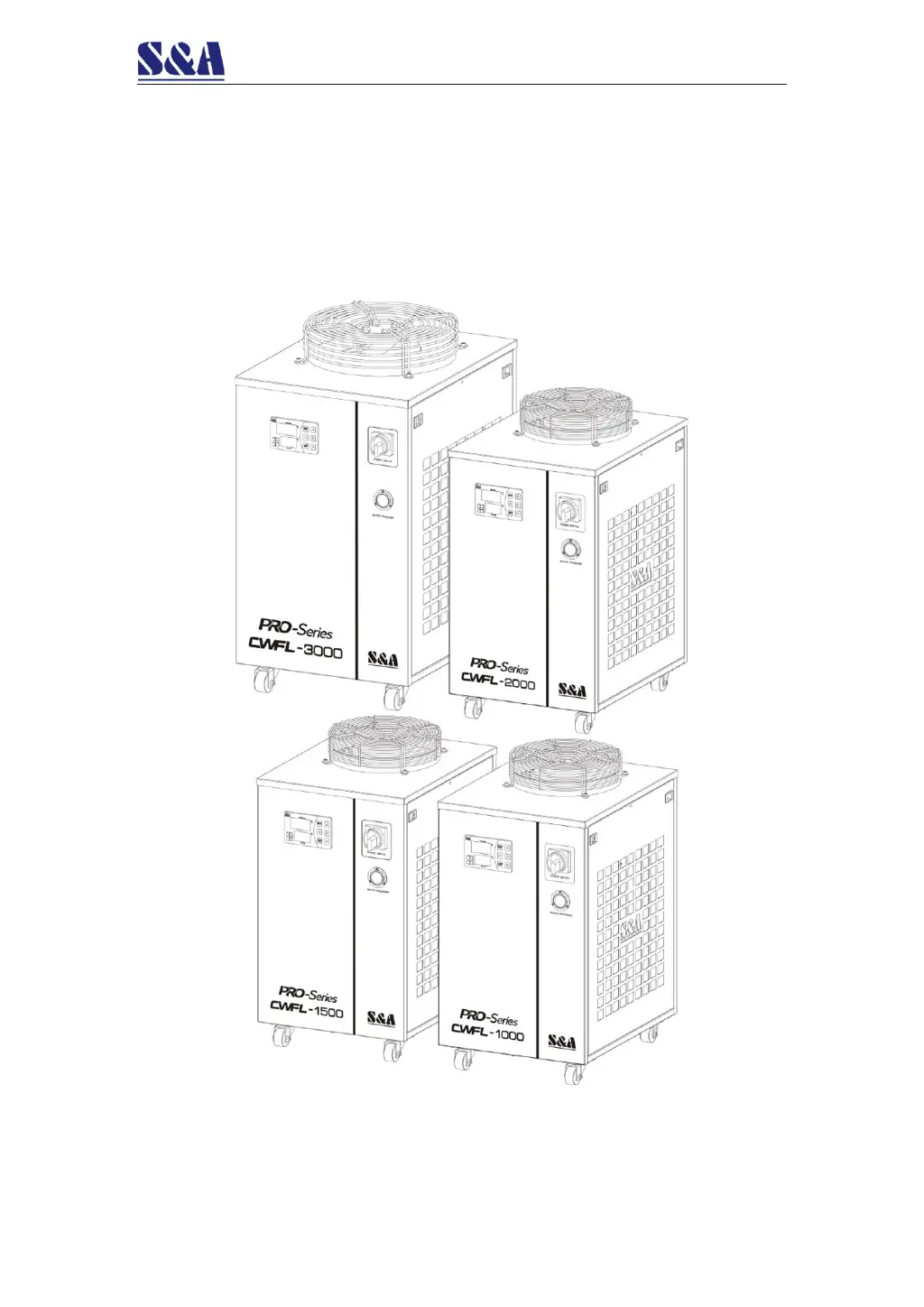
CWFL-1000/1500/2000/3000
Industrial Chiller
User Manual

Questions and Answers

  • R
    Robin PattersonJul 29, 2025
    Why does my S&A Chiller show ultrahigh water temperature alarm?
    • S
      stewartjeffreyJul 29, 2025
      If your S&A Chiller displays an ultrahigh water temperature alarm, it could be due to several reasons. First, the dust gauze might be blocked, causing poor thermolysis; regularly disassemble and clean it. Second, ensure proper ventilation for the air outlet and inlet. Third, voltage may be extremely low or unstable; improve the power supply circuit or use a voltage regulator. Fourth, thermostat parameter settings might be improper; reset controlling parameters or restore factory settings. Fifth, frequent power cycling can cause this issue; ensure there is sufficient time for refrigeration (more than 5 minutes). Finally, excessive heat load can trigger the alarm; reduce the heat load or use a model with larger cooling capacity.
  • S
    Samantha JacksonAug 4, 2025
    How to fix S&A PRO that turns on but is unelectrified?
    • G
      Gloria SmithAug 4, 2025
      If the S&A Chiller machine is turned on but unelectrified, check that the power cord is correctly plugged into the power interface and is making good contact. Also, the fuse might be burnt out. To check it, open the electric box cover, inspect the fuse, and replace it with a spare if needed. Ensure the power supply voltage is stable and the power interface and plug are in good contact.
  • G
    Gregory AllenAug 10, 2025
    What to do if S&A PRO Chiller flow alarm persists with direct water pipe connection?
    • H
      helen11Aug 10, 2025
      If the S&A Chiller displays a flow alarm and you're using a water pipe directly connected to the water outlet and inlet, but there's still no water flowing, the water level in the water tank may be too low. Check the water level gauge display and add water until the level shows in the green area. Also, check for any leaks in the water circulation pipe.
  • W
    wendywatsonAug 17, 2025
    How to resolve ultrahigh room temperature alarm on S&A PRO?
    • P
      Pamela GomezAug 17, 2025
      If the S&A Chiller shows an ultrahigh room temperature alarm, it indicates that the room temperature is too high for the chiller to operate correctly. Improve the ventilation to ensure the machine runs below a 40° room temperature.
  • T
    tina94Aug 22, 2025
    Why is there a serious condensate water problem with my S&A PRO Chiller?
    • D
      Darryl GoodwinAug 22, 2025
      If you have a serious condensate water problem with your S&A Chiller, it could be because the water temperature is much lower than the ambient temperature, combined with high humidity. Increase the water temperature or insulate the pipeline to preserve heat.

Summary

FOREWORD

Safety Precautions

Professional Operation & Specification Limits

Operation by professionals and usage within specified limits are mandatory for safety.

Environmental & Electrical Safety

Avoid explosive environments and ensure correct electrical connection and grounding.

Physical Safety Warnings

Do not operate without covers, avoid water, high voltage, and hot surfaces.

Handling and Operating Environment Safety

Transport, Installation, and Environment

Secure fixing, avoid liquid transport, harsh environments, and ensure proper installation.

Pre-Operation and Maintenance Safety

Commissioning and Cleaning Safety

Procedures for commissioning, cleaning, anti-freezing, and general maintenance safety.

I. Overview

II. Model Illustration

III. Product Outlines & Parts

IV. Installation

Installation Conditions & Requirements

Ensure stable voltage, horizontal placement, proper air clearance, and suitable operating environment.

Cooling Medium Requirements

Use specified water types and add anti-freezer when temperatures are low.

Pipeline Layout & Power Connection

Arrange pipelines correctly and ensure appropriate electrical connection with protection devices.

Filling Water & Exhausting Air

Properly fill the water tank and remove air from the system before operation.

Test-run Check

Verify pipeline connections, valve status, liquid level, electrical wiring, and grounding.

V. Operating States & Parameters Adjustment

Temperature Control Panel & Indicators

Introduction to the control panel components and working status indicators.

Rapid Parameter Adjustment

How to quickly set low and high temperature circuit parameters and view status.

User Data Setting

Guide to accessing and modifying user-configurable parameters (F0-F16).

Restore Factory Settings

Procedure to restore default parameters and settings to factory state.

Parameter Setting Table

Detailed table listing adjustable parameters, ranges, and default values.

VI. Alarm & Output Terminal

Alarm Output Terminals & Wiring

Diagram and explanation of alarm output port connections and wiring.

Alarm Causes and Status Table

Table detailing alarm conditions, codes, and output states (DISCONNECTION/BREAKOVER).

VII. Maintenance

Regular Dust Removal

Procedure for cleaning dust gauze and condenser for optimal performance.

Ensuring Water Quality

Importance of cleaning or replacing the filter element to maintain water flow and prevent pollution.

VIII. Simple Troubleshooting

Attachment - Schematic CWFL-1000

Attachment - Schematic CWFL-1500;2000;3000

S&A PRO Series Specifications

General IconGeneral
BrandS&A
ModelPRO Series
CategoryChiller
LanguageEnglish

Related product manuals