EasyManua.ls Logo

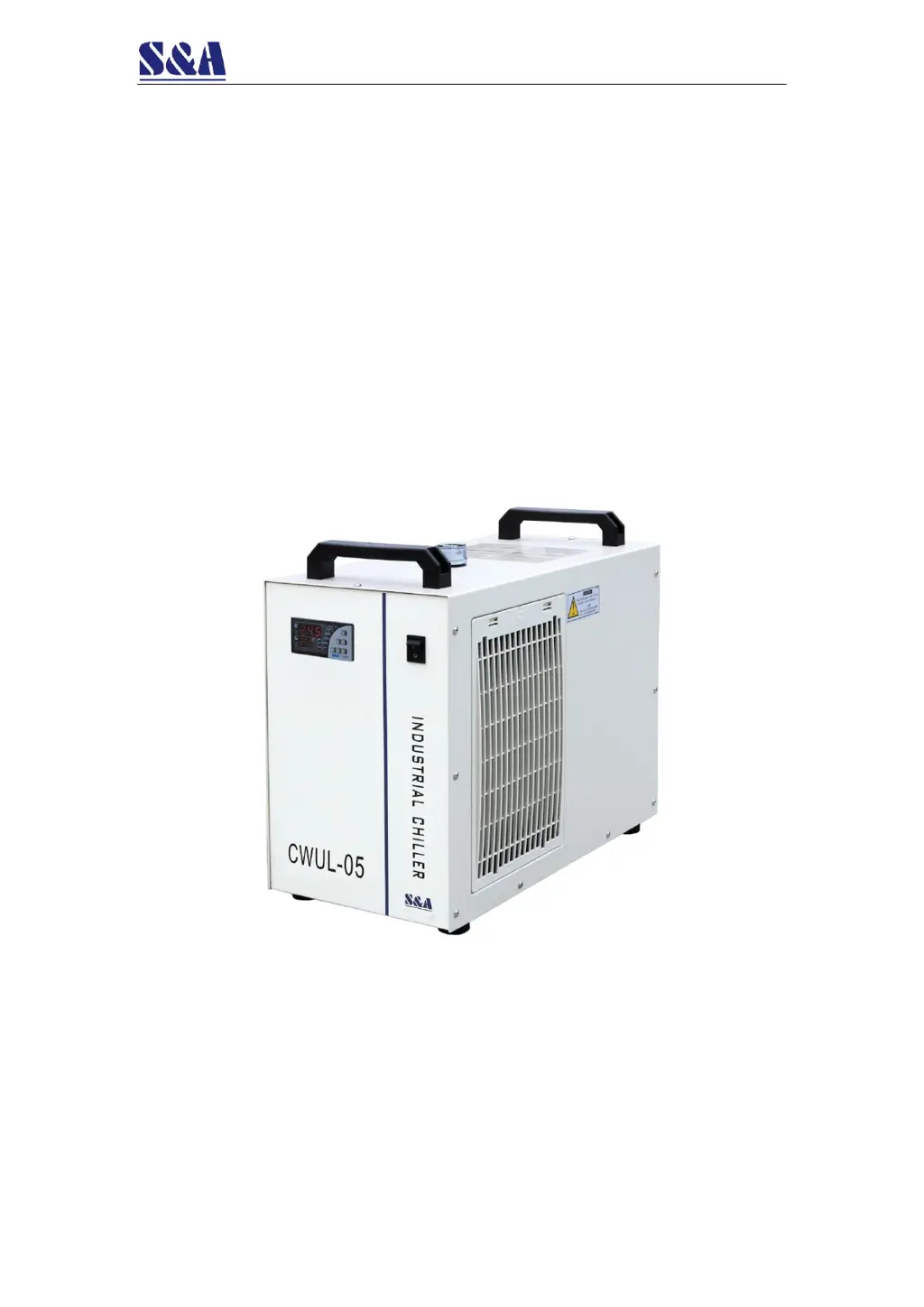
S&A CWUL-05 - User Manual

S&A CWUL-05
15 pages
Print Icon
To Next Page IconTo Next Page
Loading...
No. 1.1
CWUL-05/10/20
Ultraviolet Laser Exclusive
Chiller
User Manual

Questions and Answers

  • J
    Joshua AdamsAug 5, 2025
    What to do if my S&A CWUL-05 turns on but is unelectrified?
    • J
      Jason MullenAug 6, 2025
      If your S&A Chiller turns on but is not electrified, check the following: * Ensure the power cord is properly plugged into the power interface and that the connection is secure. * If the issue persists, the fuse may be burnt out. Open the electric box cover and inspect the protective tube. If necessary, replace the fuse with a spare. Also, verify that the power supply voltage is stable and that the power interface and plug are making good contact.
  • K
    Kristen CookeAug 10, 2025
    How to fix a flow alarm on my S&A CWUL-05 Chiller when water pipe is connected?
    • R
      Robert RodriguezAug 10, 2025
      If your S&A Chiller shows a flow alarm even when a water pipe is directly connected to the outlet and inlet, the water level in the storage tank may be too low. Check the water level gauge and add water until it reaches the green area. Also, inspect the water circulation pipes for any leaks.
  • N
    Natasha CoxAug 14, 2025
    What to do if my S&A CWUL-05 displays E1 error (ultrahigh room temperature)?
    • M
      Matthew MorenoAug 14, 2025
      If your S&A Chiller displays an E1 error, indicating an ultrahigh room temperature alarm, it means the working ambient temperature is too high for the chiller. Improve ventilation to ensure the machine operates below 40 degrees Celsius.
  • J
    Jason PierceAug 19, 2025
    Why does my S&A CWUL-05 have a flow alarm when connected to equipment?
    • R
      Robert GibbsAug 19, 2025
      If the S&A Chiller flow alarm triggers when running with other equipment, but not when directly connected with a water pipe, the water circulation pipes may be blocked or deformed. Inspect the water circulation pipes for any obstructions or bending.
  • J
    Julia RowlandAug 23, 2025
    How to stop condensate water forming on my S&A CWUL-05 Chiller?
    • J
      jonathan00Aug 23, 2025
      If you're experiencing a significant amount of condensate water with your S&A Chiller, it could be due to the water temperature being much lower than the ambient temperature combined with high humidity. Try increasing the water temperature or insulating the pipeline to preserve heat.
  • M
    Michele LyonsAug 27, 2025
    Why does water drain slowly from my S&A CWUL-05 Chiller when changing water?
    • K
      Kelly JohnsonAug 27, 2025
      If water drains slowly from the outfall during water changes on your S&A Chiller, the injection port may not be open. Ensure that the injection port is open to allow proper drainage.
  • J
    Jonathon SmithNov 1, 2025
    Why does my S&A Chiller show E2 error (ultrahigh water temperature alarm)?
    • H
      Holly HernandezNov 1, 2025
      If your S&A Chiller displays an E2 error code, indicating an ultrahigh water temperature alarm, several factors could be responsible: * The dust gauze might be blocked, leading to poor thermolysis. Clean the dust gauze regularly. * The air outlet and inlet may have poor ventilation. Ensure smooth ventilation around these areas. * The voltage could be extremely low or unstable. Improve the power supply circuit or use a voltage regulator. * The thermostat settings might be incorrect. Reset the controlling parameters or restore factory settings. * Frequent power switching can also cause this issue. Allow sufficient time for refrigeration (more than 5 minutes) between power cycles. * Finally, there may be an excessive heat load. Reduce the heat load or consider using a chiller mod...

Summary

Cautions

Outlook and Components

Installation

Operation and Parameters Adjustment

Indicators of temperature controller working status

Explains the status indicators of the temperature controller, including COMP, SV, Heating, INT Ctrl, CT Ctrl, PARAM Set, ALM OUT, Room Temp, and ST DLA.

Restore to default setting

Temperature controller parameters list

General settings adjustment

Advanced settings adjustment

Advanced parameters adjustment cases

Alarm and output terminal

Alarm output terminals and wiring diagram

Illustrates the alarm output port connection diagram and the thermostat electrical connecting points.

Alarm causes and working status table

Details various alarm conditions, their display codes, buzzer status, and output terminal states (H1, H2, H1, H3).

Specifications

Refrigeration performance curve

Troubleshooting

S&A CWUL-05 Specifications

General IconGeneral
BrandS&A
ModelCWUL-05
CategoryChiller
LanguageEnglish

Related product manuals