18
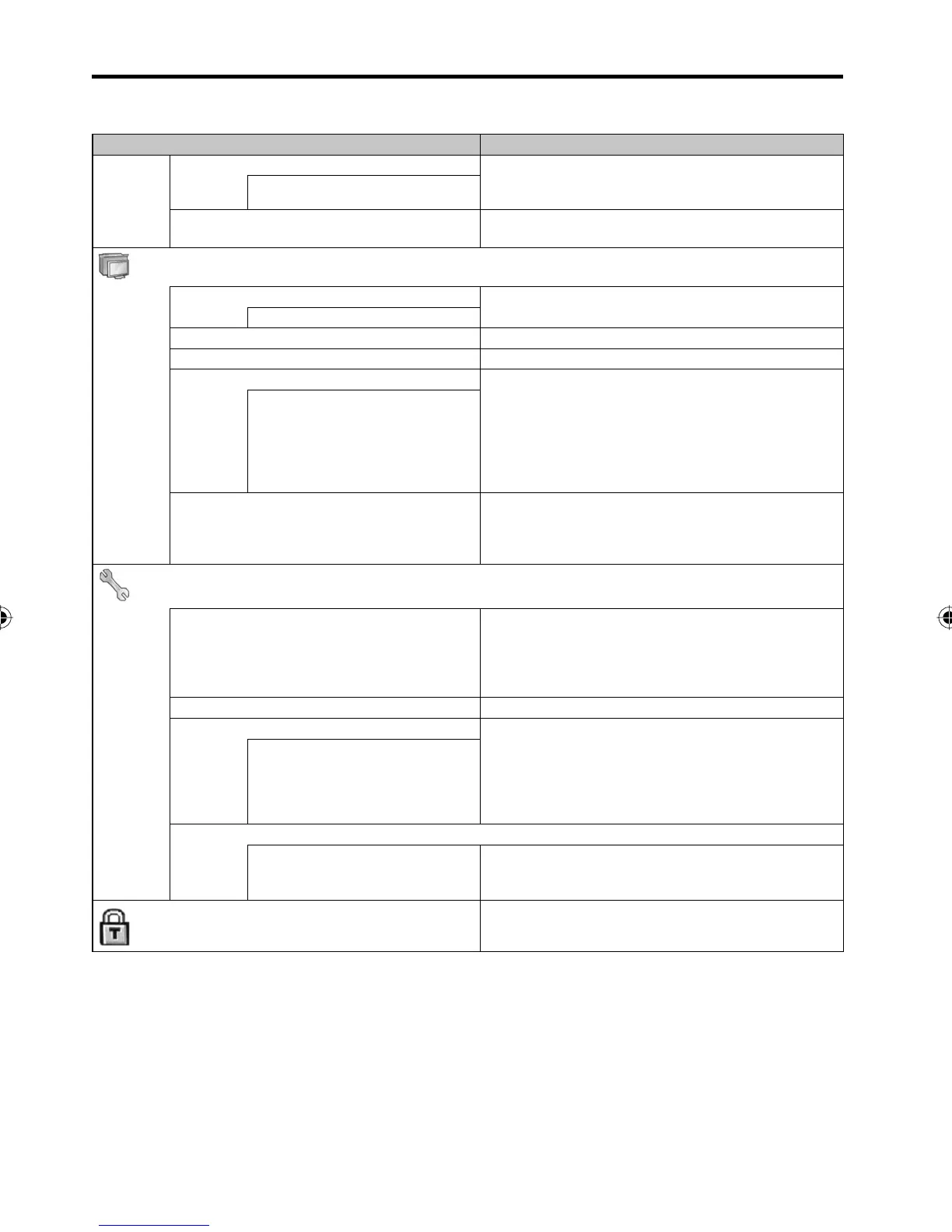
Selected Items
Setup hint
Stable Sound This will automatically adjust the volume so each
channel and input has the same average volume
level.
On / Off
Reset Select “Reset” to reset all Audio settings to the
factory preset values.
(Setup)
Signal Type See page 19
Air / Cable
Automatic Search See page 19
Add / Delete See page 19
MTS The multi-channel TV sound (MTS) feature provides
high-fi delity stereo sound. MTS also can transmit a
second audio program (SAP) containing a second
language or other audio information.
When the TV receives a stereo or SAP broadcast,
the word “Stereo” or “SAP” displays on-screen
every time you press DISPLAY.
Stereo / SAP / Mono
Audio Language Select your preferred audio language, if the current
DTV channel you are watching has more than one
audio language.
This option is not available for an ATV channel.
•
(Option)
OSD Language You can choose from three different languages
(English, Français (French) and Español (Spanish))
for the on-screen displays.
Select the language you prefer fi rst, then proceed
with the other menu options.
Picture Size See page 22
Power Management This feature controls the power management. If
about 30 seconds is elapsed with no video signal
in PC mode, the power status is changed to stand
by mode automatically. When there is available
video signal again, the power status is returned to
power on mode automatically.
On / Off
Closed Caption
Analog Caption
Digital Caption
Digital Caption Style
See page 21
(Lock)
See page 20~21
Convenience functions
You can change the default settings by pressing the Menu button on your remote, then select the one of the
icons at the top of the menu - follow the On-Screen prompts to set your preferences.
38L0221A.indb 1838L0221A.indb 18 8/4/09 9:43:51 AM8/4/09 9:43:51 AM



 To Next Page