/MODE
/MODE
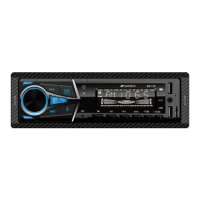
General Functional Operation
Power on/off
Long press the button on the panel to power on the host.
Short press the button on the panel to power off the host.
Volume Adjustment
Turn the volume knob to adjust the volume of the host.
AUX External Audio Input Interface
Use a 3.5mm audio adapter cable to connect our common MP3 player and CD player music to
AUX external audio input interface on the main panel. In this way, we can listen to the external
MP3 player, CD player music through the unit and car horn.
Reset Button
Press the "RESET" button on the base of the main machine with a small object with a pointed
point to restore the machine to the factory initial setting.
Radio Frequency Search Toggle
Press the button on the panel to search for radio frequencies
BAND
BAND
Answer Call
End Call
Press the button on the panel to answer the call (the device needs to be paired with the
phone to connect to Bluetooth).
Press the button on the panel to end up (the device needs to be paired with the phone to
connect to Bluetooth).
Installation/Connection Manual
Mode Switch
Press the panel button to select radio broadcast, USB ( USB device plugged IN ), SD ( SD
device plugged IN ), AUX-in ( external audio device input ) and Bluetooth mode ( Bluetooth
hands-free or Bluetooth music).
Audio/Menu Settings
Press the volume button repeatedly to select and set the local audio/menu function in the
following order:
BAS, TRE, BAL, FAD, FLAT / CLASSIC/ROCK/POP, etc loudness switch (LOUD OFF/ON), Listen
to remote radio broadcasts /LOCAL, STEREO/MONO mode.
Turn the volume knob to adjust or set the currently selected audio/feature.
Voice Button
Press the button on the panel to turn on the phone's smart voice assistant (the device needs
to be paired with the phone to connect to Bluetooth).
/MODE
/MODE
5 EN


 To Next Page