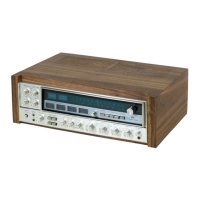
Listen to a Radio Station
Radio Station Band Selection
In radio broadcast mode, short press button selects one of the following broadcast bands:
FM1, FM2, FM3, AM1, AM2.
Manually Store/Call Preset Broadcast Stations
This radio system can store 6 preset radio stations per band, FM1, FM2, FM3 total can store
18 preset radio stations, AM1, AM2 can store a total of 12 preset broadcast stations.
Manually Store Preset Broadcast Stations:
Long press the preset radio number key (1~6) to store the current frequency in the corresponding
cell.
Call a Preset Broadcast Station:
Press the corresponding preset radio number key (1~6) to listen to the radio station with this unit.
Manually Tune The Radio Frequency
In radio broadcast mode, long press or button to enter manually tuned radio frequency
mode, then short press or button to step up or down to search for radio frequency.
Long press or button to manually quickly increase or decrease the search station frequency.
Automatically Tune The Radio Frequency
In radio broadcast mode, press the or button to increase or decrease the frequency of a
strong signal station.
Automatically Store Preset Broadcast Stations
In radio broadcast mode, long press button for more than 2 seconds, and the radio system
will automatically store 18 FM radio stations and browse through the saved stations.
BAND
In radio broadcast mode, long press button for more than 2 seconds, and the radio system
will automatically store 12 AM radio stations and browse through the saved stations.
BAND
BAND
6 EN


 To Next Page