1
3
2
4
10
The Sapling Company, Inc.
1633 Republic Road
Huntingdon Valley, PA 19006
USA
P. (+1) 215.322.6063
F. (+1) 215.322.8498
www.sapling-inc.com
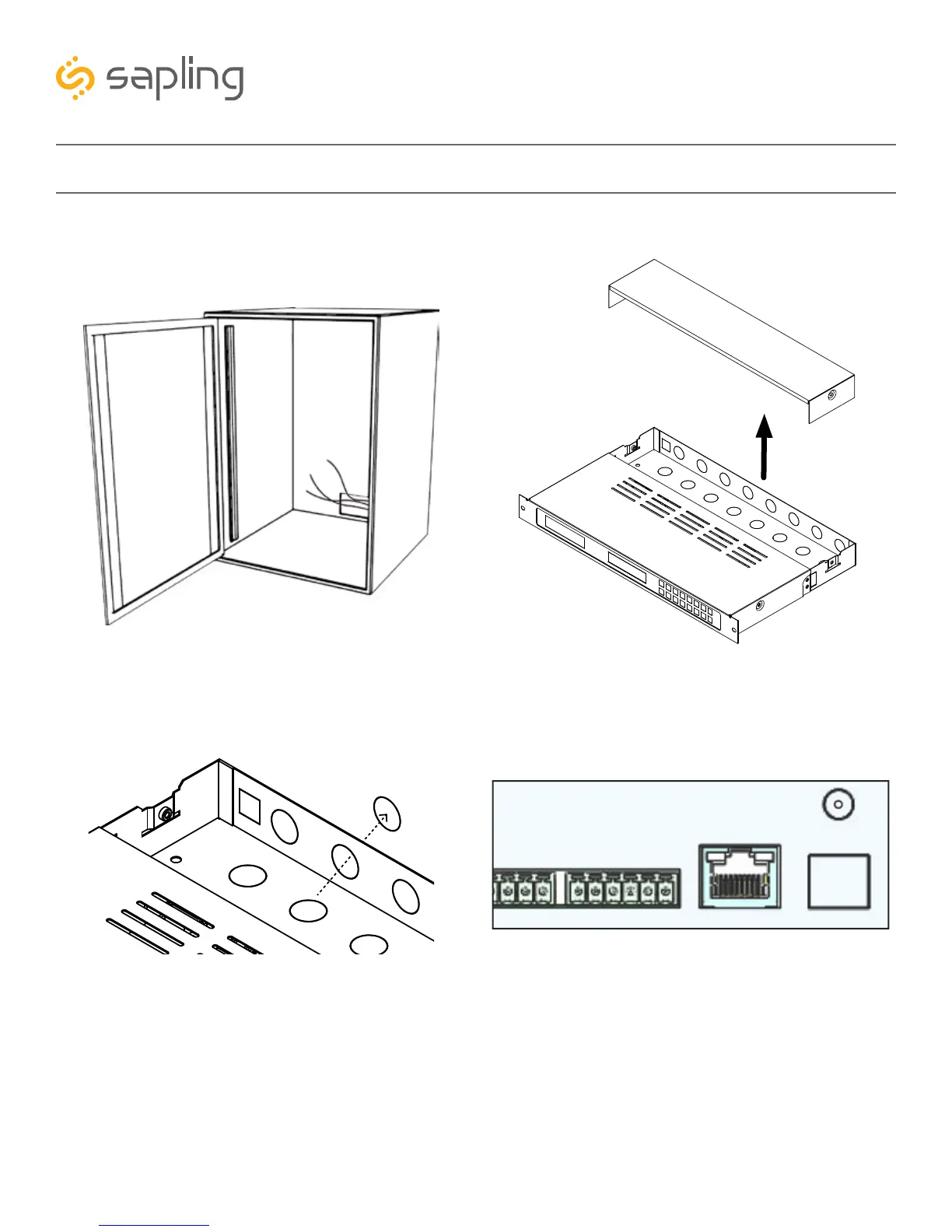
1) Thread any necessary cables through the back of
the network cabinet, including the cables for power,
inputs, outputs, and the remote antenna if it applies.
Installing a Master Clock - Rack Mount
3) Remove the metal punch-outs so that cables can
be installed. Thread the cables through the
punch-out holes.
2) Unscrew the back panel from the master clock.
4) Connect the input/output cables to their
corresponding sockets. Refer to the sections in this
manual labeled “Inputs” and “Outputs” for details
on each input and output method.



 To Next Page