35
The Sapling Company, Inc.
1633 Republic Road
Huntingdon Valley, PA 19006
USA
P. (+1) 215.322.6063
F. (+1) 215.322.8498
www.sapling-inc.com
A B C
E
D
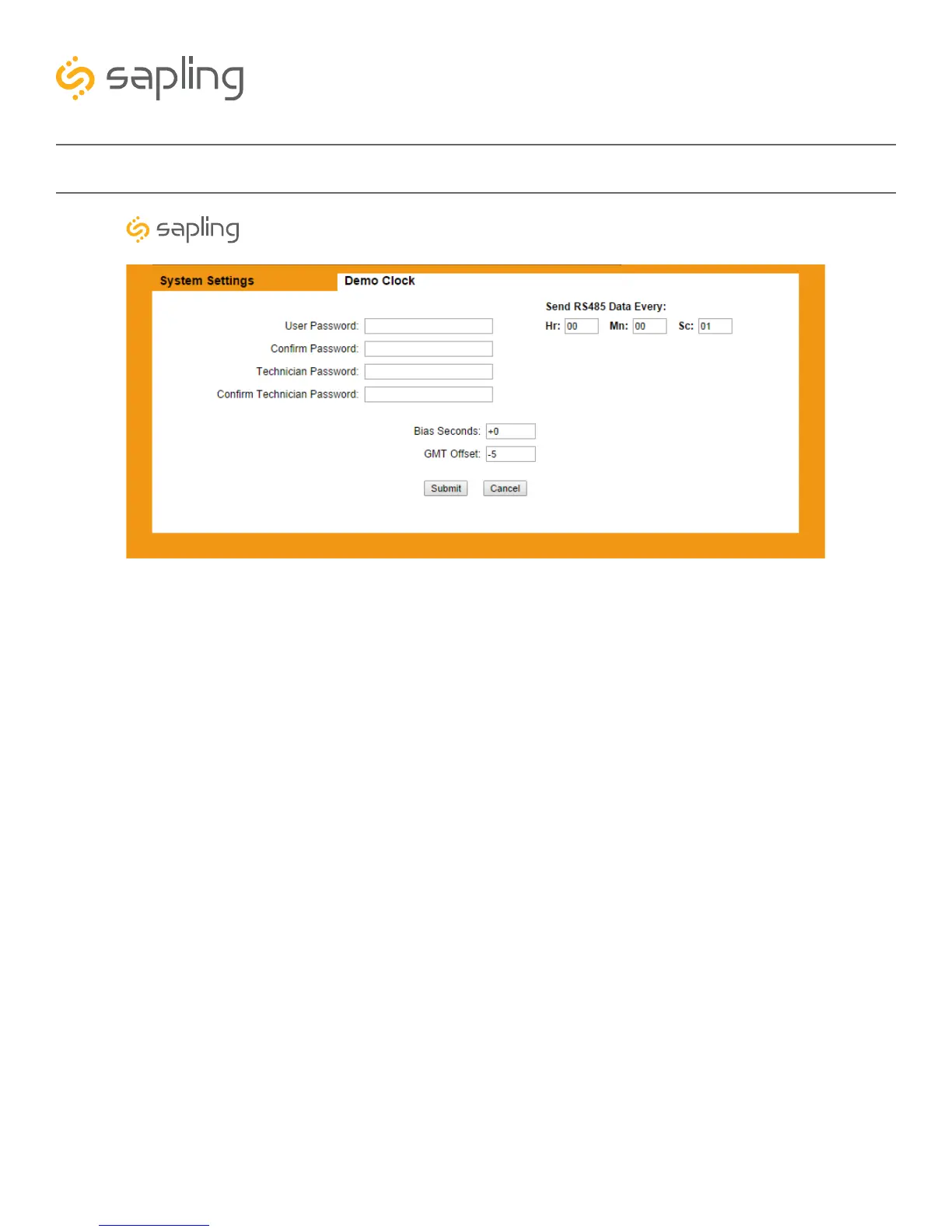
6) The following configurations are done in the System Settings tab in the master clock:
6A) *When installing a 2-Wire Clock System the master clock is set to send RS485 time data to
the converter box once every second as standard. This time data rate sent from the master clock to the
converter box can be changed (if needed) by clicking on System Settings and changing the “Send
RS485” to another value.
6B) *When installing an RS485 Clock System the master clock is set to send RS485 time data directly
to the secondary clocks in the system once every second as standard. This time data rate sent from the
master clock to the secondary clocks can be changed (if needed) by clicking on System Settings and
changing the “Send RS485” to another value.
6C) GMT Time Offset - The master clock is set to receive GMT (Greenwich Mean Time) also known as
UTC (Coordinated Universal Time) from an NTP Server (standard) or from a GPS (optional). In order to have
the master clock send the correct local time to the secondary clocks in the system (at the geographical
location of where the clock system is installed), the GMT offset for your time zone must be set. In order to
do that you will need to know the correct GMT offset for your location, for example: New York is -5 (hours
offset from GMT), London is 0 (Hours) and Tokyo is +10 (Hours). This is done in the System Settings tab
of the master clock web interface in the “GMT Offset” field.
6D) In some scenarios, there may be a need to adjust the time displayed by the master clock. If your
application requires such an offset, enter a value (in seconds) into the ‘Bias seconds’ field of the needed
offset. Keep in mind that an offset that is greater than 3600 seconds (1 hour) can be more easily set by
adjusting the GMT offset field.
*Please refer to specific product manuals for more information.
Basic Configuration - Web Interface (Continued)
Synchronized Clock Systems



 To Next Page