65
The Sapling Company, Inc.
1633 Republic Road
Huntingdon Valley, PA 19006
USA
P. (+1) 215.322.6063
F. (+1) 215.322.8498
www.sapling-inc.com
1
2
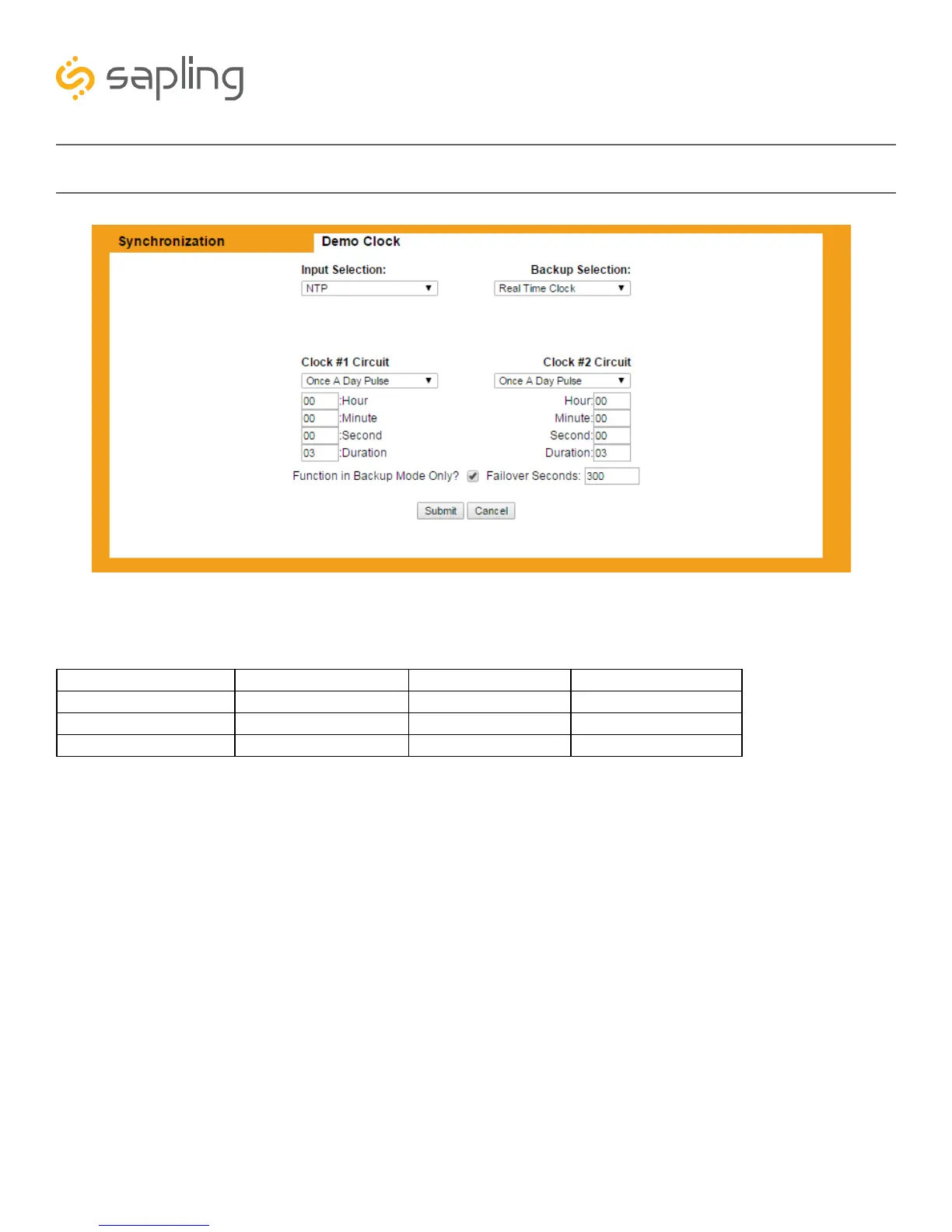
Web Interface - Synchronization
NTP 58 Minute Sync_1 National Time_Rauland Once a Day Pulse**
GPS* 58 Minute Sync_2 Dukane Digital RS485
Internal Real Time Clock 58 Minute Sync_3 Rauland Digital
58 Minute Sync_4 59 Minute Sync
1. Input Selection - This drop-down list allows the user to select which service signal the master clock will
depend upon for accurate time. The options include:
*A GPS module must have been purchased as part of your master clock, otherwise the master clock cannot receive time this way. Even if the user purchases
a separate GPS antenna, it will not work without the GPS module.
**If Once a Day Pulse is selected, fields for Hours, Minutes, and Seconds will appear. Enter the time (in 24 hour format; 1:00 PM = 13:00) when the Once a
Day pulse is present. The pulse must last for longer than one second.
2.Backup Selection - This drop-down list allows the user to select which service the master clock will use
as a backup if the primary input fails. If any of the following services are used as the primary input, then
none of the following services may be used as the backup:
59 Minute Sync, 58 Minute Sync (any versions), National Time/Rauland, Dukane Digital, Rauland
Digital, and Once a Day Pulse.
(Example: If 59 Minute Sync is the Primary Input, Rauland Digital may NOT be used as the backup)
For more information on Sync-Wire protocols, see the section of this manual labeled
“Manual Controls - Protocol Definitions”



 To Next Page