56
The Sapling Company, Inc.
1633 Republic Road
Huntingdon Valley, PA 19006
USA
P. (+1) 215.322.6063
F. (+1) 215.322.8498
www.sapling-inc.com
1) Text
Web Interface - Schedule Changes
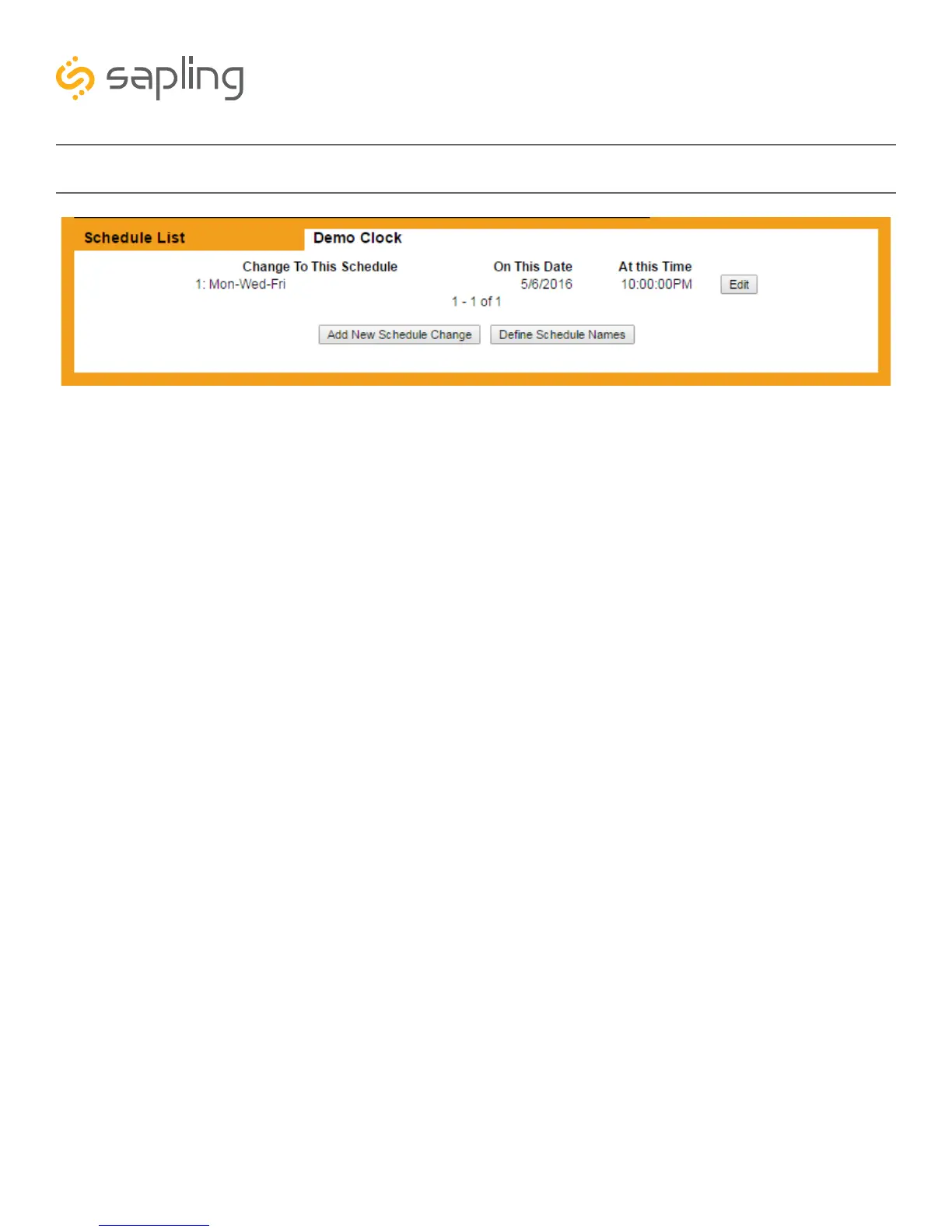
1. Schedule Change List- Displays all upcoming schedule changes, along with the date and time when
the schedule change will occur.
2. Edit - This button, when pressed, allows the user to modify parameters for the schedule change listed
to the left of the selected Edit button. The interface will have an identical format to the Add New Schedule
Change page. See the “Add New Schedule Change” section of this manual for more information.
3. Add New Schedule Change - This button, when pressed, takes the user to the Add New Schedule
Change page. See the “Add New Schedule Change” section of this manual for more information.
4. Define Schedule Names - This button, when pressed, takes the user to the Schedule Names page.
See the “Define Schedule Names” section of this manual for more information.
4
3
2
1



 To Next Page