59
The Sapling Company, Inc.
1633 Republic Road
Huntingdon Valley, PA 19006
USA
P. (+1) 215.322.6063
F. (+1) 215.322.8498
www.sapling-inc.com
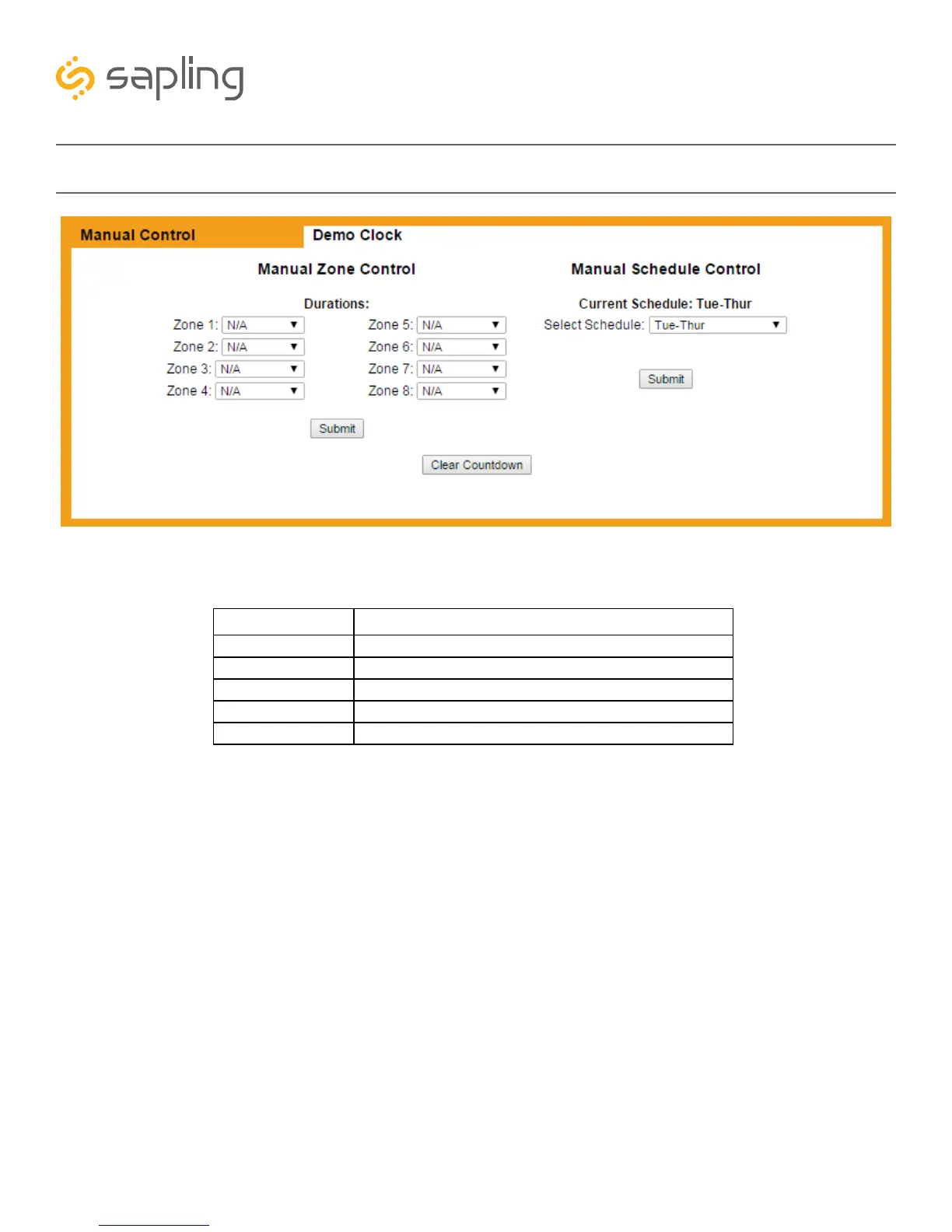
Web Interface - Manual Relay and Schedule Control
1. Manual Zone Control Durations - Allows the user to configure the relays for manual activation. The
values in the drop down menu are as follows:
2. Zone Control Submit - This button, when pressed, applies all of the selected Zone Control Durations
to the master clock.
3. Manual Schedule Control - Allows the user to configure a Schedule Change for manual activation.
4. Schedule Control Submit - This button, when pressed, switches the clock to the schedule selected in
Manual Schedule Control.
5. Clear Countdown - This button, when pressed, commands all connected Sapling digital clocks to
cancel any ongoing countdowns.
OPTION FUNCTION
N/A No Action. Relay state does not change.
On The relay will turn on.
Off The relay will turn off.
3 Seconds The relay will turn on. After 3 seconds, the relay will turn off.
5 Seconds The relay will turn on. After 5 seconds, the relay will turn off.
4
3
2
1
5



 To Next Page