Set Application
Number
Fi
.5
Set IAC
Address
Fi
.6
REMOTE OPERATION AND INTERROGATION
The IAC is connected, as part of a network, to a remote computer via
the Serial Link, all of the settin
and interro
ation functions are
carried out at the computer terminal.
Each IAC will be identified b
a uni
ue Address Code which is set up
via switch SW1 located to the ri
ht of the upper terminal block. This
allows the computer to select the desired IAC on the network. Up to
a maximum of 32 IAC Controllers
or similar compatible devices
ma
be connected to a LAN
more if a separate MIU or IAC Touch-screen
is used
.
TOUCH-SCREEN SUB LAN ADDRESS
If the IAC is on a Touch-screen Sub LAN then the address which the
computer uses is as follows:-
Touch-screen address – 64
x 100
+ IAC set address
e.
. Touch-screen address = 68
IAC address = 3
Computer address for the IAC =
68 – 64
x 100
+3 = 403
In this wa
it is possible for lar
e sites to have a uni
ue address for
ever
network controller.
SETTING THE TOUCH-SCREEN ADDRESS
To set the Touch-screen address and Baud rate see the
Touch-screen User Guide.
SETTING THE ADDRESS, BAUD RATE AND
APPLICATION OF THE IAC 600 BASE UNIT
Instructions 1 to 4 will COLD START
our IAC and clear out the
memor
.
1. Ensure all IAC outputs are disconnected from the plant.
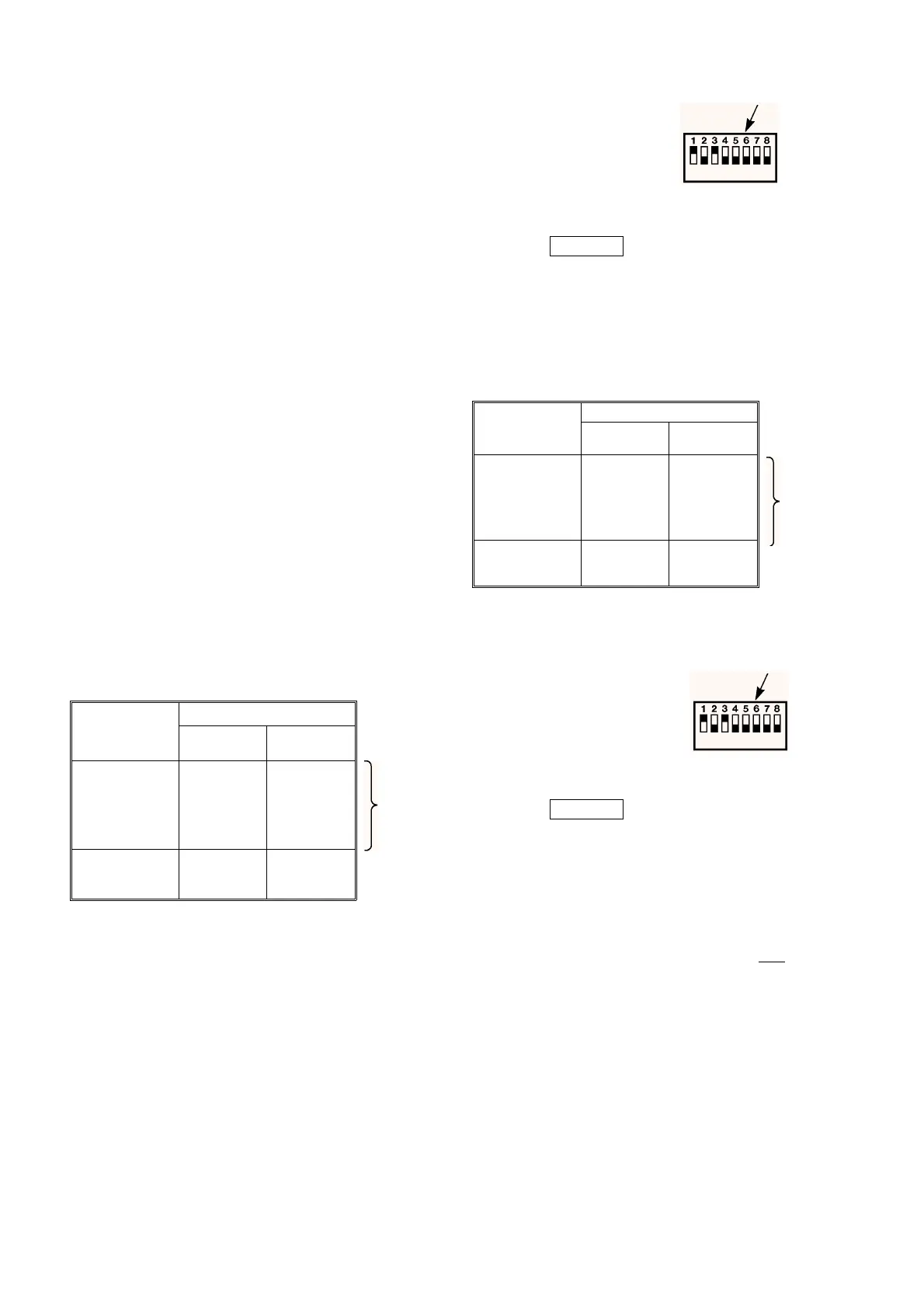
2. Set bit switch 1 "ON". Set all other bit switches to "OFF" - see fi
.
5.
3. Set bit switch 8 to "ON" and then back to "OFF", this will load
preset 1.
4. Set all bit switches to "OFF". Set bit switch 8 to "ON" and then
back to "OFF", this will load preset 0.
5. If
ou are usin
preset 0
ou should now set the controller
address. If
ou are usin
a hardware preset application set the
application number on bit switches 1 to 6 and ensure that bit
switch 7 is set to "OFF".
6. If the IAC is not to be connected to a computer then it is not
necessar
to set an address for it.
7. Once the Application Number is set it must be entered into the
IAC b
‘cold startin
’ the controller. This is achieved b
settin
bit
switch 8 to "ON" and then settin
bit switch 8 back to "OFF".
SW1
SWITCH
(Increment No.)
POSITION
Off/
Open/0
On/
Closed/1
1
2
3
4
5
6
0
0
0
0
0
0
1
2
4
8
16
32
7
8
Set Appli-
cation
Run
Set
Address
Cold Start
Example:
Switch settin
s as shown in Fi
. 5.
Switch Represents
11
20
34
40
50
60
TOTAL = 5
7
8
Application Number
Run
Set Application
On/Closed/I
Off/Open/0
OPEN
Switch
SW1
SWITCH
(Increment No.)
POSITION
Off/
Open/0
On/
Closed/1
1
2
3
4
5
6
0
0
0
0
0
0
1
2
4
8
16
32
7
8
Set Appli-
cation
Run
Set
Address
Cold Start
Switch Represents
11
20
34
40
50
6 32
TOTAL = 37
7
8
Address
Run
Set Address
On/Closed/I
Off/Open/0
OPEN
Switch
8. Set the controller address on bit switches 1 to 6 and set bit switch
7 to "ON". See fi
.6.
9. Once the address has been set it must be entered into the IAC b
‘cold startin
’ the controller. This is achieved b
settin
bit switch
8 to "ON" and then settin
bit switch 8 back to "OFF".
Example:
Switch settin
s as shown in Fi
. 6.
10.The IAC application and address has now been set up, the Baud
rate is automaticall
set to 1200 Baud
this is done whenever the
controller is cold started
.
Notes:
1. Do not set more than one network device to the same address.
2. If a sub-LAN is used then addresses 1 to 31 can
NOT be used on
the main LAN.
3. Protocol and wirin
information for OEM communications
pro
rammes are available from Marketin
Department, Slou
h
Office.
4. The IAC operates at 1200 Baud.
05/98 19 - 24 DS 2.951A



 To Next Page