6 OPAL SATEL
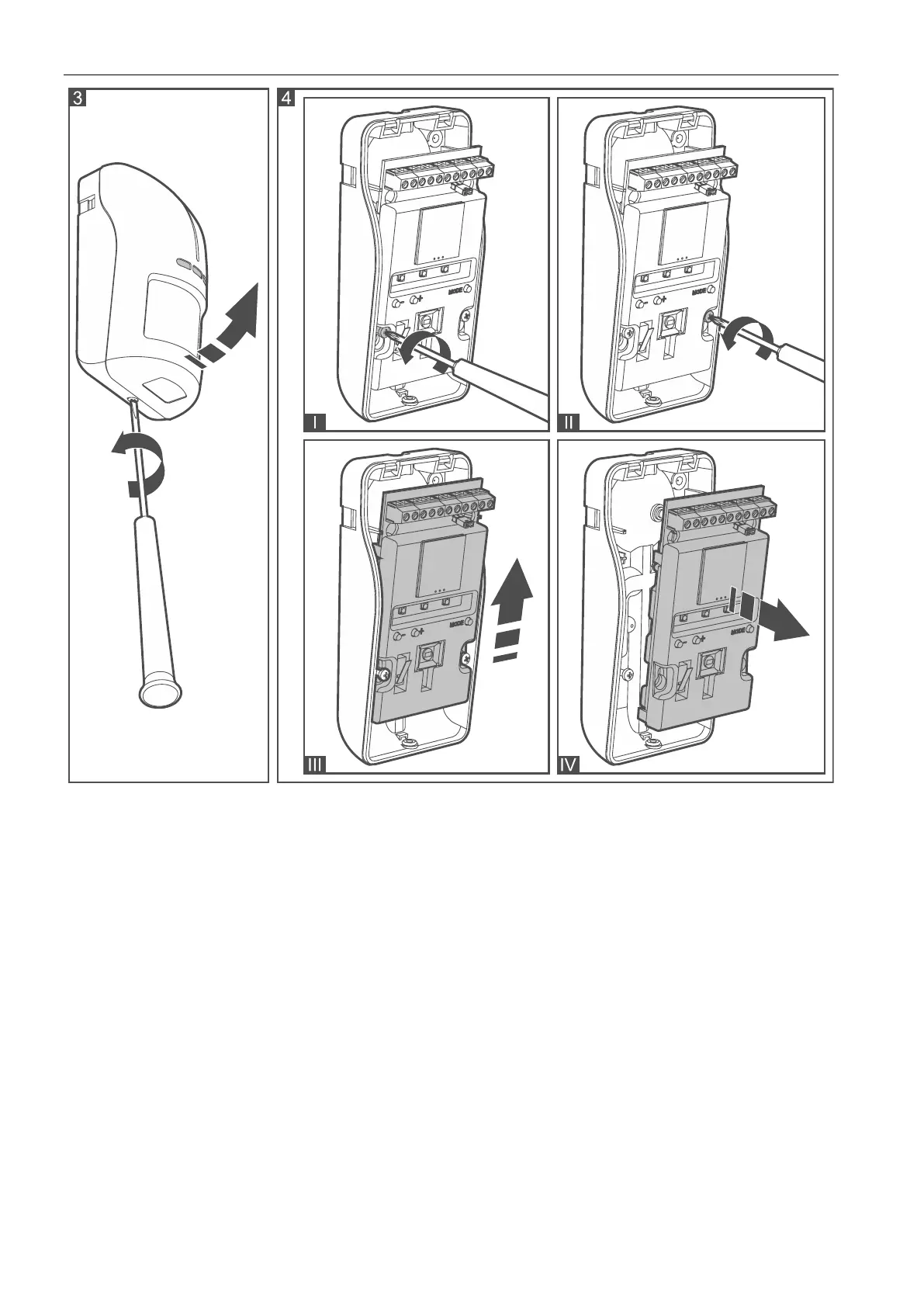
3. Make the opening for cable in the enclosure base.
4. Mount the enclosure base to the wall (see: “Wall mounting”), to the angle bracket
(see: “Angle bracket mounting”) or to the ball bracket (see: “Ball bracket mounting”).
In Figure 5 possible ways of mounting the detector are shown.
5. Fasten the electronics module in the enclosure base.
6. Connect the wires to the corresponding terminals.
7. Configure the detector (see: “Configuring the detector”).
8. Replace the cover.


 To Next Page