14 / 20
location/Hemisphere
Exp:
Local longitude is East 200.
You should input west (360-200)=160.
3.4.5 Time Zone
Press ◄► key to set Time Zone.
3.4.6 Channel reset
Press OK key to Restore default Channel setting
3.4.7 Mode, SW VER, Release Time
You can look into information of hardware and software.
4. Channel
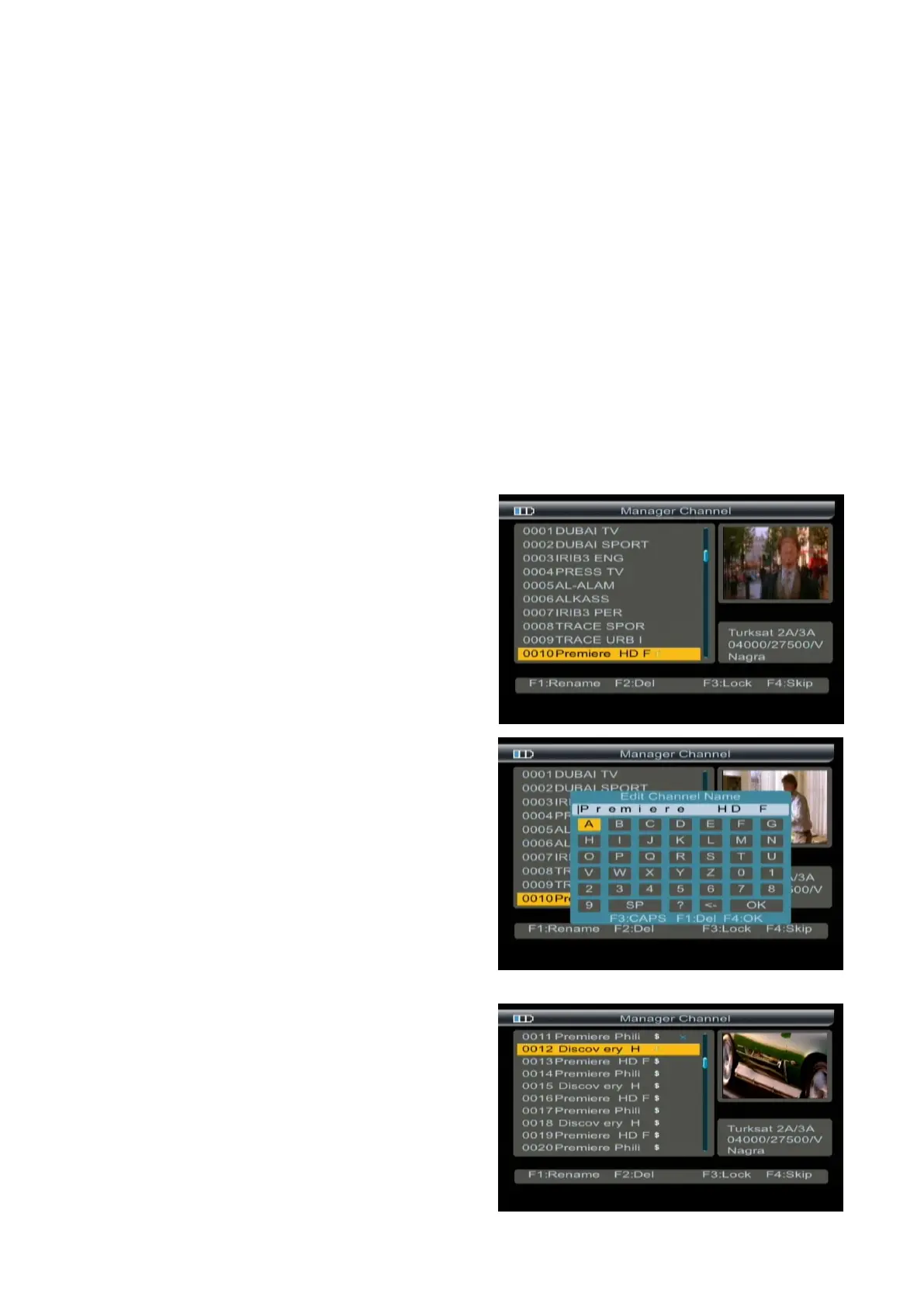
4.1 Manager Channel
Press F4 key into the manager channel interface
4.1.1 Rename Channel
1. Press F1 key. You will notice the Keyboard menu in
screen.
2. Press the arrow keys to Input channel name.
3. Press F3 key to switch caps lock; press F1 key to
backspace; press F4 key to complete edit.
4. Press MENU key, the Warning window will appear,
if you select yes, the modification will be save
4.1.2 Del Channel
1. Press ▲▼ key to select TV.
2. Press F2 key, the TV will be marked with the symbol “X”,
marking all channel of you need delete.
3. Press MENU key, the Warning window will appear, if



 To Next Page