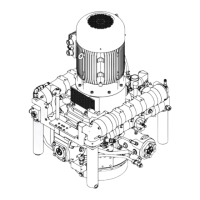
1. Insert new valve with new o-ring in the valve cover.
2. Assemble the valve cover with new o-rings. Observe the tightening
torque:
Ä
Chapter 3.2 ‘Requirements for maintenance work’ on page 9
When fitting the valve cover for compression stage 2,
ensure it is positioned correctly. The arrow on the
valve cover must point upwards.
3. Screw in the hexagon head screws.
4.1.4 Replacing the valves for compression stages 1
and 2
Remove and install the valves as described in
Ä
Chapter 4.1.3 ‘Checking
the valves of compression stages 1 and 2’ on page 24. Make sure you
replace the valves completely.
Installing the compres-
sion stage 2 valve
MAINTENANCE
WP5000 Basic WA 41013675 en GB 20190916 | 29



 To Next Page