EasyManua.ls Logo

SawStop CB53480 - User Manual

Default Icon
104 pages
Print Icon
To Next Page IconTo Next Page
Loading...
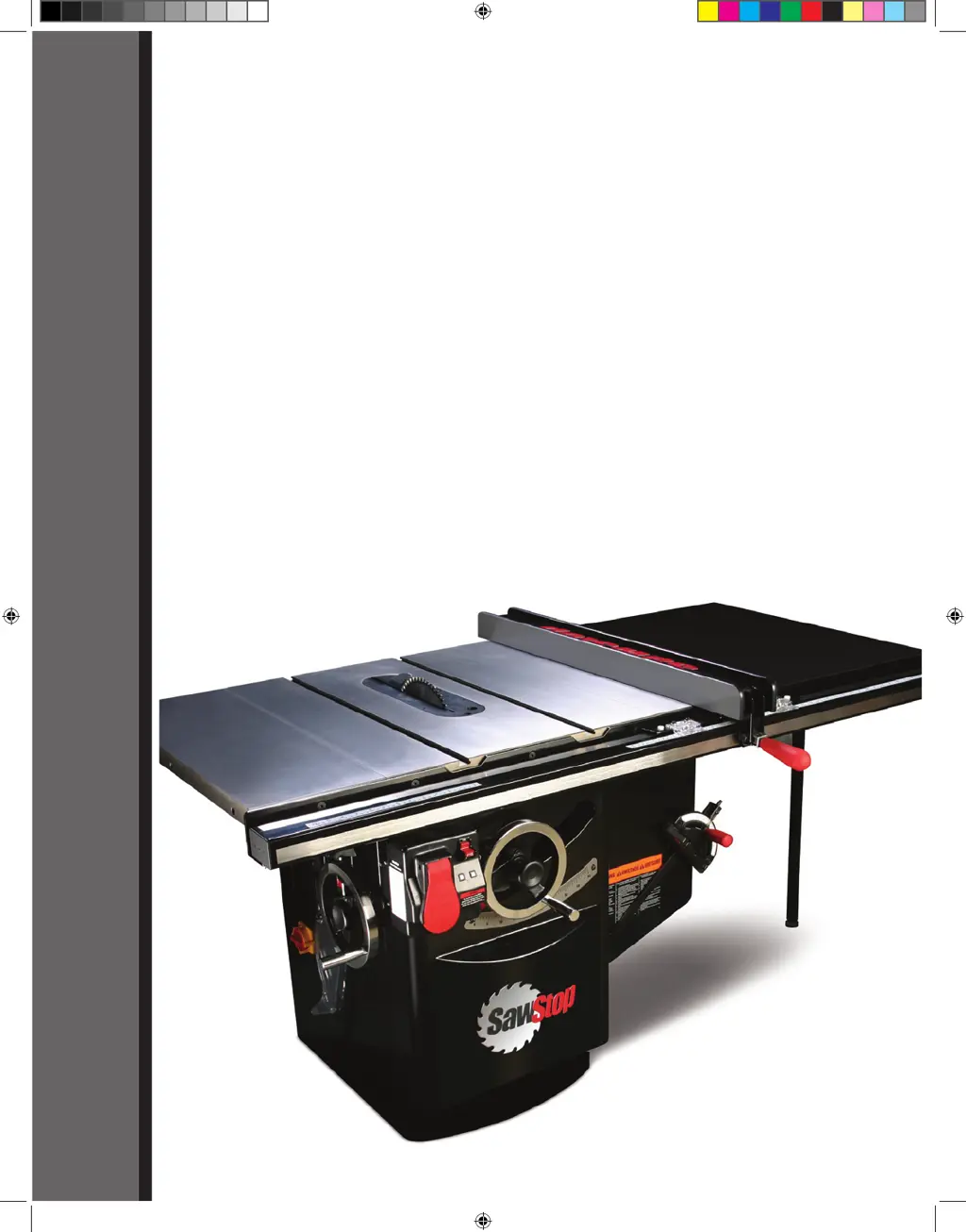
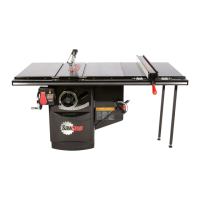
10” INDUSTRIAL CABINET SAW
Models CB31230, CB33230, CB51230,
CB53230, CB53480, CB73230, CB73480
OWNER’S MANUAL
SawStop
®
Cabinet Saw Manual 1st Reprint.i1 1 3/9/2010 8:32:39 AM

Table of Contents

Questions and Answers

  • H
    Hannah ConnerSep 10, 2025
    What to do if my SawStop Saw motor stops during use, but the brake doesn't activate?
    • D
      Dr. Leah YorkSep 12, 2025
      If your SawStop Saw motor stops unexpectedly during use without brake activation, consider these potential causes: 1. The Start/Stop paddle might have been bumped. Ensure it's in the OFF position and restart the saw. 2. The material being cut might be overloading the safety system, especially with green or wet wood. Try different wood or cut in Bypass mode. 3. The safety system could have detected an error, indicated by an error code on the LEDs. 4. There may have been a temporary loss of electrical power. Ensure the saw is properly supplied with the correct voltage. 5. A door interlock switch might have been released. Ensure the belt access door and motor cover are closed. 6. The cartridge could be defective; try a different one.
  • O
    obaileySep 9, 2025
    How to troubleshoot a SawStop CB53480 Saw when the motor won't start and both LEDs are off?
    • C
      Charlene TateSep 9, 2025
      If the motor of your SawStop Saw won't start and both LEDs on the switch box are off, here's what to check: * Ensure the electrical supply to the saw is on and the correct voltage is supplied. * Make sure the disconnect switch is turned to the ON position. * Verify a brake cartridge is installed. If not, install one. * The brake cartridge might be defective, try replacing it. * If you have a 480V or 600V saw, check the fuse in the side of the contactor box.
  • R
    reeserobertSep 8, 2025
    Why is there play in the tilt control of my SawStop CB53480 Saw?
    • W
      William HarrisSep 8, 2025
      If there's play in the tilt control: * Adjust the position of the tilt control shaft as necessary to ensure the worm gear engages fully with the front trunnion sector gear, as the worm gear may not be engaged fully.
  • S
    Sarah LaraAug 22, 2025
    What to do if my SawStop CB53480 motor stopped unexpectedly?
    • T
      Thomas HillAug 23, 2025
      If the motor stopped unexpectedly during use, but the brake didn't activate, consider these possibilities: * The Start/Stop paddle may have been bumped. Ensure it's in the OFF position and restart the saw. * The material being cut might be overloading the safety detection system, for example, if you're using green or wet wood. Try different wood or use Bypass mode. * The safety system may have detected an error, indicated by an error code on the LEDs. Consult the list of System Status Codes to determine the cause and corrective action. * There may have been a temporary loss of electrical power. Verify the saw is receiving the correct voltage.
  • C
    Cameron ButlerSep 5, 2025
    Why does the blade hit the brake pawl when installing it on my SawStop CB53480?
    • S
      Shawn LoveSep 6, 2025
      If the blade hits the brake pawl during installation: * Turn the brake position bolt counter-clockwise until the closest point between the brake pawl and the blade is about 1/16” to 1/8”, as the brake position may be too close to the blade. * Ensure you're using the correct blade size: a 10” diameter blade with a standard brake cartridge, or an 8” dado set with a dado cartridge.
  • T
    Timothy PierceSep 4, 2025
    What to do if I can't install the cartridge key in my SawStop CB53480 Saw?
    • T
      Toni JuarezSep 4, 2025
      If you're unable to install the cartridge key: * Adjust the brake position bolt clockwise until the closest point between the brake pawl and the blade is about 1/16” to 1/8”, as the brake position may be too far from the blade. * Rotate the key so that the handle is pointing directly toward the brake pawl, ensuring proper alignment with the keyhole. * Try installing the key while pressing upward or downward on the key or cartridge, as the shaft may be binding.
  • M
    Melissa HallSep 3, 2025
    Why doesn't my SawStop CB53480 Saw make accurate 45 or 90 degree cuts?
    • J
      James ObrienSep 3, 2025
      Inaccurate 45° or 90° cuts could be due to: * Improperly adjusted tilt limit stops. Adjust the tilt limit stops. * An incorrectly adjusted tilt angle indicator. Adjust the tilt angle indicator. * An improperly adjusted miter gauge. Adjust the miter gauge. * Miter gauge slots that are not aligned with the blade. Align the miter gauge slots to the blade.
  • M
    Michael DavidSep 2, 2025
    Why can't I install the brake cartridge in my SawStop CB53480 Saw?
    • A
      annanorrisSep 2, 2025
      If you cannot install the brake cartridge: * Ensure the mounting holes in the cartridge align with the pivot and positioning pins. * Check for debris on the pins or in the mounting holes and clean if necessary. * Adjust the brake positioning bolt to move the brake pawl away from the blade if the blade is interfering with it.
  • J
    jasonfreemanSep 1, 2025
    How to reduce vibration in my SawStop Saw?
    • A
      Adrian MichaelSep 1, 2025
      Excessive vibration in your saw can stem from: * A damaged or unbalanced blade. Replace the blade. * An uneven floor. Move the saw to a level surface. * Worn bearings. Replace the bearings. * Worn belts. Replace the belts.
  • D
    Diane LangAug 30, 2025
    What causes material binding when rip cutting with my SawStop Saw?
    • W
      williamsdouglasAug 31, 2025
      If the material binds during a rip cut, it could be because: * The rip fence isn't aligned with the blade. Align the fence to the blade. * The material is warped. Select a different piece. * The feed rate is too high. Try a lower feed rate. * The spreader or riving knife is not aligned with the blade. Align the spreader or riving knife.

Summary

Warranty and Safety Information

Warranty Terms and Conditions

Details the warranty coverage, duration, and exclusions.

Accident Procedures and Safety Disclaimer

Outlines safety practices and accident protocols, plus a disclaimer.

Saw Setup and Component Identification

Component Identification

Identifies key external and internal components of the saw.

Initial Setup Procedures

Covers placement, wing assembly, fence installation, and basic adjustments.

Blade, Brake, and Safety Device Installation

Guides on installing blades, brake, guard, and riving knife.

Electrical and Dust Collection Connection

Connecting power and dust collection systems.

Control Switches and Interlocks

Details on power switches and safety interlocks.

Saw Operation Fundamentals

Blade Adjustment and Motor Control

How to adjust blade height/tilt and start the motor.

System Status and Bypass Mode

Understanding system codes and using bypass mode.

Safety Devices in Operation

Proper use of blade guard and riving knife.

Cutting Techniques

Guidance on cross-cutting and rip cutting.

Brake Cartridge Maintenance and Replacement

Safety System Activation and Response

Responding to Safety System Activation

Steps to take when the safety system activates.

Precision Adjustments and Calibration

Table and Blade Alignment

Procedures for ensuring table and blade parallelism.

Elevation and Tilt Axis Adjustments

Adjusting blade movement and tilt axis for accuracy.

Limit Stops and Insert Adjustments

Setting blade height/tilt limits and table insert fit.

Routine Maintenance

Safety System and Cabinet Care

Maintaining the safety system and keeping the cabinet clean.

Mechanism Lubrication and Belt Checks

Lubricating gears and checking belts for wear.

Table Surface Rust Prevention

Methods for cleaning and protecting table surfaces.

Troubleshooting Common Issues

Startup and Power Problems

Solutions for motor not starting or LED errors.

Operation and Braking Issues

Diagnosing problems during operation, like blade binding or inaccurate cuts.

Brake Activation and Cartridge Issues

Addressing unintended brake activation and cartridge problems.

Technical Specifications

SawStop CB53480 Specifications

General IconGeneral
BrandSawStop
ModelCB53480
CategorySaw
LanguageEnglish

Related product manuals