Saia-Burgess Controls AG
User Manual Standby System │ Document 27-645 │ Edition ENG 02 │ 2017-04-26
Diagnostic
2-12
2
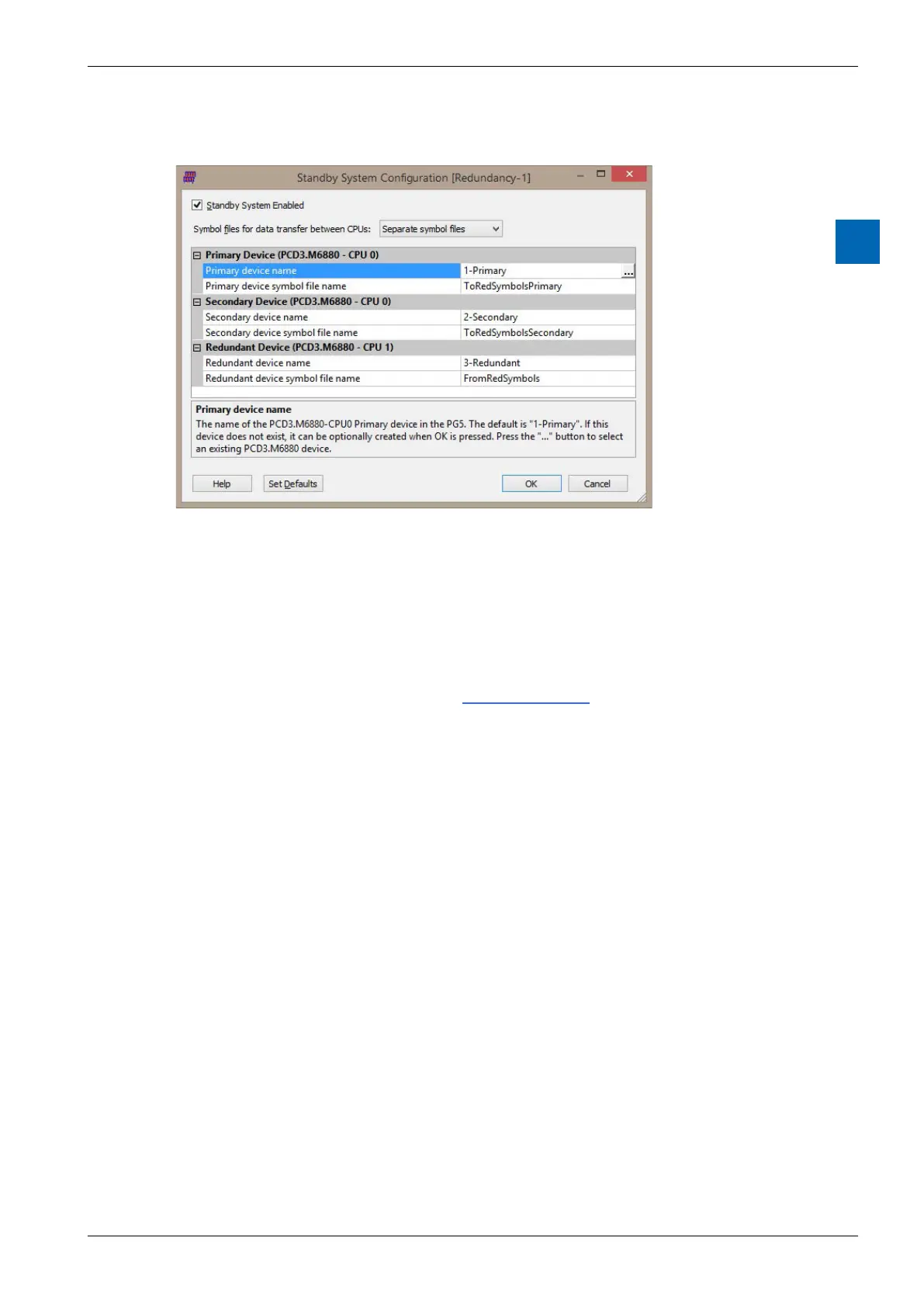
Standby System Enabled checkbox
Enables or disables the standby feature for the project.
Symbol les for data transfer between CPUs
and between the two devices. See Media Exchange for more details.
Primary Device (CPU0)
Primary device name
The name of the PCD3.M6880 Primary device. The default is “1-Primary”.
Press the “...” browse button to select an existing PCD3.M6880 device.
Primary device symbol le name
-
This is shown as “To Red (Secondary)” in the picture above. The default name
is”ToRedSymbolsSecondary”.
Secondary Device (CPU0)
This is CPU0 of the second PCD3.M6880.
Secondary device name
The name of the PCD3.M6880 Secondary device in the PG5. The default is
“2-Secondary”. Press the “...” browse button to select an existing PCD3.M6880
device.



 To Next Page