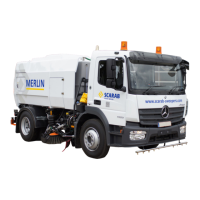
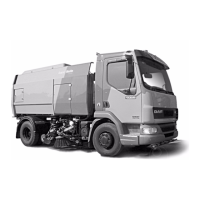
SCARAB M6 SWEEPER KIT
9 Operator’s Manual Amdt.1 - 03 November 2009
SUCTION FAN SWITCH - Press to start the fan. The red LED
illuminates when the fan is ON. Engine speed will automatically rise
to 1600 rpm and the fan
speed (2100 rpm) will be displayed on the
LCD screen.
LEFT HAND SIDE-BRUSH SWITCH *- Press to start the
s
ide-brush.
The red
LED illuminates when selected. Brush will not deploy until the
Sweep Master switch is activated. On single-swee
p machines the
non-sweeping side’s switch-backlight and LED will not illuminate.
See also side brush SWING IN/OUT switch.
LEFT HAND SUCTION NOZZLE RAISE/LOWER SWITCH - Press to
lower the suction nozzle. Red LED illuminates when the feature is
selecte
d. The nozzle will not deploy until the Sweep Master switch is
activated. On single-sweep machines the non-sweeping side’s
switch-backlight/LED do not illuminate.
WIDESWEEP BRUSH SWITCH *- Press to start the widesweep brush.
The red LED illuminates when the feature is selected. The brush will
not deploy until the
Sweep Master switch is activated.
RIGHT HAND
SUCTION NOZZLE RAISE/LOWER SWITCH - Pre
ss to
lower the suction nozzle. The red LED illumi
nates when the feature
is selected. The nozzle will not deploy until the Sweep Master switch
is activated. On single-sweep machines the non-sweeping side’s
backlight/LED do not illuminate.
RIGHT H
AND SIDE-BRUSH SWITCH *- Press
to start the side-brush.
The
red LED illuminates when the feature is selected. Brush will not
deploy until the Sw
eep Master switch is activated. On single-sweep
machines
1
the non-sweeping side’s switch-backlight and LED will
not illuminate. See also side brush SWING IN/OUT switch.
LE
FT HAND WORK-LIGHTS - Pr
ess to turn the work-lights ON. The
red LED illuminates when the feature is selected.
LEFT HAND SIDE-BRUSH/NOZZLE WATER SWITCH - Pr
ess to start
the dust-suppression water jets for the side-brush and suction
nozzle. The red LED illuminates when the feature is selected. Water spray
will not function unless the Sweep Master switch is activated.
WIDE SWEE
P WATER SWITCH -
Pre
ss to start the dust-suppression
water jets for the widesweep brush. The red LED ill
uminates when
the feature is selected. Water spray will not function unless the
Sweep Master switch is activated.
When the M6 is equipped with dual side brushes, a swivelling widesweep brush is fitted to enable
it to sweep with the selected side brush. Consequently, when the offside brush is selected while
the nearside brush is active, the nearside brush and suction nozzle will be automatically
cancelled, stopping and rising to their respective stowage positions. The widesweep will slew to
sweep with the offside brush. To reselect the nearside brush and nozzle, press the relevant
switches, at which point the offside equipment will be automatically cancelled.
*


 To Next Page