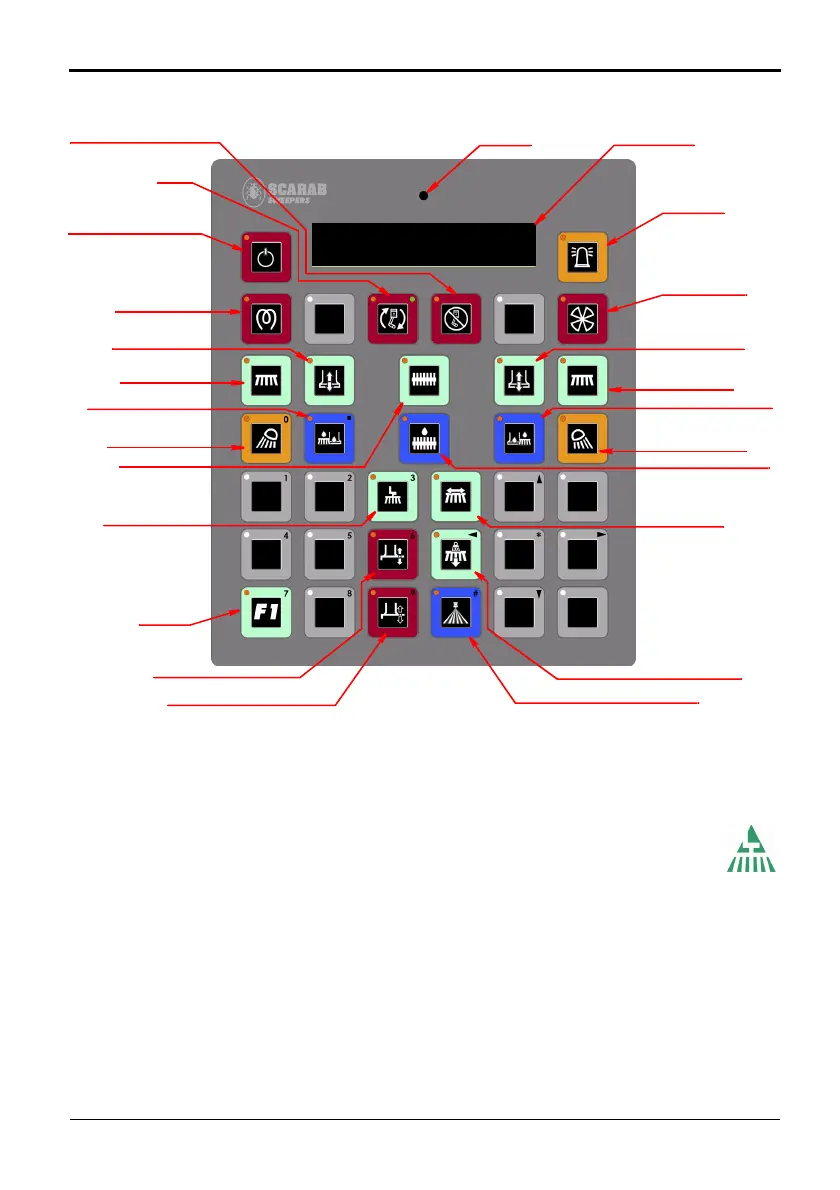
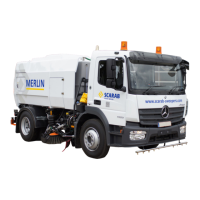
Fig. 3 Sweeper Control Panel Layout
BEACONS
AUXILIARY ENGINE STOP
AUXILIARY ENGINE
PANEL ON/STAND-BY
LEFT HAND
LEFT NOZZLE
WIDESWEEP
LEFT SIDE WATER
RIGHT HAND
RIGHT NOZZLE
RIGHT SIDE WATER
LEFT SIDE
RIGHT SIDE
HIGH-PRESSURE WATER PUMP •
LIQUID CRYSTAL DISPLAY
AMBIENT LIGHT
START
SENSOR
(LCD SCREEN)
WORK LIGHTS
RAISE/LOWER
SIDE-BRUSH
WORK LIGHTS
SIDE-BRUSH
RAISE/LOWER
SUCTION FAN
WIDESWEEP WATER
• indicates optional equipment
SIDE BRUSH
NOZZLE TILT (MOMENTARY)
When in Sweep Mode:
UPPER LINE = ENGINE SPEED
LOWER LINE = WATER TEMPERATURE / WARNINGS
MANUAL
PRE-HEATERS
SWING IN/OUT
NOZZLE TILT (LOCKING)
SWEEP MASTER
SWITCH
SIDE BRUSH DOWN PRESSURE •
OPTION
SCARAB M6 SWEEPER KIT
Amdt.1 - 03 November 2009 Operator’s Manual 10
RIGHT HAND SIDE-BRUSH/NOZZLE WATER SWITCH - Press to start
the dust-suppression water jets for the side-brush and suct
ion nozzle.
The red LED illuminates when the feature is selected. The water spray
jets will not operate until the Sweep Master switch is activated.
RIGHT HAND WORK-LIGHTS -
Pre
ss to turn the work-lights ON. The red LED
illuminates when the feature is selected.
SWEEP MASTER SWITCH - Press
once to activate and deploy all pre-
selected sweeping equipment. The red LED will illuminate when the switch
is active. Pressing the switch a second time will stop and stow all active
sweeping equipment.


 To Next Page