- 27 -
www.SCEPTRE.com
SCEPTRE E32 HDTV User Manual
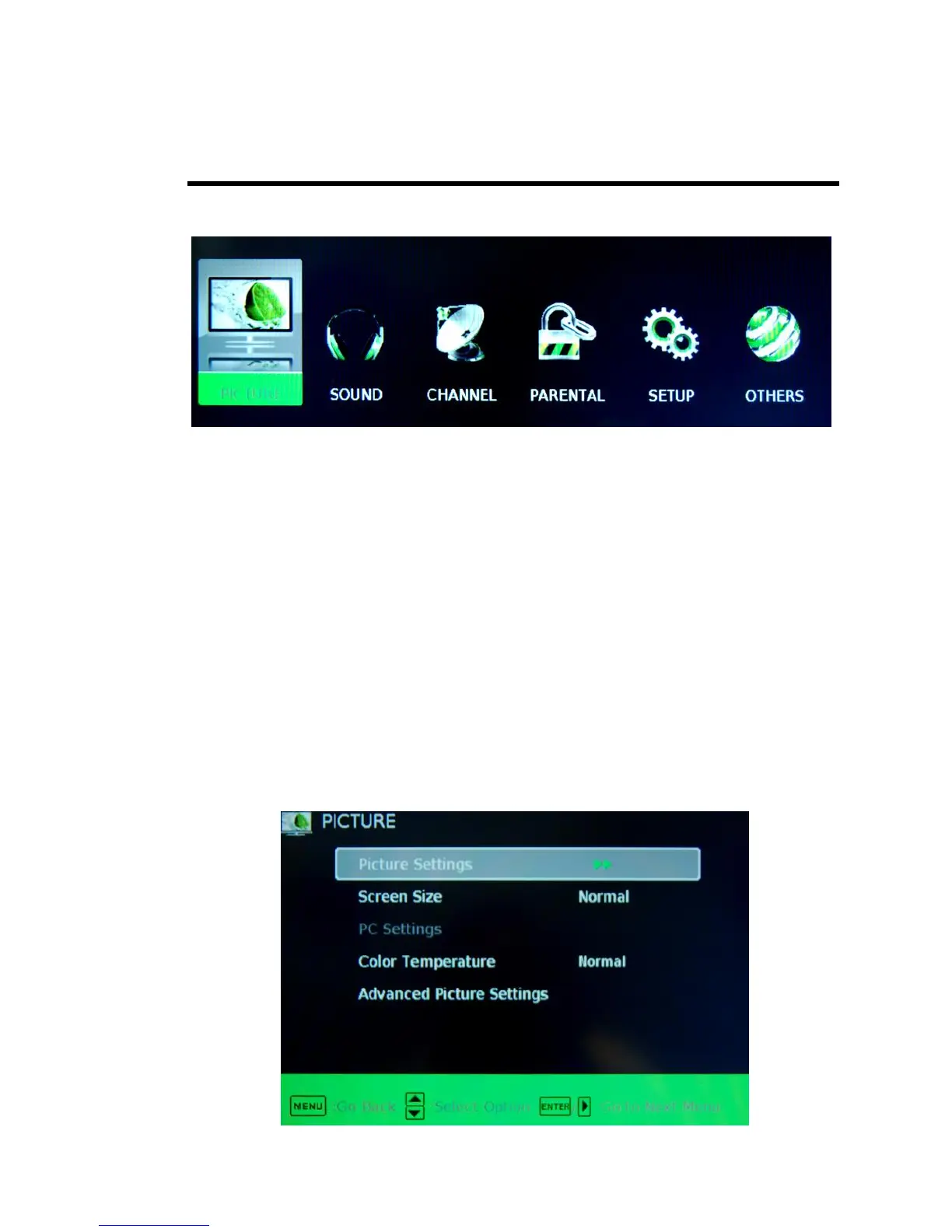
OSD (On Screen Display) Options
PICTURE – This main option has functions for changing the picture settings for all ports,
such as tint, contrast, sharpness.
SOUND – This main option has functions for changing sound settings for all ports, such
as SPDIF Type, treble, bass, and acoustic cinema enhancement….etc.
CHANNEL – This main option has functions for the tuner port, such as scanning
channels, editing channels, specific range scans, audio language, tuner mode….etc.
PARENTAL – This main option has functions for only composite and TV port. The
purpose of this option is to block TV inappropriate for children.
SETUP – This main option has functions for all ports, OSD language, caption styles,
time setup, automatic synchronization, sleep.
OTHERS – This main option has functions for resetting the TV.
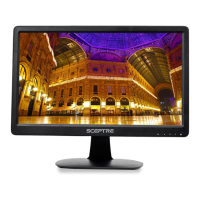
PICTURE
This option allows users to adjust the TV’s picture sharpness, color, tint, and other
various functions.



 To Next Page