- 8 -
www.SCEPTRE.com
SCEPTRE E32 HDTV User Manual
Attaching or Removing the Stand
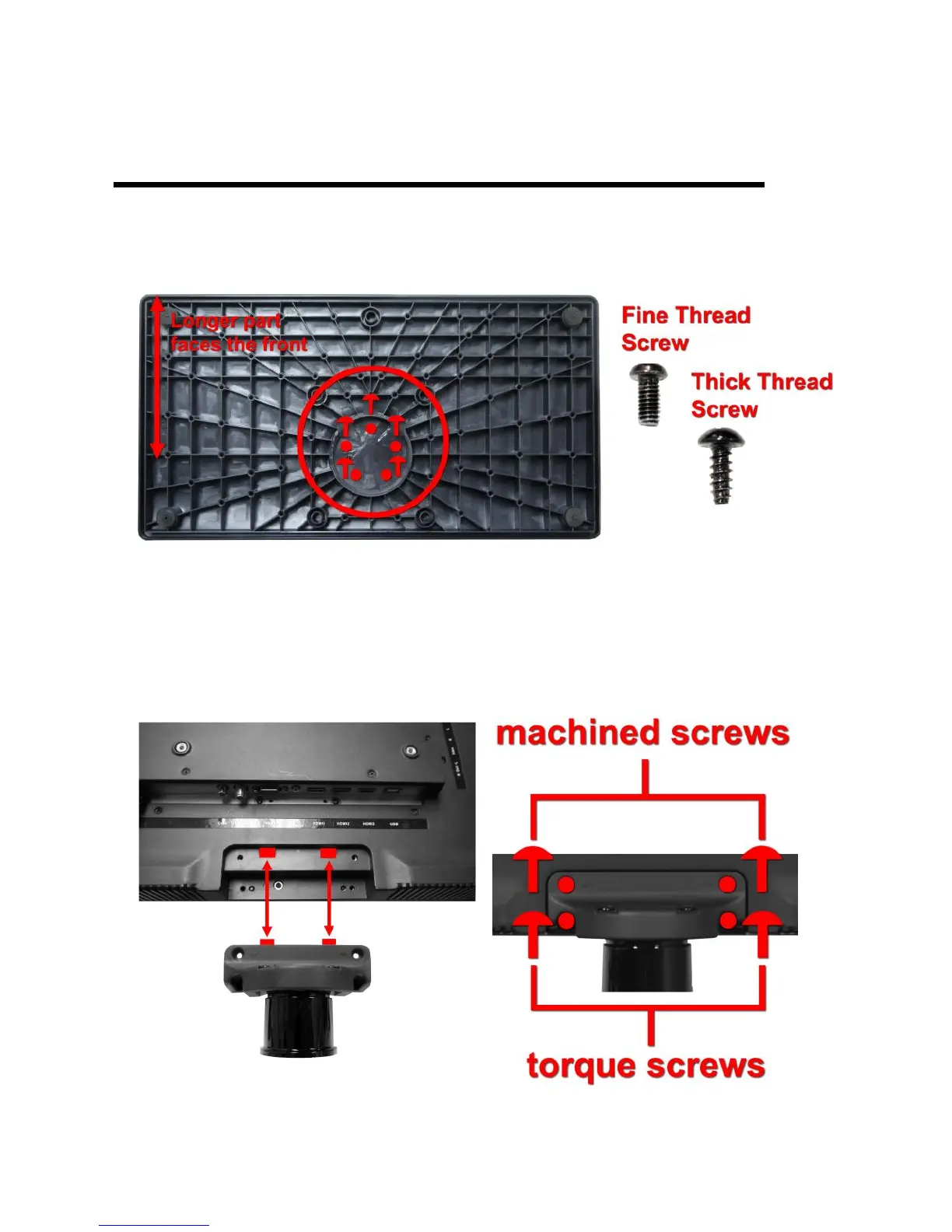
1. Obtain 5 torque screws from the package and attach the 5 screws to the
bottom of the base against the neck.
2. To attach the stand place the display unit flat on a table. Afterwards
attach the stand onto the display and screw in the 4 screws to secure the
stand.



 To Next Page