Seite 9
3.2. Switch functions (main switch with signal lamp)
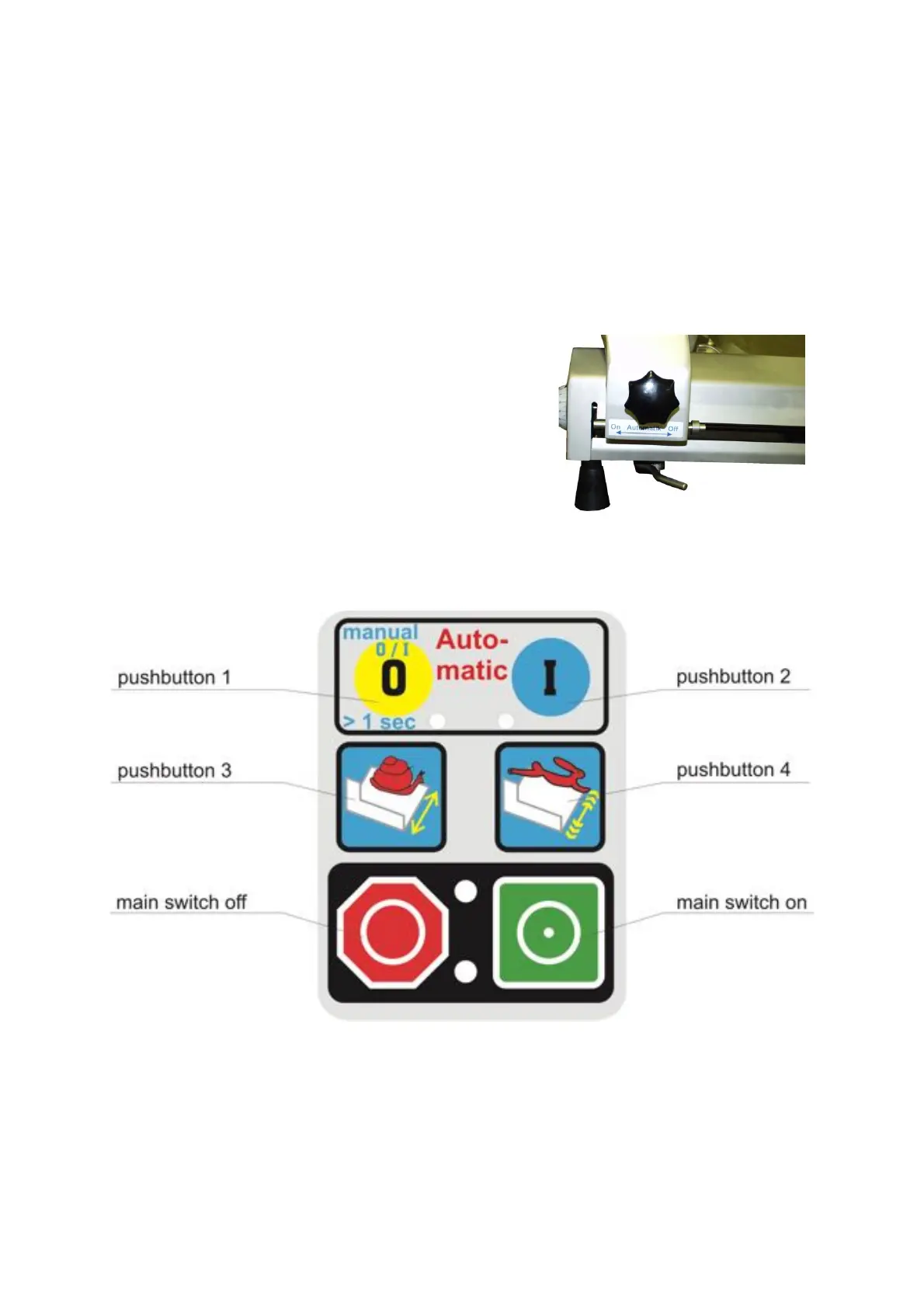
green push button = main switch on
red push button = main switch off
3.3. Thickness of slices
The thickness of slices is infinitely variable from 0 to 25 mm. In order to adjust the thickness of the slices
you have to turn the thickness knob. Turning to the right: thickness plate opens. Turning to the left:
thickness plate closes. The scale on the thickness knob serves as adjusting aid. In order to adjust a slice
thickness of more than 15 mm you have to turn the thickness knob over 15 mm. For the maximum slice
thickness you have to turn the thickness knob nearly two complete rotations.
3.4. Automatic or manual movement of the carriage
The machine is equipped with an automatic carriage movement which can be disengaged. The carriage
can then be moved by hand.
automatic movement = lever turned to the front (left side)
movement by hand = lever turned to the back (right side)
Adjusting automatic movement
Switch off the machine at the red main switch.
Turn lever to the front.
Move the carriage by hand until it is engaged.
Carriage can no longer be moved by hand now.
Adjusting movement by hand
Switch off the machine at the red main switch
Turn lever to the back.
Carriage can be moved by hand now.
3.5. Electronic Control
How to use the different functions:
Switch on the machine on the main switch. The operating status is indicated by the illuminated display. The
display shows Σ 000 = 000 30
In order to start the blade only, keep pushing the yellow pushbutton 1 until the blade starts turning. Now the
upper left LED is illuminated. As long as you are moving the carriage backward and forward manually the
blade is running continuously. Push the yellow pushbutton 1 shortly in order to stop the blade rotation.



 To Next Page