CDR Wireless Installation B1051302 Rev. B
11
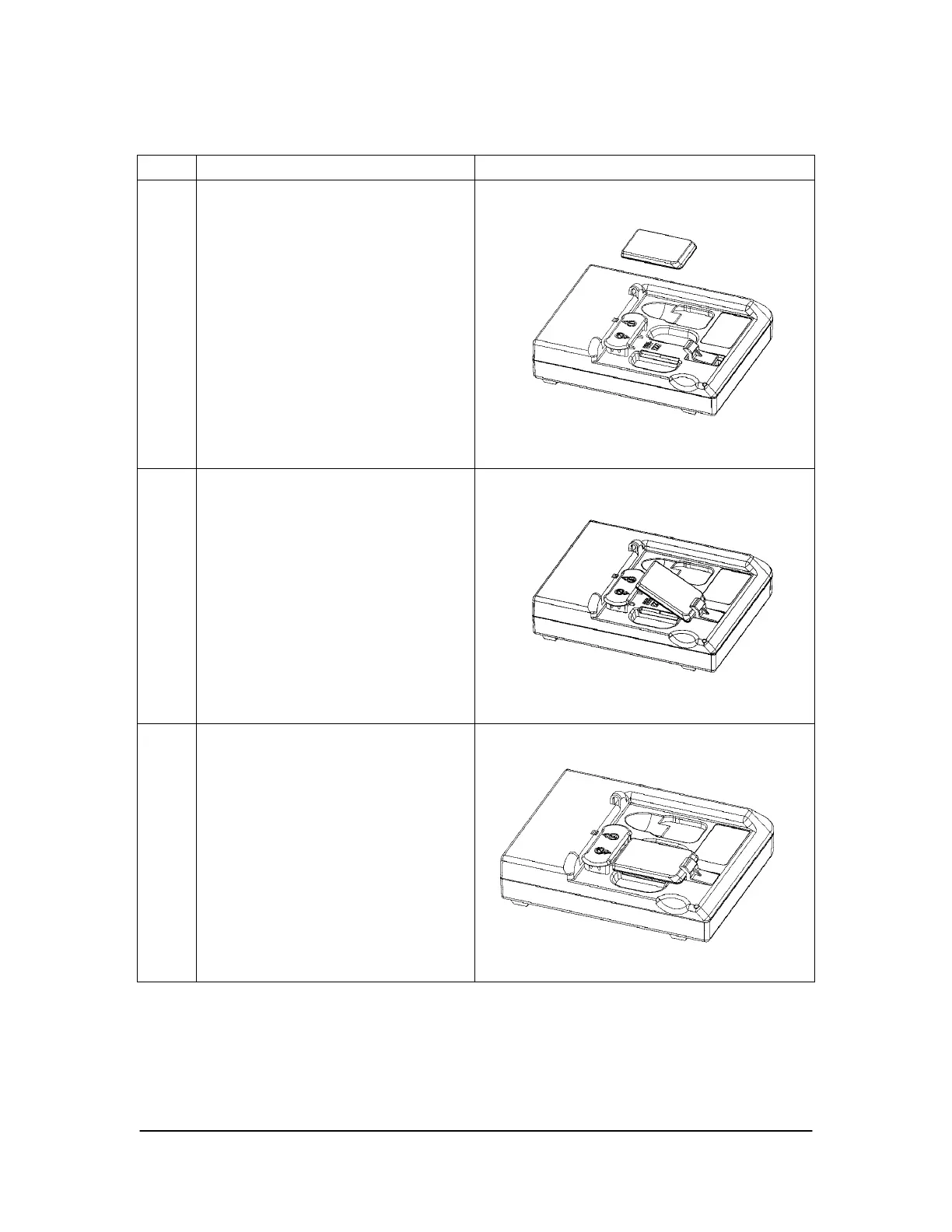
Table 2. Placing the Sensor in the Sensor Cradle
Step Instruction Illustration
1.
A. Disconnect the USB cable
from the USB Interface.
B. Check the U-shaped
Positioner. The number
pointing towards the Sensor (1
or 2) must correspond with the
Sensor's size.
C. If it isn't, lift up the Positioner
and turn it so that the correct
number size on the Positioner
is pointing towards the Sensor.
2.
Slide the Sensor back on the
spring-tension guide
3.
A. Release the Sensor carefully
and secure it in position.
B. Reconnect the USB cable to
the USB Interface.



 To Next Page