CDR Wireless Installation B1051302 Rev. B
13
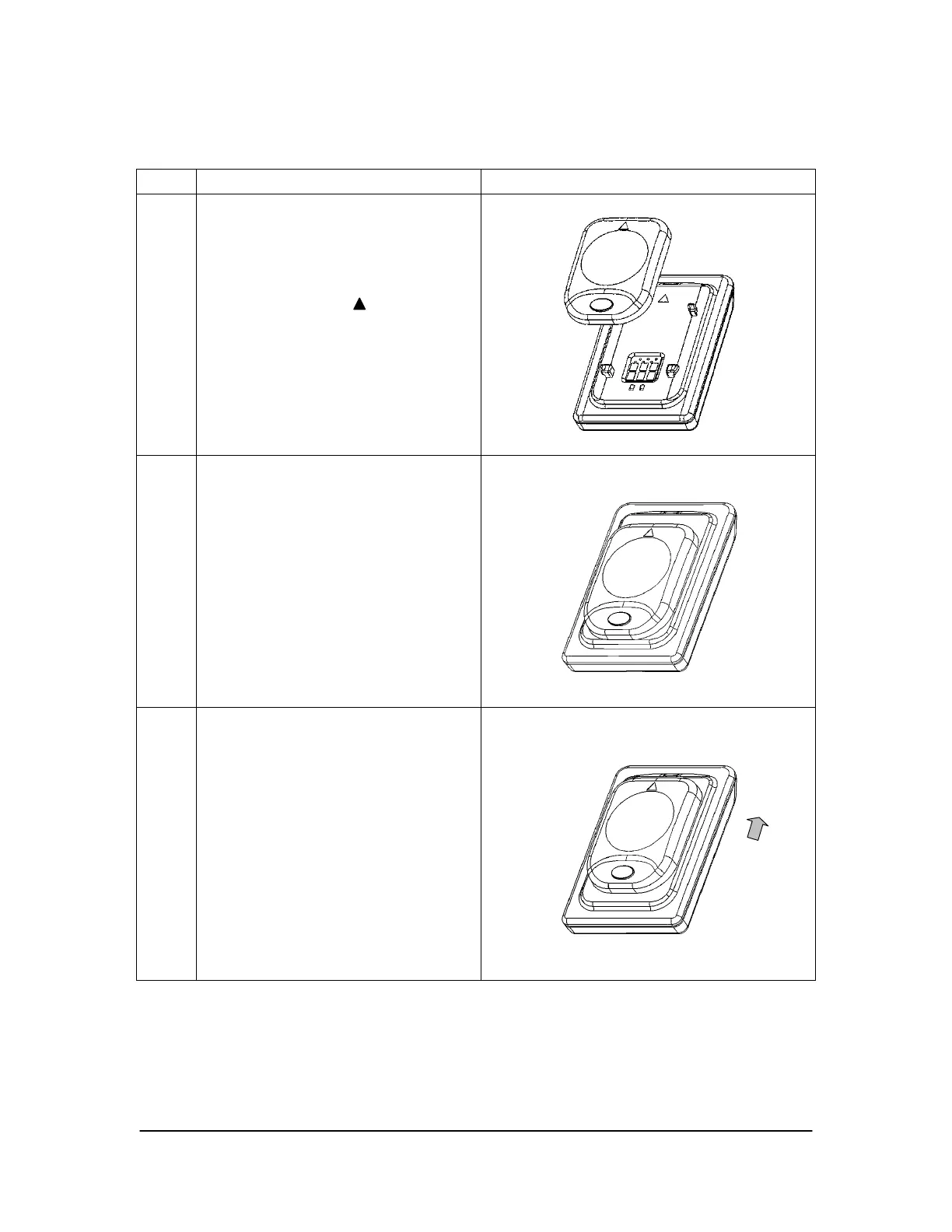
Table 3. Securing the Battery Pack to the Sensor
Step Instruction Illustration
1.
Locate the orientation symbol on
the battery package and make
sure it is facing the same direction
as the corresponding symbol on the
Sensor
2.
Position battery along Sensor
guides
3.
Slide battery package along Sensor
guides in the same direction as the
orientation symbol until it locks
into place. Do not attempt to snap
the battery pack down onto the
Sensor. This may damage the
Sensor and / or battery pack.



 To Next Page