Instruction Manual PROTECT-PSC
V 2.6R01 / 04.19
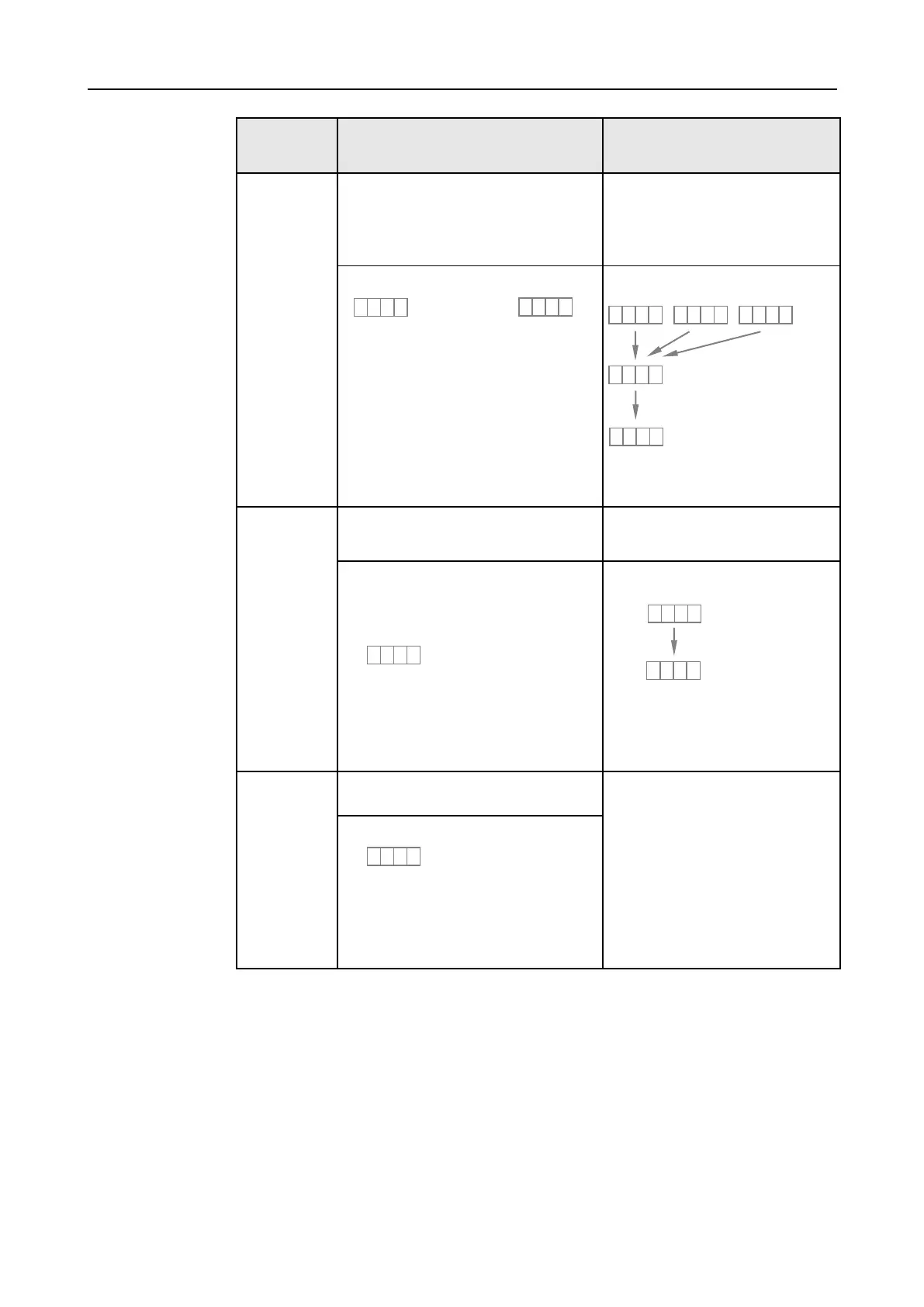
Position of
RUN/W.E.
switch
Actuation of the R.S. switch
The user program is executed only in this
operating mode.
1. User program is started once ini-
tialisation has been completed.
2. Programm is started after the con-
figuration/user program has been
transmitted.
Display during normal operation:
“-“ changes to “8”.
RUN LED lights up.
The display changes as follows, e.g.
mode 3
“-“ changes to “8”.
RUN LED lights up.
Execution of the user program is
stopped.
Ready to transmit the configura-
tion/user program (wait for entry of
the PIN code).
The user program is reset if the
RUN/W.E. switch is set W.E. during
RUN.
The mode is shown (no change from ‘-’
to ‘8’), e.g. mode 3.
The display shows the mode (the
examples shows mode 3).
Changes to the status to transfer the
configuration/user program (wait for
entry of the PIN code).
Ready to transmit the user program (wait
for entry of the PIN code).
T
T
a
a
b
b
l
l
e
e
3
3
-
-
1
1
2
2
O
O
p
p
e
e
r
r
a
a
t
t
i
i
n
n
g
g
m
m
o
o
d
d
e
e
s
s
o
o
f
f
P
P
R
R
O
O
T
T
E
E
C
C
T
T
-
-
P
P
S
S
C
C
C
C
P
P
U
U


 To Next Page