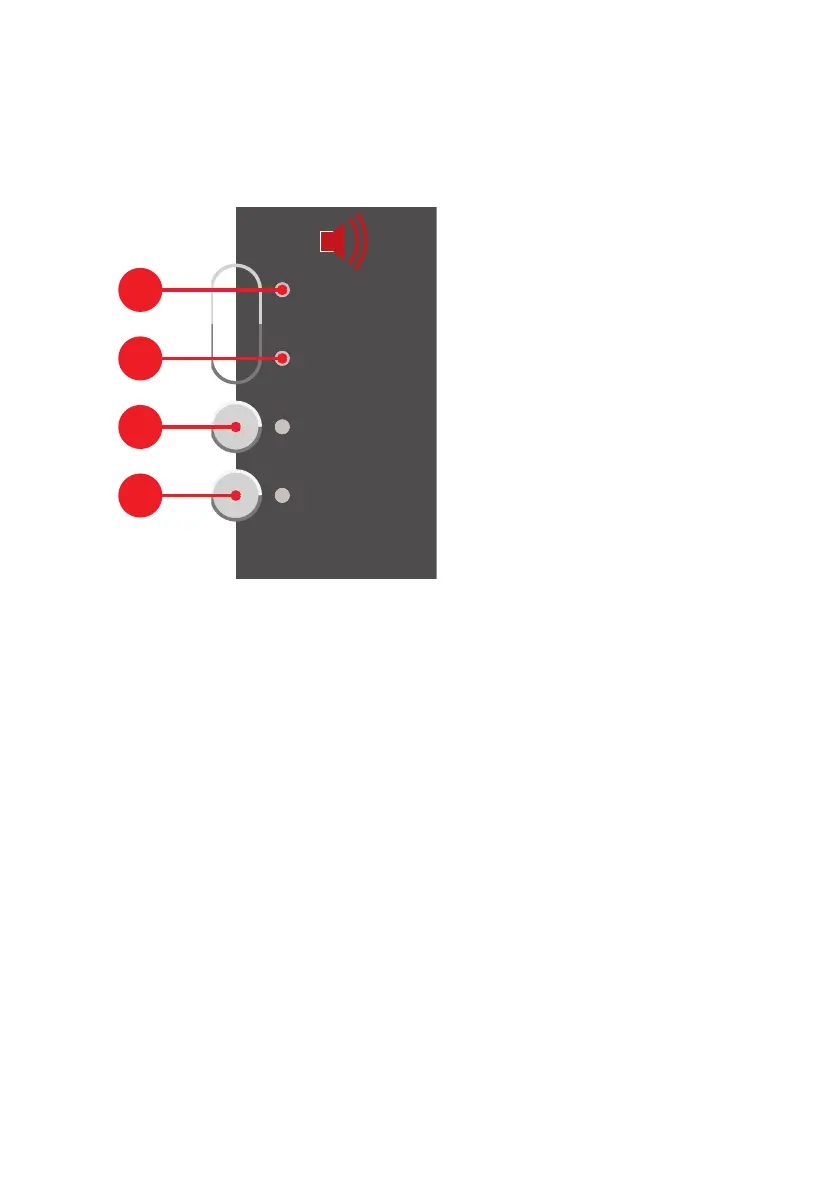
Overview|Buttons and LED for alarm systems (sirens)
B-HB-0133EN Operating panel Integral MAP|User manual 15
3.6 Buttons and LED for alarm systems
(sirens)
|Buttons and LED for alarm systems (sirens)
The alarm systems consist of acoustic and visual alarm devices, which are used to raise
the alarm that there is a fire. These devices are controlled by the fire alarm control panel.
Actuated
Fault
Silence/
Resound
Disable/Enable
The LED Actuated
p
flashes, if the alarm systems are activated (sirens sound).
The Fault
q
LED flashes, if there is a fault in the alarm system’s controller.
Pressing the button Silence/ Resound
r
resets activated sirens (mutes them), but
these are reactivated together with the arrival of the next alarm. LED lights up, if the
sirens were reset.
Pressing the button Disable/Enable
s
switches off the main siren and all other sirens
and alarm areas. The LED next to the button and the
l
LED lights up, if the alarm sys-
tems are disabled. The sirens are not activated, even not in case of an occurring alarm.



 To Next Page