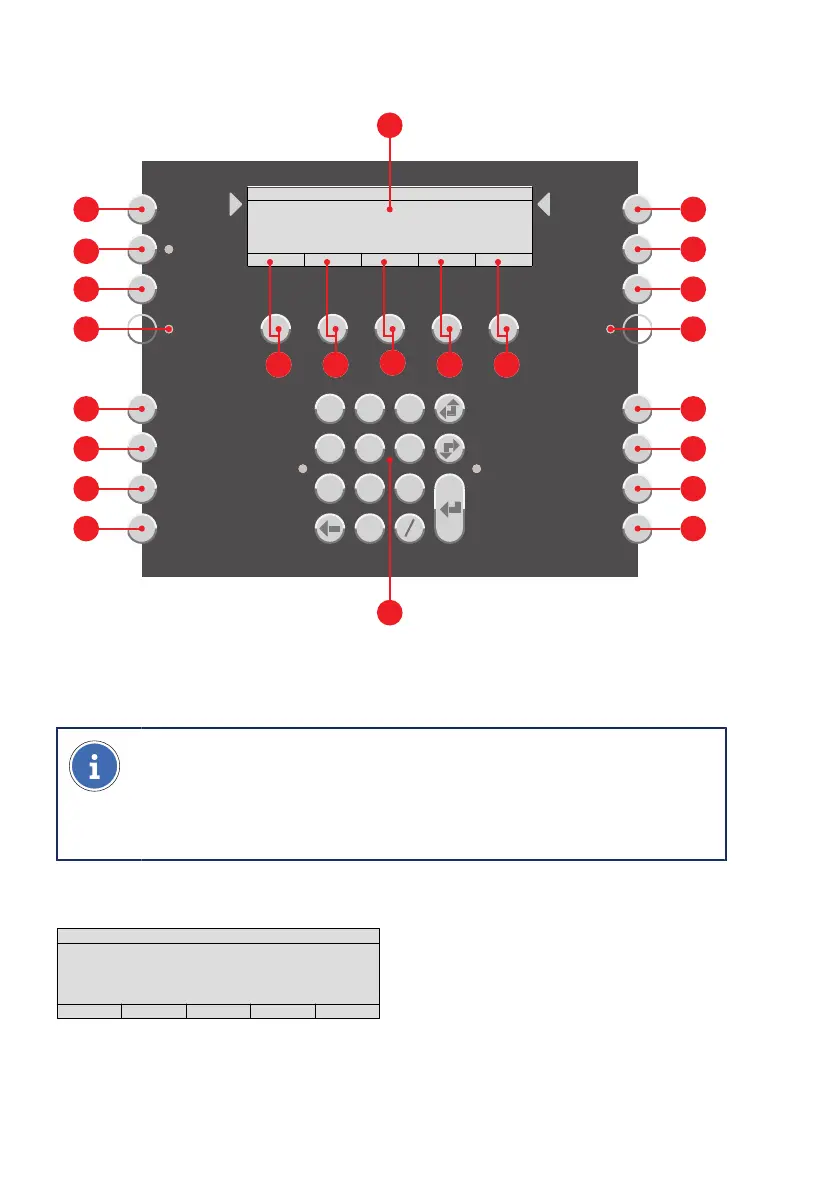
Overview|Display and buttons in operation region
10 Operating panel Integral MAP|User manual B-HB-0133EN
3.3 Display and buttons in operation region
|Display and buttons in operation region
Site Info
Access Code
Zone
Output
Input
Other Elements
Additional
Information
Menu
On
Off
Set Reset
Other
Commands
1 2 3
4 5 6
7 8 9
0
Alarms Faults Disablements Actuations Other Lists
Schrack Seconet
0000 0000 0000 0000 0000
29.01.2020
INTEGRAL
10
11
12
13
14
15
16
17
18
19 20
21
22
23
24
25
26
27
28
29
30
31
32
3.3.1 Displays and lists
(Depends on programming and authorisation level)
NOTE
Lists on the display
R
displayed in accordance with EN 54-2. The lists on
the display vary depending on the programming, authorisation level or soft-
ware version.
3.3.1.1 Display in idle mode
Schrack Seconet
0000 0000 0000 0000 0000
29.01.2020
INTEGRAL
In an idle mode (standard indication), the display shows product and customer informa-
tion. The list counters are set to 0.



 To Next Page