SEL-2890 Instruction Manual Date Code 20210715
Installation
Initial Checkout
2.4
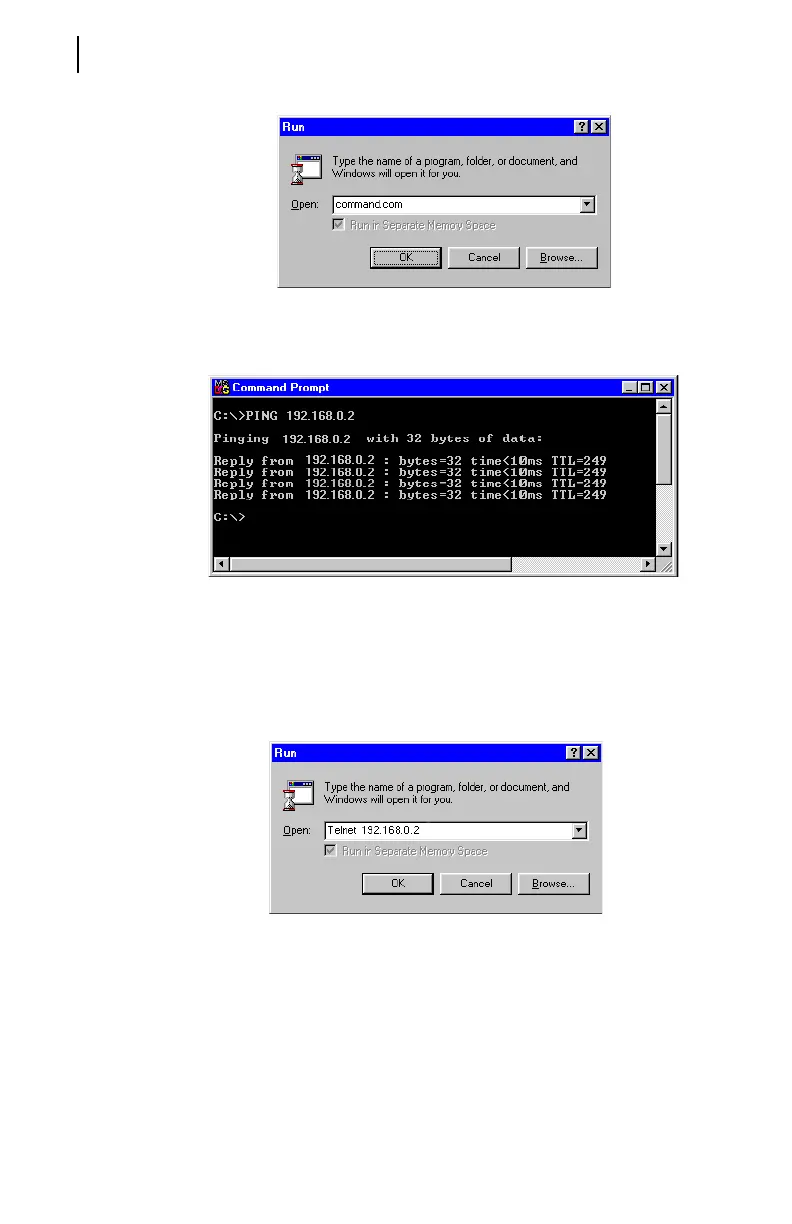
Type PING octet1.octet2.octet3.octet4 where the octets represent
the IP address of your SEL-2890. The response will be in a DOS
window similar to the captured window shown below.
This reply indicates that your SEL-2890 is visible on your network.
Step 3. You are now ready to communicate to your SEL product via an
Ethernet network. Open a Telnet session through the SEL-2890 to
verify communications to your relay. A Telnet session can be started
by typing TELNET, followed by your SEL-2890 IP address and port,
in your Windows Run window or at the DOS prompt as shown below.
If no port number is specified, the default Telnet port number for the
SEL-2890 is 23.
You screen should look similar to the Telnet session as shown in
Figure 2.3.



 To Next Page