SEL-2890 Instruction Manual Date Code 20210715
Detailed Application Examples
Job Done Example 1
4.2
First assume there is a fault that causes the SEL relay to trip.
After the relay trips, it sends out a Summary Event Report.
The SEL transceiver recognizes this as an unsolicited
message and will send it via email.
A port setting of AUTO=Y in the relay will enable the relay to
email unsolicited data to the SEL-2890. The following
SEL-2890 settings are needed to allow unsolicited messages
to be emailed.
EMAIL=Y to enable email options.
EMAIL_IP=IP address of email server (i.e.,
192.168.0.200).
EMAIL_DOMAIN=Optional domain name of email server
(i.e., your_company.com).
TO=Email recipient's address
(i.e., johndoe@your_company.com).
FROM=Address to return email message if problems occur
(i.e., other@your_company.com).
SUBJECT=Subject line which will be sent with the email
message (i.e., Breaker 865, SEL-421).
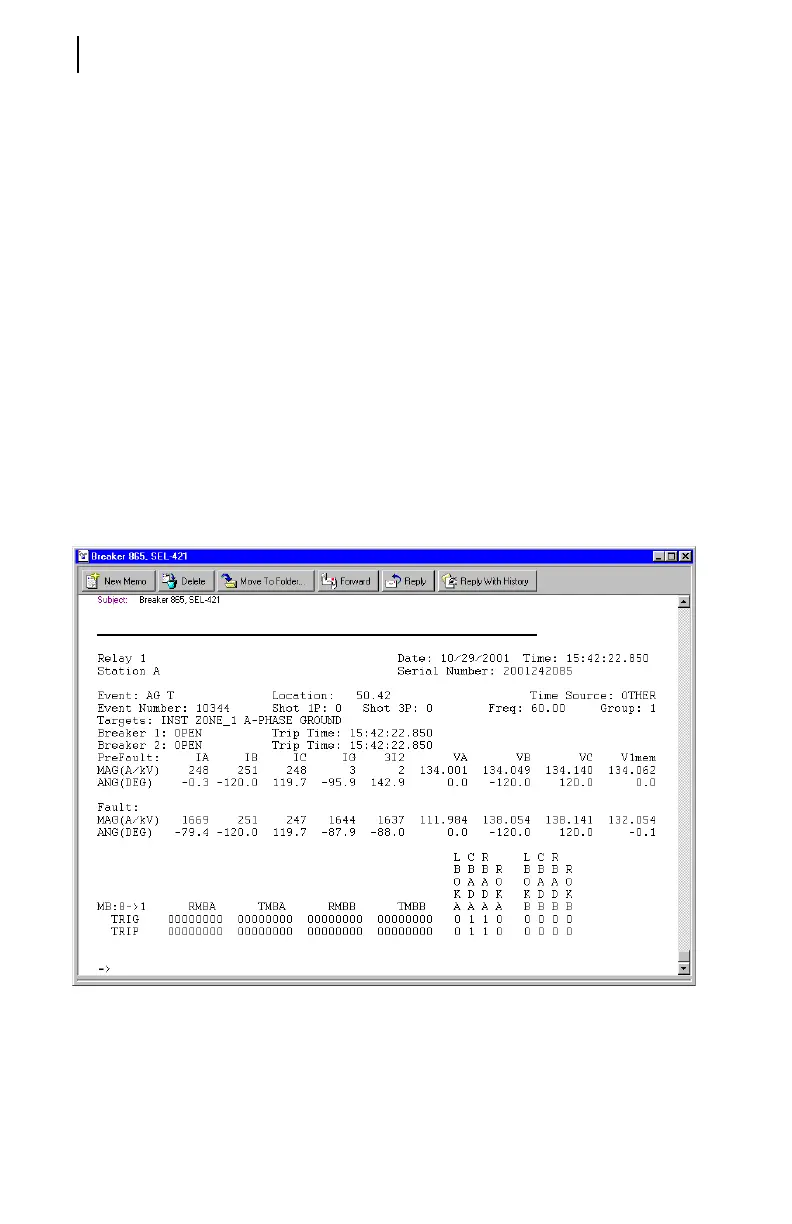
Figure 4.2 shows a typical email message of a Summary
Event Report.
Figure 4.2 Summary Event Report Email From an SEL Relay



 To Next Page