Date Code 20210715 SEL-2890 Instruction Manual
Detailed Application Examples
Job Done Example 2
4.5
SUBNET_MASK=255.255.255.0
GATEWAY=192.168.0.1
MAC=(not a setting, use factory default)
Next, start the
ACSELERATOR QuickSet software and configure
it to communicate with your SEL-2890. Open the
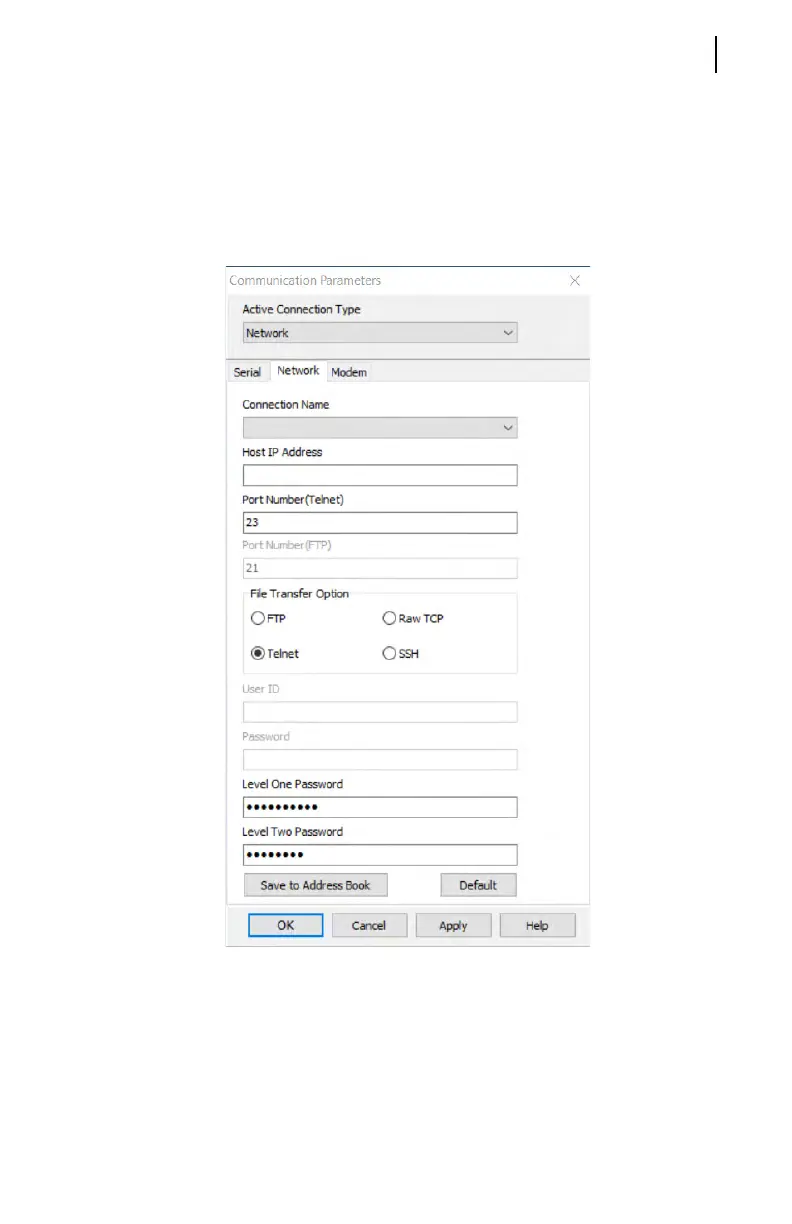
Communication menu and select Parameters to display the dialog
box shown in Figure 4.4.
Figure 4.4 Network Parameters Dialog Box
Next, open the Terminal window by selecting Ter min al on the
Communication menu. This will connect you to the SEL-2030. If
you press return, you will see the SEL-2030 prompt. Log in to
Access Level 1 using the ACC command and entering the
SEL-2030 password. Next, enter the PORT 9 D command to
establish a direct transparent connection with the relay. The
SEL-2030 will not collect SCADA data from the relay while
you are connected with a direct transparent connection. You



 To Next Page