EasyManua.ls Logo

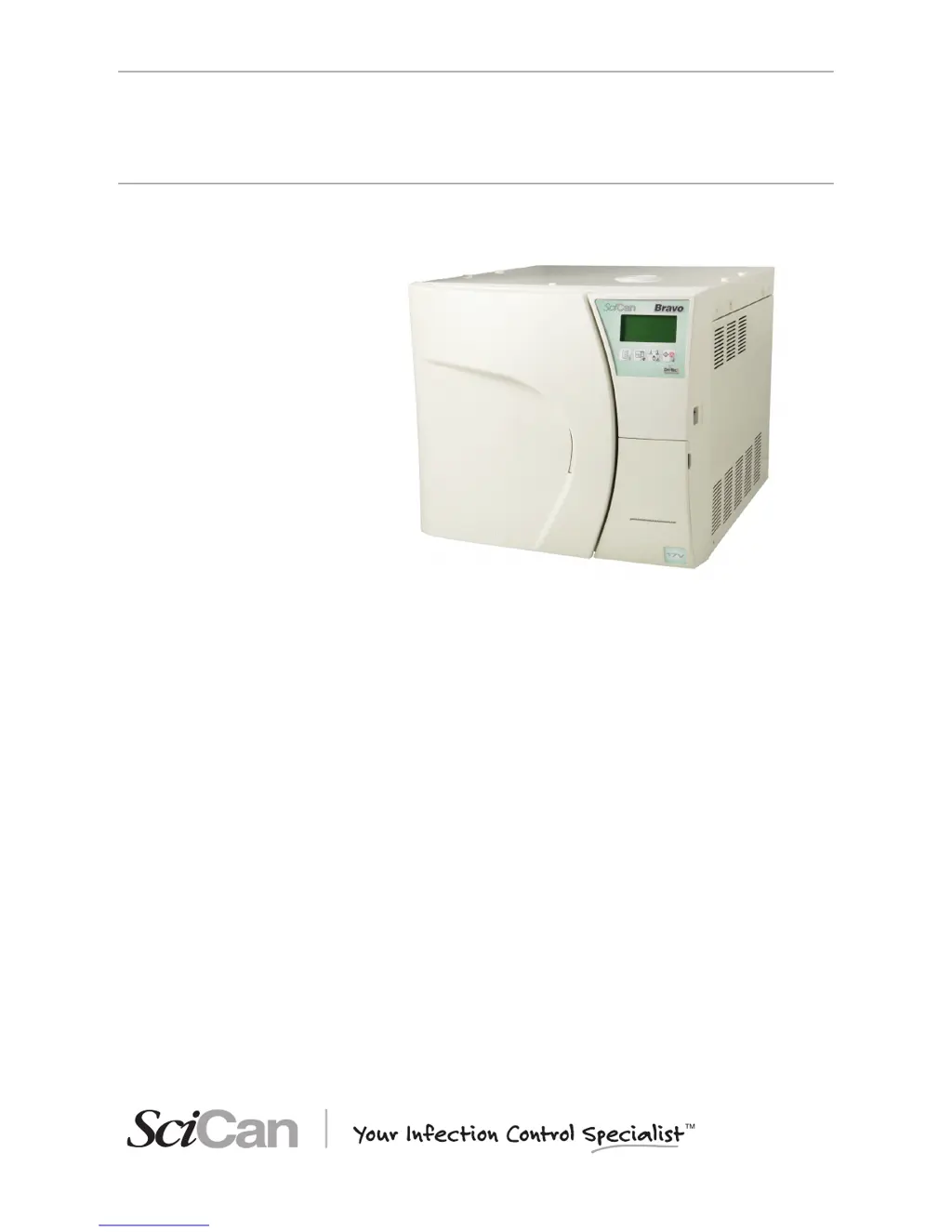
SciCan BRAVO 17V - User Manual

SciCan BRAVO 17V
95 pages
Print Icon
To Next Page IconTo Next Page
Loading...
BRAVO 2 Operator’s Manual 95-XXXXXX Rev. 1.0 Copyright 2012 SciCan Ltd. All rights reserved.
• Operator’s Manual
BRAVO
AUTOCLAVES
ref. 97050531 rev. 0 - 04/2012 SD-310/1-EN

Table of Contents

Questions and Answers

  • A
    alexa63Aug 18, 2025
    What to do if I can't open the door of my SciCan BRAVO 17V after the cycle?
    • D
      Douglas CarlsonAug 19, 2025
      If you can't open the door of your SciCan laboratory equipment after the cycle completes, it could be due to residual pressure in the sterilization chamber. Wait until the pressure returns to 0.00 bar before trying again. Also, check if the bacteriological filter is clogged and replace it if necessary.
  • S
    Shelly WheelerAug 21, 2025
    What does it mean when the alarm icon is lit on SciCan BRAVO 17V?
    • K
      Kristina MayAug 21, 2025
      If the alarm icon is lit on your SciCan laboratory equipment, it means an alarm has been triggered, generating a code and message on the LCD. Check the alarm code and take the appropriate action.
  • M
    Mr. Derek LoganAug 23, 2025
    Why is there water around the drain tank of my SciCan BRAVO 17V Laboratory Equipment?
    • R
      Robert ArmstrongAug 23, 2025
      If you find water around the drain tank of your SciCan laboratory equipment, it's likely that the drain tubes (if using an optional drain tank) are not correctly connected to the tank. Make sure the tubes are fully pushed onto the connectors.
  • B
    Brett DavisAug 26, 2025
    How to troubleshoot SciCan BRAVO 17V sterilizer that does not power on?
    • W
      Wayne DonaldsonAug 26, 2025
      If your SciCan laboratory sterilizer isn't powering on, here's what to check: * Make sure the power cord is properly plugged into the socket. * Verify that the socket has voltage and fix any issues if there is no voltage. * Ensure the main switch and/or differential switch are turned ON. * Inspect the mains fuses and replace them with fuses of equal nominal value if they are blown.
  • H
    Howard CowanAug 28, 2025
    What to do if the MIN water level icon is lit on SciCan Laboratory Equipment?
    • A
      Aaron MitchellAug 28, 2025
      If the MIN water level icon is lit on your SciCan laboratory equipment, it means the distilled water level inside the tank is below the minimum. Add distilled water to the tank until the MAX level indicator comes on, or until the MIN level signal turns off.
  • B
    Brittany HudsonAug 30, 2025
    Why is there water on the support surface of my SciCan BRAVO 17V sterilizer?
    • C
      Cheryl BautistaAug 30, 2025
      If you find water on the support surface of your SciCan sterilizer, the cause may be: * Drain connectors or tubing (if using an optional external tank) are not correctly connected. Check the tightness of the fittings and reassemble if necessary, paying attention to sealing. Ensure the tubes to the drain tank are completely pushed onto the connectors and that the plastic ties have been applied. * The water supply tube from the external tank (if used) is not well connected. Check the tightness of the connector and reassemble if needed, ensuring a good seal. Verify the tube is fully pushed onto the connector and the plastic tie is applied. * Steam is leaking from the gasket. Clean the gasket and porthole after the cycle. Check for damage and replace the gasket if it continues to leak.
  • K
    Kimberly BooneSep 1, 2025
    Why won't the sterilization cycle start after pressing START on my SciCan Laboratory Equipment?
    • G
      Gary HamptonSep 1, 2025
      If the sterilization cycle doesn't start after pressing START on your SciCan laboratory equipment, it might be because the device is preheating. Wait for the sterilizer to reach the proper operating conditions for starting the program. Under normal conditions, the average preheating time is about 10-15 minutes.
  • A
    Antonio MoralesSep 4, 2025
    Why is there excessive humidity on the material after using SciCan BRAVO 17V?
    • L
      lisa64Sep 4, 2025
      If there's excessive humidity on the material after running a program on your SciCan laboratory equipment, consider these potential causes: * Too much material inside the sterilization chamber. Reduce the quantity to the maximum allowed for the load type. * Material not correctly positioned. Ensure proper positioning, especially for wrapped items, according to the instructions. * Wrong sterilization program selected. Choose the appropriate program for the material you're sterilizing. * Drain filter of the sterilization chamber obstructed. Clean or replace the drain filter and check for kinks in the exhaust tube, if one is being used.
  • A
    Amber JohnsonSep 6, 2025
    How to fix vacuum issues in SciCan BRAVO 17V Laboratory Equipment?
    • J
      Joshua TaylorSep 6, 2025
      If your SciCan sterilizer struggles to create a vacuum, leading to drying problems or water in the chamber after a cycle, check the following: * The drain filter of the sterilization chamber might be obstructed. Clean or replace it. * The drain circuit or tubes could be blocked. Ensure they are clear and run freely to the tank. * Air intake or heat exchanger obstructions. Clear any obstructions from the air intake and heat exchanger, ensuring the device isn't directly against walls or surfaces.
  • K
    kjonesSep 8, 2025
    Why are there traces of oxidation or spots on instruments after using SciCan Laboratory Equipment?
    • J
      James DanielsSep 8, 2025
      If you notice oxidation or spots on instruments after using your SciCan laboratory equipment, it could be due to: * Inadequate instrument quality. Verify the instruments are made of materials suitable for steam sterilization. * Poor distilled water quality. Replace with high-quality distilled water. * Organic or inorganic residues. Thoroughly clean instruments before sterilization. * Contact between dissimilar metals. Separate instruments made of different metals before sterilization. * Lime residue. Clean the device and its parts as needed.

Summary

General Safety Warnings

Critical Importance of Distilled Water Quality

Emphasizes the critical need for high-quality distilled water to prevent device damage.

Electrical Safety Precautions

Highlights essential safety measures related to electrical connections and grounding.

Installation Requirements

Dimensions and Weight Specifications

Provides detailed physical dimensions and weight specifications for the sterilizer.

Built-in Installation Compartment Requirements

Specifies minimum dimensions for cabinet installation to ensure proper ventilation.

General Installation and Connection Procedures

Placement, Ventilation, and Environmental Precautions

Covers stability, spacing, location, and environmental considerations for installation.

Electrical Connection Safety and Grounding

Emphasizes direct connection to grounded outlets and avoiding extension cords.

First Start-Up Procedure

Initial Power-On and Automatic Test

Covers turning on the device and the initial automatic self-test.

Ambient Pressure Acquisition and Updating

Explains how the device measures and updates ambient pressure readings for optimal operation.

Entering Stand-by Mode

Details the device's standby operational state after initial setup and tests.

Stand-by Mode Operation

Display Information and Status Indicators

Explains the data shown on the LCD and the meaning of status icons in standby.

Stand-by Mode Settings and Alternating Displays

Describes how the display alternates to show printing and filling settings.

Safety Warning in Stand-by Mode

Provides a crucial warning about hot surfaces when the door is open in standby.

Filling Distilled Water

Manual Filling Procedures (Top and Front)

Provides step-by-step guides for manually filling the water tank from both access points.

Water Tank Filling Modes

Configuration Options

Accessing and Navigating Setup Mode

Guides on entering the configuration menu and understanding key functions.

Understanding Setup Mode Key Functions

Details the specific functions of the control panel keys when in setup mode.

Default Settings and Option Activation

Setting the Display Language

Guides on how to change the display language via the BASIC menu.

Setting the System Date

Details the process for configuring the current date in the BASIC menu.

Time and Password Configuration

Setting the System Time

Details the process for configuring the current time in the BASIC menu.

Setting the Access Password

Explains how to set a password for operational access in the BASIC menu.

Setting Sterilization Programs

Associating Standard Programs

Guides on selecting and associating standard sterilization programs to preset positions.

Selecting Available Cycles for Programs

Lists the available sterilization cycles that can be chosen for association.

Defining Custom Sterilization Programs

Custom Program Settings: Temperature and Time

Instructions for setting temperature and duration for custom sterilization programs.

Custom Program Vacuum Type and Drying Mode

Guides on specifying vacuum type and drying mode for custom programs.

Stand-by Mode Configuration

Stand-by Heating Level Selection

Guides on selecting heating levels (High, Low, Off) for stand-by mode.

Stand-by Time-out Setting

Details how to set the duration before stand-by mode is deactivated automatically.

Printing Mode Configuration

Printer Setup and Type Selection

Guides on setting up the internal or external printer and selecting its type.

External Printer Command Options

Details command types (CR, CR+LF, etc.) for external printers based on their requirements.

Tank Filling Mode Configuration

Automatic Filling Setup and Operation

Guides on enabling and configuring automatic tank filling, with operational notes.

Manual Fill Procedure Reference

Refers to the previously detailed manual fill process.

Ambient Pressure Acquisition

Procedure for Ambient Pressure Reading

Details the steps for the sterilizer to acquire ambient pressure readings for optimal function.

Ensuring Door is Open for Acquisition

Emphasizes the requirement for the door to be fully open during the acquisition process.

Confirmation of Pressure Value Storage

Confirms that the acquired pressure value is successfully stored in memory.

LCD Contrast and Exiting Configuration

Exiting Setup and Returning to Stand-by

Guides on how to exit the setup menu and return to normal standby operation.

Preparing Material for Sterilization

Introduction to Material Preparation

General advice on preparing materials, including cleaning and wrapping requirements.

Handling Contaminated Loads and Ensuring Cleanliness

Precautions for handling contaminated materials and ensuring cleanliness.

Arranging the Load on Trays

General Tray Positioning Guidelines

Guidelines for arranging instruments on trays to ensure proper sterilization and prevent damage.

Sterilization Monitoring and Material Preparation Notes

Importance of Sterilization Monitoring

Discusses the use of process monitors and indicators for verifying sterilization effectiveness.

Program Selection

Importance of Correct Program Selection

Emphasizes the importance of selecting the correct program for effective and safe sterilization.

Procedure for Selecting Sterilization Programs

Step-by-step guide for selecting a sterilization program using the control panel.

Password Entry During Program Selection

Details the process of entering a password if it is enabled before program selection.

Running a Sterilization Cycle

Cycle Introduction and Anomaly Handling

Explains the nature of sterilization cycles and how anomalies are managed.

Starting the Cycle and Password Check

Guides on initiating a cycle and the password verification step if enabled.

Program Execution Overview

Preheating Phase Description

Describes the initial preheating stage of the sterilization cycle.

Result of the Sterilization Cycle

Opening the Door and Equipment Readiness

Instructions for opening the door after cycle completion and confirming equipment readiness.

Cycle Data Review and Interruption

Manual Cycle Interruption Procedure

Details how to manually stop a running sterilization cycle using the START/STOP key.

Storing Sterilized Materials

Introduction to Sterility Maintenance

Emphasizes the importance of proper storage to maintain sterility and prevent recontamination.

Handling and Storage Guidelines for Sterilized Items

Provides precautions for handling sterilized materials and guidelines for optimal storage conditions.

Test Programs for Sterilizer Safety

Introduction to Periodic Testing

Explains the purpose of periodic checks for sterilizing medical devices to ensure user and patient safety.

Helix;BD Test Procedure

Details the Helix/BD test for evaluating steam penetration in hollow loads using a specific test device.

Vacuum Test for System Integrity

Vacuum Test Procedure and Purpose

Guides on performing the vacuum test to check the sterilizer's plumbing system seals.

Overheating Warning for Vacuum Test

Warns against running the vacuum test if the unit's internal temperature is too high.

Sterilizer Safety Devices

Electrical Safety Features

Covers mains fuses, electronic circuit fuses, and thermal circuit breakers for electrical protection.

Mechanical and Process Safety Features

Details safety mechanisms like the safety valve, door lock, and process evaluation system.

Water Supply Quality Requirements

Warning on Contaminated Water Use

Warns about using water with contaminants that can significantly shorten sterilizer life.

Appendix C: Maintenance Procedures

Introduction to Routine Maintenance

Introduces the importance of performing ordinary maintenance for device longevity and efficiency.

Routine Maintenance Schedule and Reminders

Summarizes maintenance tasks and explains how the sterilizer displays reminders for these operations.

General Maintenance Guidelines and Warnings

Specific Cleaning and Usage Warnings

Provides specific warnings regarding water jets, cleaning materials, chamber cleaning agents, and lime residue.

Description of Maintenance Tasks

Internal and External Tank Cleaning

Filter Replacement and Printer Maintenance

Periodic and End-of-Life Management

Appendix D: Troubleshooting Common Problems

Troubleshooting: Door, Drain, and Vacuum Issues

Troubleshooting: Material and Printer Issues

Appendix E: Alarm Codes and Intervention

Handling Alarms Outside the Cycle

System Reset Procedures

Alarm Codes List (Errors and Alarms)

Alarm Codes List (Timeouts and Hazards)

Troubleshooting Specific Error Codes

Troubleshooting Specific Alarms (E900-E999, A022-A040)

Troubleshooting Specific Alarms (A101-A250)

Troubleshooting Specific Alarms (A251-A254)

Troubleshooting Specific Alarms (A256-A260)

Hazards Category Troubleshooting (H150-H993)

Appendix G: Technical Support Information

SciCan BRAVO 17V Specifications

General IconGeneral
BrandSciCan
ModelBRAVO 17V
CategoryLaboratory Equipment
LanguageEnglish

Related product manuals