EasyManua.ls Logo

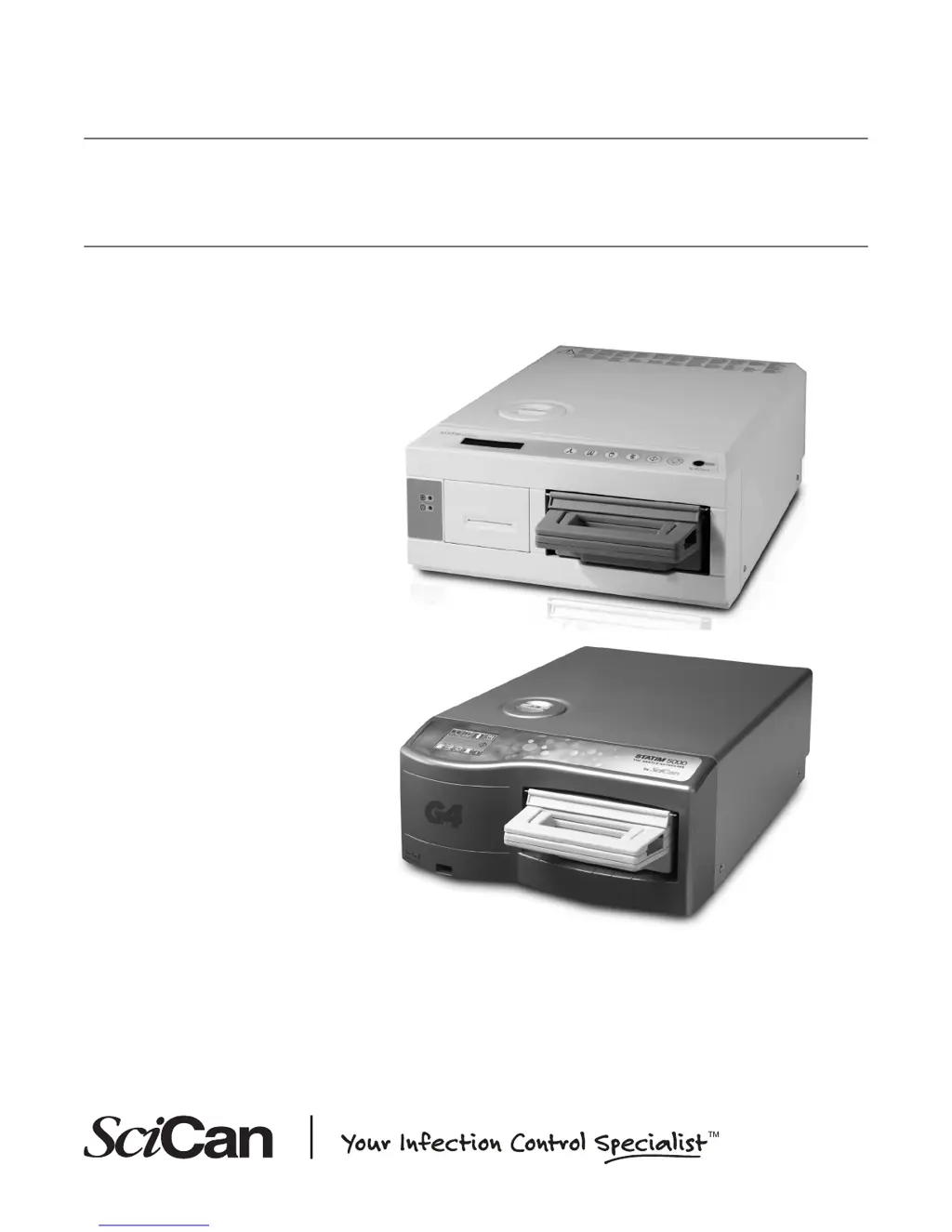
SciCan statim 5000 G4 - Service Manual

SciCan statim 5000 G4
271 pages
Print Icon
To Next Page IconTo Next Page
Loading...
STAT
IM
5000/5000S/5000 G4
CASSETTE AUTOCLAVE
Service Manual
STAT
IM
5000 Service Manual 96-106775 Rev 5.0. Copyright 2012 SciCan Ltd. All rights reserved.

Table of Contents

Other manuals for SciCan statim 5000 G4

Questions and Answers

  • N
    Nicholas CochranSep 23, 2025
    What to do if SciCan Laboratory Equipment USB storage device does not contain the last print out?
    • B
      briggsshannonSep 23, 2025
      If your SciCan Laboratory Equipment USB storage device does not contain the last print out, re-insert the USB storage device and wait for the data to copy over again. If the problem continues, back up all the information on the USB device and reformat it.
  • P
    Phillip RogersAug 23, 2025
    What to do if SciCan Laboratory Equipment displays 'Cycle interrupted — NOT STERILE, Cycle aborted — NOT STERILE and CYCLE FAULT' messages?
    • J
      Joshua GilbertAug 25, 2025
      If your SciCan Laboratory Equipment displays 'Cycle interrupted — NOT STERILE, Cycle aborted — NOT STERILE and CYCLE FAULT' messages, wait a few minutes before attempting another cycle. Remove the cassette and inspect it to ensure the holes in the back of the seal are perfectly aligned and the flexible lip of the seal is completely free. Also, check the exhaust tube for any kinks or obstructions and straighten the tube if needed. Ensure that the equipment hasn't been exposed to any electrical interference. If the problem continues, record the cycle fault message number and contact your dealer.
  • R
    randy30Aug 25, 2025
    How to troubleshoot SciCan statim 5000 G4 when the unit does not power ON?
    • J
      jessica24Aug 26, 2025
      If your SciCan Laboratory Equipment unit doesn't power on, first ensure it's plugged into a properly grounded outlet and that the power cord is firmly connected at the rear. Try a different electrical circuit. Power the unit off for 10 seconds, then power it back on. Also, check the line circuit breaker or fuse.
  • N
    Nicole BowenAug 27, 2025
    Why are instruments not drying in my SciCan Laboratory Equipment?
    • L
      Lisa HendersonAug 27, 2025
      If instruments are not drying in your SciCan Laboratory Equipment, allow the cycle to finish completely. Ensure instruments are correctly loaded in the cassette, and that the unit is level. Check and replace air/biological filters if they are dirty. Clean the inside of the cassette and treat it with STAT-DRI Plus drying agent. Inspect the exhaust tube for kinks; straighten it if necessary. If the tube is damaged, carefully remove the damaged section, ensuring enough tube remains to re-attach it. Make sure the compressor is working properly by checking for a strong, steady flow of bubbles when the exhaust tube is placed in water during the Air Drying Only Cycle. If the compressor is not functioning correctly, contact your SciCan dealer.
  • T
    Tracy HenryAug 27, 2025
    Why is there excessive steam issuing from the front of my SciCan statim 5000 G4?
    • A
      Andrew GrantAug 27, 2025
      If excessive steam is coming from the front of your SciCan Laboratory Equipment, remove and reinsert the cassette, then try another cycle. Remove and inspect the cassette seal for damage or misalignment, and replace it if necessary. If the leak continues, turn the unit off, remove the cassette, unload it, and contact your SciCan dealer.
  • J
    Jennifer WhiteSep 16, 2025
    How to troubleshoot SciCan Laboratory Equipment that does not power on?
    • M
      michellecruzSep 16, 2025
      If your SciCan Laboratory Equipment does not power on, check that it is plugged into a properly grounded outlet and that the power cord is firmly seated at the rear of the machine. Try another circuit. Power the unit OFF for 10 seconds and then power it ON again. Check the condition of the line circuit breaker or fuse.
  • W
    Walter GarzaSep 13, 2025
    How to fix SciCan Laboratory Equipment instruments not drying (cont.)?
    • M
      michelesantanaSep 13, 2025
      If instruments are still not drying in your SciCan Laboratory Equipment, straighten any kinks in the exhaust tube. If the tube is too damaged to straighten, remove it from the push-in fitting attached to the STATIM by depressing the collar on the fitting and pulling firmly on the tube. Cut away the damaged section using a sharp instrument. If the tube is too short after cutting, contact your SciCan dealer for a replacement. Also, ensure the compressor is working by removing the exhaust tube from the waste bottle, starting the Air Drying Only Cycle, and placing the free end into a glass of water. A strong, steady flow of bubbles should appear; if not, the compressor is not functioning properly, and you should contact your SciCan dealer.
  • W
    Whitney SolomonSep 14, 2025
    What to do if SciCan Laboratory Equipment will not start and touchscreen shows a water level problem?
    • S
      sarah96Sep 15, 2025
      If your SciCan Laboratory Equipment will not start and the touchscreen indicates a water level problem, press the icon to confirm. If the water level in the reservoir is low, refill the reservoir.
  • T
    Tami HuntSep 5, 2025
    Why am I not receiving emails from my SciCan statim 5000 G4?
    • Y
      ybakerSep 5, 2025
      If you are not receiving emails from your SciCan Laboratory Equipment, check your spam filter and ensure the unit is identified as an accepted email source.
  • J
    Julia PalmerSep 3, 2025
    Why is my SciCan statim 5000 G4 not sending emails?
    • B
      Brian KingSep 3, 2025
      If your SciCan Laboratory Equipment isn't sending emails, check the email settings using the TEST button on the unit's web portal, located in the TOOLS tab on the SETUP web page. If settings are correct, renew the IP address on the unit's touchscreen.

Summary

Tools, Maintenance, Procedures, and Testing

Required Tools and Calibration Equipment

Lists STATIM specific tools, calibration cassettes, and reference meters for servicing and calibration.

Electrical Safety and Water Quality Testing

Procedures for electrical safety tests (Hi-Pot, Ground Continuity) and water conductivity testing.

Diagnostics and Troubleshooting

Mechanical Diagnostics and Software Tools

Basic checks and software-based diagnostic methods for identifying issues.

Cycle Fault Troubleshooting

Details on cycle fault formats and probable causes for different controller revisions.

Calibration Procedures

STATIM 5000 Calibration

Calibration procedures for various board and software revisions of STATIM 5000 units.

STATIM 5000 S Calibration

Calibration procedures for various board and software revisions of STATIM 5000S units.

Cover Assembly and Component Servicing

Controller Board and Electronics Servicing

Identification, removal, and replacement of Controller Boards, Microprocessors, Microswitches, and Mains Components.

Major Component Systems

Water Pumps and Maintenance

Identification, testing, and maintenance of water pumps, filters, and tubes.

SciCan statim 5000 G4 Specifications

General IconGeneral
TypeAutoclave
ModelStatim 5000 G4
BrandSciCan
Warranty1 year
Data LoggingYes
Power Requirements120V, 60Hz, 15A

Related product manuals