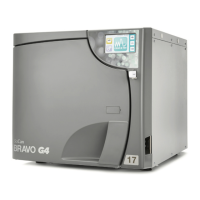
Need help?
Do you have a question about the SciCan Bravo and is the answer not in the manual?
Explains symbols for safety and important information in the manual.
States limitations of liability and conditions for use.
Provides crucial safety precautions for operation and maintenance.
Details the weight of the sterilizer model variants for transport.
Lists all items included in the sterilizer packaging.
Provides instructions for safe lifting and transport of the sterilizer.
Highlights key features, performance, and safety systems of the Bravo autoclave.
Identifies external components of the sterilizer's front panel.
Identifies external components and connections on the sterilizer's rear panel.
Describes the main interface, including LCD and command keys.
Explains the function of each control key in different modes.
Details the display layout, icons, and character information.
Illustrates the sequence of phases in a typical sterilization cycle.
Lists the physical size and weight specifications for Bravo models.
Specifies required cabinet space for proper ventilation and cooling.
Outlines essential steps for safe and correct installation.
Details power supply requirements and grounding for safe operation.
Guides on how to connect an external device for cycle data logging.
Explains how to connect an optional tank for automatic water filling.
Describes how to connect the unit to a central drain system.
Steps for powering on the sterilizer and initial checks.
Explains the self-test procedure performed upon startup.
Describes how the unit measures and updates ambient pressure readings.
Details the sterilizer's status and display when idle.
Instructions for manual and automatic filling of the internal water tank.
Explains the indicator for a full drain tank and how to empty it.
Procedure to access the unit's configuration settings.
Explains key operations specific to the setup menu.
Lists the factory default settings for various parameters.
How to select the display language for the unit interface.
Procedure for setting the current date on the sterilizer.
Procedure for setting the current time on the sterilizer.
How to enable and set a password for unit access.
Guide to customizing or selecting sterilization programs.
Options for preheating level and time-out duration.
Configuration for the unit's printer settings and output.
Selects between manual or automatic water tank filling.
Chooses between internal or external drain tank usage.
Process for the unit to measure and store ambient pressure.
How to modify screen readability based on lighting.
Steps to save settings and return to normal operation.
Guidelines for preparing fabric and porous items for autoclaving.
Best practices for loading instruments onto trays for optimal sterilization.
Importance of choosing the correct program for effective sterilization.
Step-by-step guide to selecting a sterilization program.
Steps to initiate a sterilization cycle after loading.
Detailed phases of a sterilization cycle, including preheating, vacuum, and drying.
How to verify the outcome and check sterilization parameters.
Guidance on reviewing printed cycle data and reports.
Procedure for stopping a cycle and handling potential errors.
Steps to reset the unit after an alarm or interruption.
Importance of proper storage to maintain material sterility.
Precautions for handling sterile loads after sterilization.
Guidelines for storing sterilized items to prevent recontamination.
Overview of the two diagnostic programs for unit effectiveness.
Procedure for performing the Bowie & Dick test for porous load sterilization.
Procedure for testing the sterilizer's vacuum system seal integrity.
Comprehensive list of technical specifications for Bravo models.
Details the various safety mechanisms incorporated into the sterilizer.
Specifies the required quality and purity of distilled water.
General information on sterilizable materials and steam tolerance.
Table detailing programs, parameters, and sterilizable materials.
Visual representation of sterilization cycle pressure profiles.
Graphical representation of Bowie & Dick and Vacuum Test cycles.
Illustrates various cycle report formats and their content.
Schedule for regular cleaning and checks to ensure peak efficiency.
Detailed procedures for cleaning external and internal components.
Steps to clean the internal water reservoir with a cleaning solution.
Procedure for cleaning the optional external water tank.
Instructions for monthly checks and maintenance of the safety valve.
Guide to cleaning or replacing the chamber drain filter.
Steps for changing the bacteriological filter when necessary.
Instructions for installing a new door gasket for a proper seal.
How to load new paper rolls into the internal printer.
Recommended periodic checks and calibration by qualified personnel.
A guide to identify and solve common sterilizer operational issues.
General procedure for responding to and resetting alarms.
Explains messages and actions when an alarm occurs mid-cycle.
Describes how alarms outside programs are handled and reset.
Detailed steps for resetting the unit after an alarm condition.
Schematic illustrating the sterilizer's electrical components and connections.
Visual representation of the sterilizer's water and steam circuits.
 General
| Dimensions | 20.1" x 19.1" x 15.9" (51 cm x 48.5 cm x 40.4 cm) |
|---|---|
| Type | Tabletop Autoclave |
| Overall Dimensions | 20.1" x 19.1" x 15.9" (51 cm x 48.5 cm x 40.4 cm) |
| Water Filling | Automatic water filling and draining |
| Drying | Automatic drying cycle |
| Data Storage | USB port for data logging |
| Sterilization Method | Steam Sterilization |


 To Next Page