9. RUNNING THE CYCLE
45.
RESETTING THE
SYSTEM
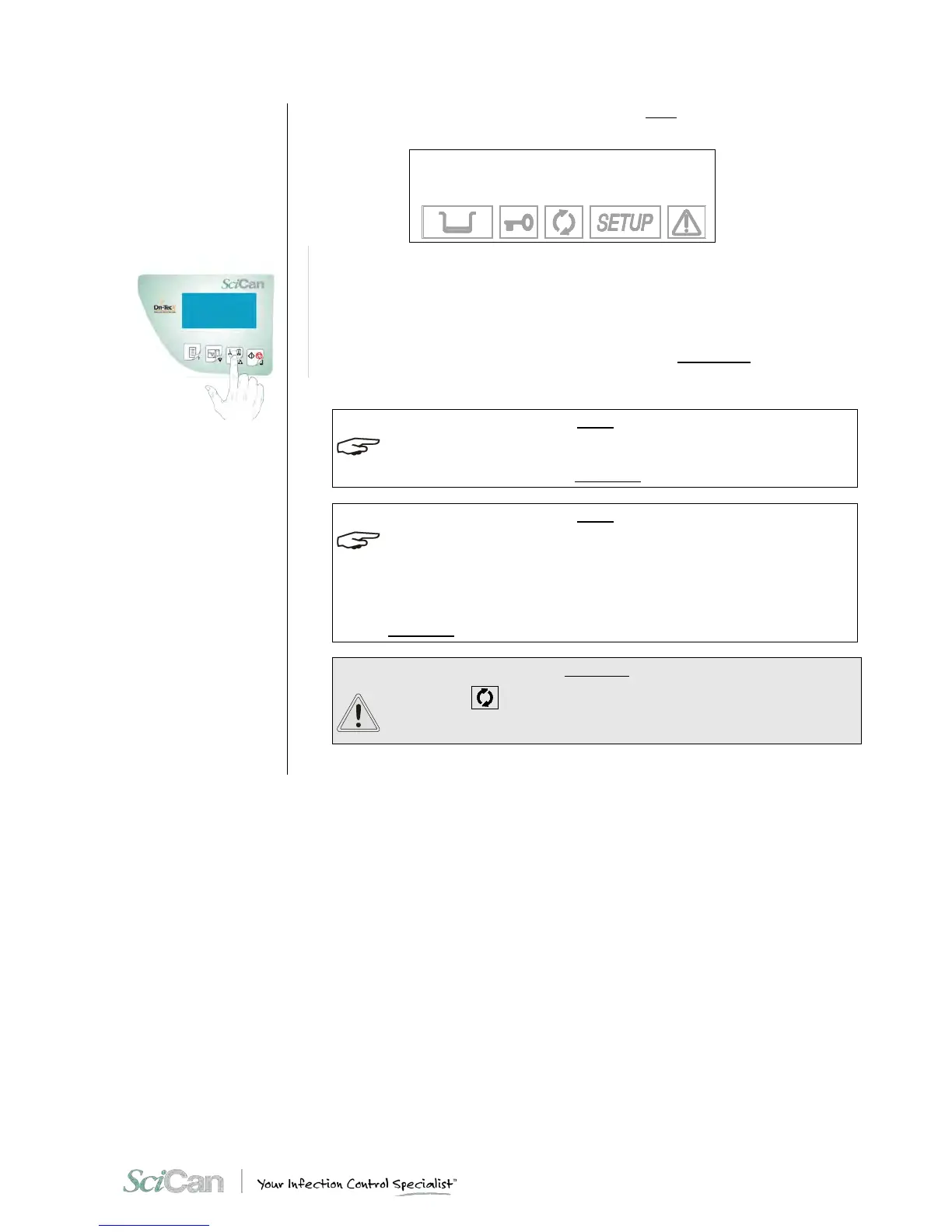
Finally, when the door is opened, you will be asked to reset the device by the following
message:
MANUAL STOP
RESET SYSTEM
85.5°C E999
- 0.01 bar 26:01
To RESET the system, press and hold the PROGRAM SELECTION key for at least three
seconds until you hear the confirmation beep.
When the door is opened, the report for the sterilization cycle executed is produced, including
the error code (E999). Check the report, initial it in the space provided and file it in a suitable
place.
For more information, refer to the print report examples shown in Appendix B, Programs.
After the RESET, the device goes into ST AN D -BY mode, ready to execute a new program.
WHEN AN ALARM IS GENERATED AT CERTAIN PHASES OF THE CYCLE, AN AUTOMATIC
PROCEDURE IS ACTIVATED TO CLEAN THE PLUMBING CIRCUIT. FOR A COMPLETE
DESCRIPTION OF THE ALAR M S, SEE APPENDIX E - AL A RM S .
AFTER AN ABORTED CYCLE, DUE TO A BLACK-OUT OR A POWER FAILURE, THE USER
CANNOT ACCESS THE CHAMBER UNTIL TO THE POWER RETURNS.
AT THAT TIME, THE USER MUST RESET THE UNIT ACCORDING TO THE PROCEDURE
DESCRIBED IN THE APPENDIX E – AL AR MS (ALARM INTERVENTION).
AT THE START OF THE NEXT CYCLE, AN AUTOMATIC PROCEDURE IS ACTIVATED TO
CLEAN THE PLUMBING CIRCUIT. FOR A COMPLETE DESCRIPTION OF THE ALARMS, SEE
APPENDIX E - AL ARM S .
IF THE ICON
IS OFF, THE MATERIAL IN THE STERILIZATION
CHAMBER CANNOT BE CONSIDERED STERILE AND MUST NOT BE
USED.


 To Next Page