EasyManua.ls Logo

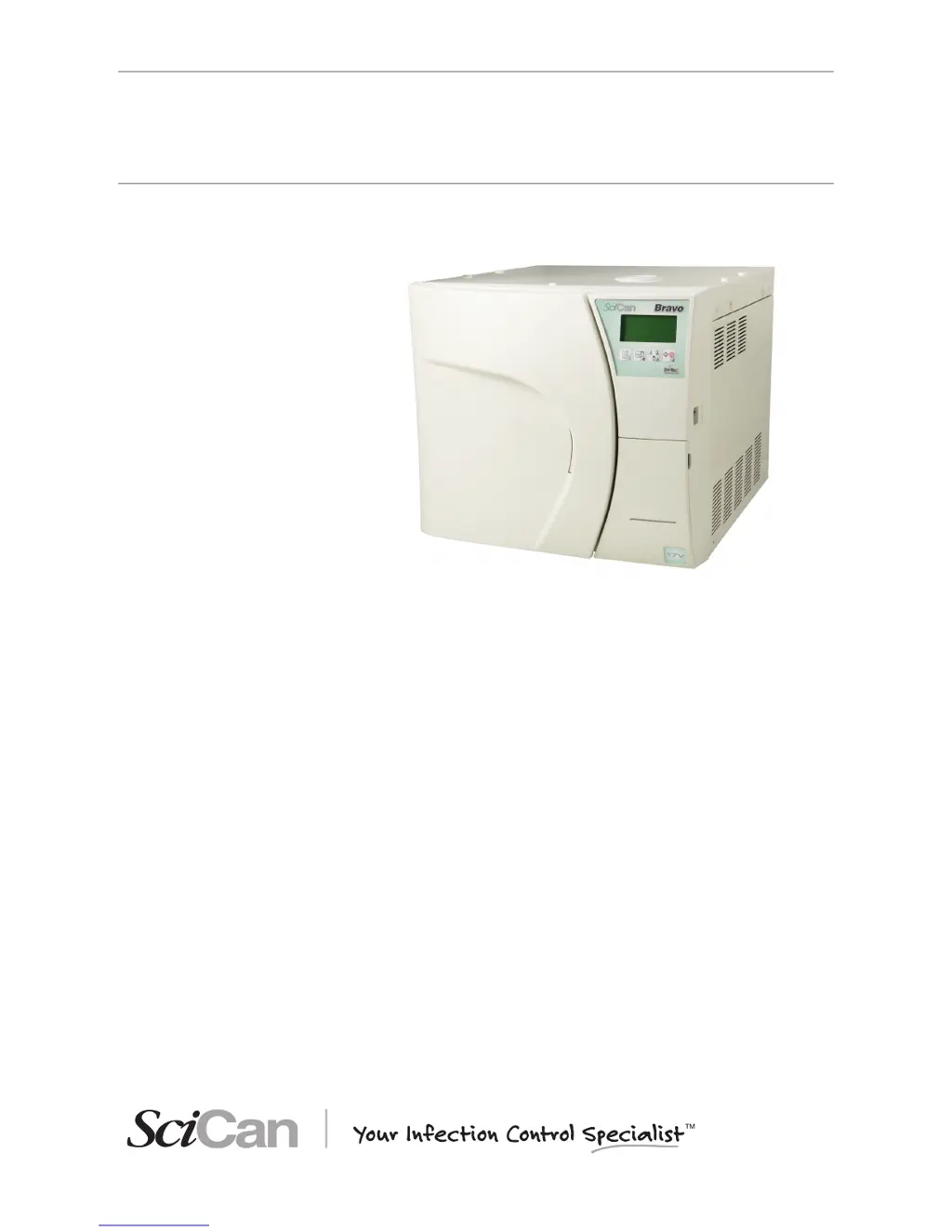
SciCan BRAVO 21V - User Manual

SciCan BRAVO 21V
95 pages
Print Icon
To Next Page IconTo Next Page
Loading...
BRAVO 2 Operator’s Manual 95-XXXXXX Rev. 1.0 Copyright 2012 SciCan Ltd. All rights reserved.
• Operator’s Manual
BRAVO
AUTOCLAVES
ref. 97050531 rev. 0 - 04/2012 SD-310/1-EN

Table of Contents

Questions and Answers

  • N
    Nicholas WestAug 18, 2025
    What to do if I can't open the door of my SciCan BRAVO 21V Laboratory Equipment after the cycle?
    • K
      kevinmontgomeryAug 18, 2025
      If you can't open the door of your SciCan laboratory equipment after the cycle completes, it could be due to residual pressure in the sterilization chamber. Wait until the pressure returns to 0.00 bar before trying again. Also, check if the bacteriological filter is clogged and replace it if necessary.
  • S
    smithjorgeAug 21, 2025
    What does it mean when the alarm icon is lit on SciCan BRAVO 21V?
    • T
      Tiffany FrancisAug 21, 2025
      If the alarm icon is lit on your SciCan laboratory equipment, it means an alarm has been triggered, generating a code and message on the LCD. Check the alarm code and take the appropriate action.
  • I
    ihensonAug 23, 2025
    Why is there water around the drain tank of my SciCan BRAVO 21V Laboratory Equipment?
    • N
      Nicholas Carlson DVMAug 23, 2025
      If you find water around the drain tank of your SciCan laboratory equipment, it's likely that the drain tubes (if using an optional drain tank) are not correctly connected to the tank. Make sure the tubes are fully pushed onto the connectors.
  • R
    Raven BradyAug 26, 2025
    How to troubleshoot SciCan Laboratory Equipment sterilizer that does not power on?
    • P
      Pamela MyersAug 26, 2025
      If your SciCan laboratory sterilizer isn't powering on, here's what to check: * Make sure the power cord is properly plugged into the socket. * Verify that the socket has voltage and fix any issues if there is no voltage. * Ensure the main switch and/or differential switch are turned ON. * Inspect the mains fuses and replace them with fuses of equal nominal value if they are blown.
  • J
    Jason ReynoldsAug 27, 2025
    What to do if the MIN water level icon is lit on SciCan Laboratory Equipment?
    • X
      xtylerAug 27, 2025
      If the MIN water level icon is lit on your SciCan laboratory equipment, it means the distilled water level inside the tank is below the minimum. Add distilled water to the tank until the MAX level indicator comes on, or until the MIN level signal turns off.
  • M
    middletoncharlesAug 30, 2025
    Why is there water on the support surface of my SciCan BRAVO 21V sterilizer?
    • M
      Matthew SpencerAug 30, 2025
      If you find water on the support surface of your SciCan sterilizer, the cause may be: * Drain connectors or tubing (if using an optional external tank) are not correctly connected. Check the tightness of the fittings and reassemble if necessary, paying attention to sealing. Ensure the tubes to the drain tank are completely pushed onto the connectors and that the plastic ties have been applied. * The water supply tube from the external tank (if used) is not well connected. Check the tightness of the connector and reassemble if needed, ensuring a good seal. Verify the tube is fully pushed onto the connector and the plastic tie is applied. * Steam is leaking from the gasket. Clean the gasket and porthole after the cycle. Check for damage and replace the gasket if it continues to leak.
  • P
    Philip CardenasSep 1, 2025
    Why won't the sterilization cycle start after pressing START on my SciCan BRAVO 21V?
    • E
      Edward MyersSep 1, 2025
      If the sterilization cycle doesn't start after pressing START on your SciCan laboratory equipment, it might be because the device is preheating. Wait for the sterilizer to reach the proper operating conditions for starting the program. Under normal conditions, the average preheating time is about 10-15 minutes.
  • A
    Ashley AndersonSep 3, 2025
    Why is there excessive humidity on the material after using SciCan Laboratory Equipment?
    • K
      Krista FlynnSep 3, 2025
      If there's excessive humidity on the material after running a program on your SciCan laboratory equipment, consider these potential causes: * Too much material inside the sterilization chamber. Reduce the quantity to the maximum allowed for the load type. * Material not correctly positioned. Ensure proper positioning, especially for wrapped items, according to the instructions. * Wrong sterilization program selected. Choose the appropriate program for the material you're sterilizing. * Drain filter of the sterilization chamber obstructed. Clean or replace the drain filter and check for kinks in the exhaust tube, if one is being used.
  • A
    Amanda RodriguezSep 6, 2025
    How to fix vacuum issues in SciCan BRAVO 21V Laboratory Equipment?
    • W
      Wendy KnightSep 6, 2025
      If your SciCan sterilizer struggles to create a vacuum, leading to drying problems or water in the chamber after a cycle, check the following: * The drain filter of the sterilization chamber might be obstructed. Clean or replace it. * The drain circuit or tubes could be blocked. Ensure they are clear and run freely to the tank. * Air intake or heat exchanger obstructions. Clear any obstructions from the air intake and heat exchanger, ensuring the device isn't directly against walls or surfaces.
  • A
    Anita MedinaSep 8, 2025
    Why are there traces of oxidation or spots on instruments after using SciCan BRAVO 21V Laboratory Equipment?
    • R
      Rebecca HatfieldSep 8, 2025
      If you notice oxidation or spots on instruments after using your SciCan laboratory equipment, it could be due to: * Inadequate instrument quality. Verify the instruments are made of materials suitable for steam sterilization. * Poor distilled water quality. Replace with high-quality distilled water. * Organic or inorganic residues. Thoroughly clean instruments before sterilization. * Contact between dissimilar metals. Separate instruments made of different metals before sterilization. * Lime residue. Clean the device and its parts as needed.

Summary

General Warnings and Precautions

Package Contents and Dimensions

Description of the Contents

Lists and illustrates the items included in the package with the sterilizer.

Product Handling and Preparation

Handling the Product

Instructions for safe handling and transport of the sterilizer unit.

Control Panel and Display

Installation Guide

Compartment Dimensions for Built-in Installations

Specifies minimum dimensions for installing the sterilizer within a cabinet for proper ventilation.

General Installation Precautions

Electrical Connections

Saving and Managing Report Files

Saving the Report File

Procedure for saving sterilization cycle reports from the USB key to a PC.

First Start-Up Procedures

Initial Automatic Test

Describes the automatic system check performed upon initial power-up.

Ambient Pressure Acquisition and Update

Process of measuring and updating ambient pressure for optimal operation.

Stand-By Mode Operation

Distilled Water Filling

Manual Filling (Top Side)

Step-by-step guide for manually filling the distilled water tank from the top.

Manual Filling (Front Side)

Alternative manual filling procedure using a container connected to the front.

Device Configuration

Starting and Entering Setup Mode

How to access the setup menu by holding the SETUP key.

Keys in Setup Mode

Explains the function of control panel keys when in SETUP mode.

Description of Setup Menu Items

Basic Menu Options

Details the items within the BASIC setup menu (language, date, time, password).

Advanced Menu Options

Lists options in the ADVANCED setup menu (programs, stand-by, print, filling, drain).

Activating Configuration Options

Setting the Password

Setting Sterilization Programs

Setting the Printing Mode

Printer Settings

Settings for the printer itself (OFF, INTERNAL, EXTERNAL, types).

Setting the Tank Filling Mode

Preparing the Material for Sterilization

Program Selection Process

Program Selection Procedure

Steps to select and initiate a sterilization program.

Running a Sterilization Cycle

Starting the Cycle

Procedure to start a sterilization cycle after loading and program selection.

Program Execution Phases

Vacuum and Pressure Phases

Sterilization Process Phases

Drying and Cycle Completion Phases

Cycle Data Report and Storage

Manual Cycle Interruption

How to manually interrupt a cycle using the START/STOP key.

Test Programs Overview

Helix;BD Test Procedure

Procedure for performing the Helix/BD test to check steam penetration.

Vacuum Test Procedure

Appendix A: Technical Characteristics

Summary Table of Technical Data

A table summarizing key technical specifications of Bravo models.

Safety Devices

Program Summary Table

Appendix C: Maintenance

Routine Maintenance Schedule

Table outlining daily, weekly, and monthly maintenance tasks.

Maintenance Description Details

Appendix D: Troubleshooting

Analysis and Resolution of Problems

A table listing common problems, their causes, and proposed solutions.

Appendix E: Alarms

Alarm Codes Classification

Categorization of alarm codes (Error, Alarm, Hazard) with descriptions.

Alarm Intervention Procedure

How the sterilizer indicates alarms and the initial response procedure.

Alarm During a Cycle

How alarms are displayed and handled when occurring during a sterilization cycle.

Alarm Outside the Cycle

Resetting the System

Detailed Alarm Codes List

Appendix G: Technical Support

Appendix H: Limited Warranty

SciCan BRAVO 21V Specifications

General IconGeneral
Chamber Volume21 liters
Data StorageUSB data logging
ManufacturerSciCan
ModelBRAVO 21V
CategoryLaboratory Equipment
TypeAutoclave
Operating Temperature121°C to 134°C
Cycle TypesGravity, Pre-vacuum
Water FillingAutomatic
Cycle TimeVaries depending on cycle type (e.g., unwrapped: 26 min, wrapped: 38 min)

Related product manuals