EasyManua.ls Logo

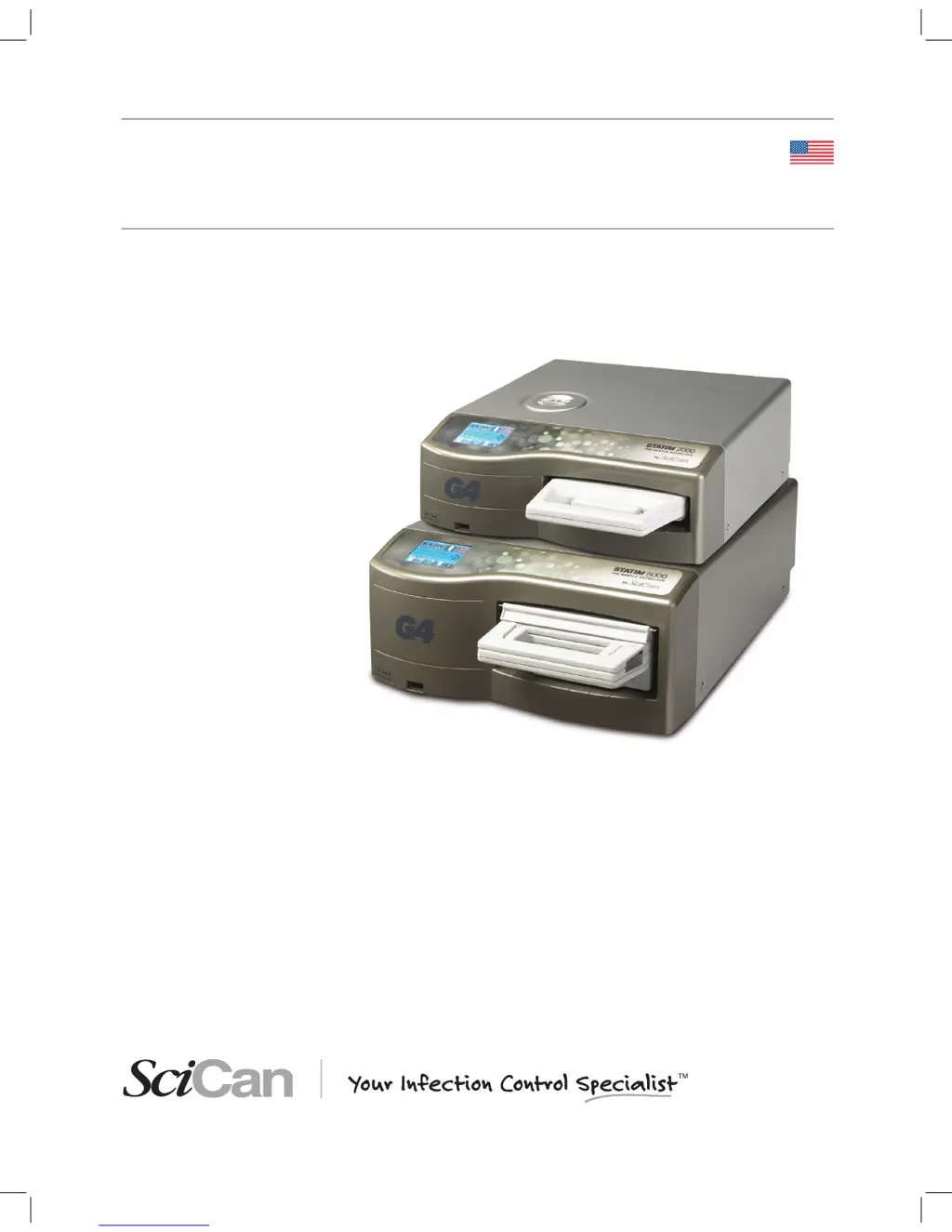
SciCan statim 2000 G4 - User Manual

SciCan statim 2000 G4
63 pages
Print Icon
To Next Page IconTo Next Page
Loading...
95-113364 US EN R4. STATIM 2000/5000 G4 Operator’s Manual. Copyright 2016 SciCan Ltd. All rights reserved.
STATIM
®
2000/5000 G4
CASSETTE AUTOCLAVE
Operator’s Manual
95-113364 US EN R4 STATIM 2000 G4 5000 G4 OpMan.indd 1 2017-01-18 11:01 AM

Table of Contents

Questions and Answers

Summary

1 Introduction

Product Overview

Overview of the STATIM G4 Cassette Autoclave as a compact, countertop unit for steam sterilization.

2 Important Information

2.1 Disclaimers

Rules for water usage, servicing, and safe operation of the STATIM unit.

Drying Performance

Explanation of the STATIM 2000 G4 and 5000 G4 drying technology using forced air and heat.

2 Important Information

2.2 STATIM 2000 G4 - Unit Overview

Identifies key components and symbols for the STATIM 2000 G4 unit.

Safety Symbols

Explanation of warning symbols used in the manual and on the unit.

2 Important Information

2.3 STATIM 5000 G4 - Unit Overview

Identifies key components and symbols for the STATIM 5000 G4 unit.

Safety Symbols

Explanation of warning symbols used in the manual and on the unit.

2.5 Setup Menu Overview

Time and Date Settings

Guides for setting the unit's time, date, DST, and date format.

Language and Unit Settings

Procedures for changing the displayed language and assigning unit identifiers.

2.5 Setup Menu Overview

User and Security Settings

Steps for creating user IDs, PINs, and enabling process enforced usage.

Display and Network Settings

Customizing display themes, screensaver, contrast, and network configurations.

3 Setting up your STATIM

3.1 Positioning and Powering your Unit

Guidelines for placing and connecting the STATIM unit to a power source.

3 Setting up your STATIM

3.2 Leveling your Unit

Procedure for ensuring the STATIM unit is stable and properly leveled using the bubble indicator.

3 Setting up your STATIM

3.3 Connecting the Waste Bottle

Instructions for connecting the waste bottle and its tubing to the STATIM unit.

3 Setting up your STATIM

3.4 Filling the Water Reservoir

Steps to correctly fill the STATIM's water reservoir with approved water.

3.5 Priming the Pump

Procedure to prime the STATIM pump by draining water from the unit.

3.6 Shipping the Unit

Steps for preparing the STATIM unit for shipping, including draining the reservoir.

3 Setting up your STATIM

3.7 Setting the Time and Date

Instructions for setting the unit's time, date, DST, and date format.

3.9 Setting the Language

Guide to changing the displayed language on the STATIM touchscreen interface.

3 Setting up your STATIM

3.10 Assigning Unit Identifier Number

Procedure for assigning a unique identifier number to the STATIM unit.

3.11 Creating a User ID and PIN

Steps to create user IDs and PINs for security and access control on the STATIM.

3.12 Setting Up Process Enforced Usage

How to activate process enforced usage requiring user PINs for cycles.

3 Setting up your STATIM

3.13 Changing the Touchscreen Display Themes

Customizing the STATIM touchscreen display by changing themes via USB.

3.14 Adjusting the Screensaver Delay

Setting the inactivity time before the STATIM screensaver activates.

3.15 Adjusting the Screen Contrast

Adjusting the contrast of the STATIM touchscreen for better visibility.

3 Setting up your STATIM

3.16 Turning the Button Sound ON or OFF

Enabling or disabling the audible beep when buttons are pressed on the STATIM.

3.17 Adjusting the Button Beep Volume

Adjusting the volume level for button press sounds on the STATIM.

3.18 Setting up and Using your STATIM G4 Web Portal

Connecting to and utilizing the STATIM G4 web portal for real-time data and records.

3 Setting up your STATIM

3.19 Connecting to a Network

Instructions for connecting the STATIM G4 to a wired network via Ethernet.

3.20 Connecting to a Wireless Network

Steps to connect the STATIM G4 to a wireless network using Wi-Fi.

3 Setting up your STATIM

3.21 Reserving an IP Address for your STATIM

Procedure for assigning a permanent IP address to the STATIM via router settings.

4 Using Cassettes and Preparing Instruments

4.1 Using the STATIM 2000 G4 Cassette

Detailed instructions for opening, closing, and inserting the STATIM 2000 G4 cassette.

Removing the Cassette

Procedure for safely removing the cassette from the STATIM unit.

4 Using Cassettes and Preparing Instruments

4.2 Using the STATIM 5000 G4 Cassette

Detailed instructions for opening, closing, and inserting the STATIM 5000 G4 cassette.

Removing the Cassette

Procedure for safely removing the cassette from the STATIM unit.

4 Using Cassettes and Preparing Instruments

4.3 Preparing and Loading Instruments

Guidelines for cleaning and arranging instruments for sterilization in the cassette.

Unwrapped Instruments

Instructions for arranging unwrapped instruments to ensure proper steam penetration and drying.

4 Using Cassettes and Preparing Instruments

Wrapped Instruments (single wraps)

Procedure for loading wrapped instruments into autoclave bags for sterilization.

Rubber and Plastic Instruments

List of sterilizable rubber and plastic materials and loading guidelines.

4 Using Cassettes and Preparing Instruments

Materials NOT STERILIZED in STATIM

List of materials that cannot be sterilized in the STATIM due to damage risk.

Routine Monitoring

Recommendations for using biological and chemical indicators for sterilization validation.

4 Using Cassettes and Preparing Instruments

4.4 Using Biological and Chemical Indicators

Steps for using biological and chemical indicators for sterilization validation.

4.5 Instrument Weight Guide

Guide to typical instrument weights for proper STATIM load balancing.

5 Using your STATIM

5.1 Preparing Unit for Use

Initial steps to prepare the STATIM unit for its first sterilization cycles.

5.2 STATIM 2000 G4 - Selecting a Cycle

Overview of the sterilization cycles available for the STATIM 2000 G4 unit.

5.2.1. Unwrapped Cycle (STATIM 2000 G4)

Details of the Unwrapped Cycle for solid metal instruments on the STATIM 2000 G4.

5 Using your STATIM

5.2.2. Wrapped Cycle (STATIM 2000 G4)

Details of the Wrapped Cycle for sealed metal instruments on the STATIM 2000 G4.

5.2.3. Rubber and Plastics Cycle (STATIM 2000 G4)

Details of the Rubber and Plastics Cycle for specific materials on the STATIM 2000 G4.

5 Using your STATIM

5.2.4. Air Dry Only Cycle (STATIM 2000 G4)

Description of the Air Dry Only cycle for enhancing instrument dryness on the STATIM 2000 G4.

5 Using your STATIM

5.3 STATIM 5000 G4 - Selecting a Cycle

Overview of the sterilization cycles available for the STATIM 5000 G4 unit.

5.3.1. Unwrapped Cycle (STATIM 5000 G4)

Details of the Unwrapped Cycle for light loads on the STATIM 5000 G4.

5 Using your STATIM

5.3.2. Wrapped Cycle (STATIM 5000 G4)

Details of the Wrapped Cycle for sealed instruments on the STATIM 5000 G4.

5.3.3. Rubber and Plastics Cycle (STATIM 5000 G4)

Details of the Rubber and Plastics Cycle for specific materials on the STATIM 5000 G4.

5 Using your STATIM

5.3.4. Heavy Duty Unwrapped Cycle (STATIM 5000 G4)

Details of the Heavy Duty Unwrapped Cycle for larger loads on the STATIM 5000 G4.

5 Using your STATIM

5.4 STATIM 2000; 5000 G4 - Running a Cycle

Step-by-step guide on how to operate and run sterilization cycles on the STATIM.

5 Using your STATIM

Leveling Warning

Warning screen prompting to level the unit for optimal instrument dryness before starting a cycle.

5 Using your STATIM

Cycle Phase Overview (STATIM 2000 G4)

Graphical representation and timing of the STATIM 2000 G4 sterilization cycle phases.

5 Using your STATIM

Cycle Completion and Air Drying

Information on cycle completion, air drying, and handling of hot cassettes.

5 Using your STATIM

5.5 STATIM 2000; 5000 G4 - Stopping a Cycle

Instructions on how to stop a sterilization cycle and handle potential faults or non-sterile results.

6 Storing and Retrieving Cycle Information

6.1 Retrieving Cycle Information Using the Touchscreen

Accessing stored cycle data directly from the STATIM touchscreen interface.

6.2 Retrieving Cycle Information Using the USB Data Back Up

Transferring cycle data from the STATIM to a computer using a USB storage device.

6 Storing and Retrieving Cycle Information

6.3 Cycle Printout Overview

Detailed breakdown and explanation of information found on a STATIM cycle printout.

7 Retrieving a Remote Access Code

Generating a Security Token

Steps to generate a temporary security token for remote access to the STATIM G4.

8 Printing Cycle Information

8.1 Connecting to a Printer

Instructions for connecting an external printer to the STATIM G4 via RS232 port.

8.2 Adjusting your Printer Settings

Guide to configuring printer settings for the STATIM G4.

8.3 External Printers and Specifications

List of recommended external printers and their technical specifications for the STATIM.

9 Maintaining your STATIM

9.1 Cleaning the Cassette

Procedure for cleaning the STATIM cassette interior surfaces to maintain hygiene and function.

9.2 Cleaning the Water Reservoir Filter

Instructions for cleaning the water reservoir filter to ensure proper water flow.

9.3 Cleaning the Reservoir

Steps for cleaning the STATIM's water reservoir, emphasizing water quality.

9 Maintaining your STATIM

9.5 Changing the Bacteria Retentive Filter and the Air Filter

Procedure for replacing the bacteria retentive and air filters on the STATIM units.

9 Maintaining your STATIM

9.6 Replacing the Cassette Seal

Instructions for replacing the STATIM cassette seal to ensure proper closure and steam containment.

9 Maintaining your STATIM

9.7 Maintaining Fluid Levels

Monitoring and refilling the STATIM water reservoir and waste bottle.

9.8 Reading Water Quality

Checking and interpreting the water quality status on the STATIM display.

9.9 Using On-Screen Instructions

Accessing the STATIM G4's built-in help and instruction guides.

9 Maintaining your STATIM

9.10 Preventative Maintenance Schedules

Recommended daily, weekly, and periodic maintenance tasks for the STATIM.

9 Maintaining your STATIM

Technician Maintenance: Once a Year

Annual maintenance tasks for cassette, filters, valves, pump, and calibration.

10 Troubleshooting your STATIM

Unit Displays: Cycle Interrupted, Aborted, NOT STERILE, or CYCLE FAULT

Solutions for common STATIM cycle interruption or fault messages.

Excessive steam issuing from the front of the machine

Troubleshooting steps for excessive steam leaks from the STATIM unit.

Machine will not start and touchscreen shows:

Diagnosing and resolving issues when the STATIM unit fails to start or display correctly.

The printer does not work

Steps to troubleshoot and fix problems with the connected printer.

10 Troubleshooting your STATIM

Unit does not power ON

Steps to troubleshoot power issues with the STATIM unit.

There is water under the machine

Diagnosing and resolving leaks or water accumulation under the STATIM.

Instruments do not dry

Troubleshooting steps to ensure instruments are properly dried after a cycle.

10 Troubleshooting your STATIM

Time and date are incorrect

Correcting incorrect time and date settings on the STATIM unit.

Touchscreen is blank;white or blank;dark

Troubleshooting blank or white touchscreen displays on the STATIM unit.

USB storage device does not contain the last print out

Resolving issues where the USB device does not save cycle data correctly.

Touchscreen shows X over connectivity icon

Diagnosing network connectivity issues indicated by an X on the STATIM touchscreen.

Unit is not sending emails; Not receiving emails from the unit

Troubleshooting STATIM email notification sending and receiving problems.

11 Spare Parts

STATIM G4 SPARES

List of replacement parts and order numbers for STATIM 2000/5000 G4 units.

STATIM G4 ACCESSORIES

List of optional accessories available for STATIM 2000/5000 G4 units.

12 Warranty

Limited Warranty

Details of the one-year limited warranty covering STATIM 2000/5000 G4 units and exclusions.

13 Specifications

13.1 STATIM 2000 G4

Technical specifications for the STATIM 2000 G4, including dimensions, volume, and ratings.

13 Specifications

13.2 STATIM 5000 G4

Technical specifications for the STATIM 5000 G4, including dimensions, volume, and ratings.

SCICAN SOFTWARE PRODUCT LICENSE

ARTICLE 1 INTERPRETATION

Definitions and interpretation of terms used in the SciCan Software Product License Agreement.

ARTICLE 2 LICENSE

Grant of license for the SciCan Software Product, terms of use, and site restrictions.

SCICAN SOFTWARE PRODUCT LICENSE

ARTICLE 3 LICENSE RESTRICTIONS

Prohibitions on copying, modification, reverse engineering, and distribution of the software.

ARTICLE 4 UPDATES

SciCan's policies and obligations regarding software updates and customer support.

ARTICLE 5 OWNERSHIP

Statement of SciCan's ownership of the software, updates, and documentation.

SCICAN SOFTWARE PRODUCT LICENSE

ARTICLE 6 PATENT AND COPYRIGHT INDEMNITY

SciCan's indemnity obligations regarding patent and copyright infringement claims.

ARTICLE 7 WARRANTY

Warranties regarding title, functionality, and services for the SciCan Software Product.

SCICAN SOFTWARE PRODUCT LICENSE

ARTICLE 8 LIMITATION OF LIABILITY

Limits on SciCan's liability for damages related to the software and equipment.

ARTICLE 9 CONFIDENTIALITY

Obligations of parties to maintain confidentiality of proprietary information.

ARTICLE 10 GENERAL

10.1 Law and Venue

Governing law and venue for the SciCan Software Product License Agreement.

10.2 Notices

Procedures for providing formal notices under the license agreement.

10.3 Assignment

Conditions and restrictions on assigning the license agreement.

1. Read first - regulatory information

FCC and IC RF Exposure Compliance

Notes on FCC and IC RF exposure compliance requirements for the transmitter antenna.

2. STATIM Wireless adapter

Wi-Fi Module Specifications

Details of the Wi-Fi module, frequency range, and output power.

Securing Wi-Fi Connections

Recommendations for securing Wi-Fi networks and passphrases for optimal privacy.

2. STATIM Wireless adapter

2.1 Checking security on an existing network

Advice on ensuring network security is configured for WPA2.

2.2 Passphrase quality & lifespan

Guidelines for creating strong and secure network passphrases.

2.3 Wireless Setup

Overview of selecting between wired and wireless network connections for the STATIM.

2.3.2. Connecting to a Wireless network

Step-by-step guide for connecting the STATIM to a wireless network.

3. USA - Federal Communications Commission (FCC)

3.1. Approved wireless devices

Information on FCC approval for wireless devices and identifying the FCC ID.

3.2. Preinstalled wireless LAN adapter

Details of the preinstalled wireless LAN adapter, including FCC ID and model.

3.4. FCC RF Exposure compliance

Statement on FCC compliance with SAR requirements for radiated energy.

3.5. Radio Frequency interference requirements

Compliance with FCC Part 15 Subpart B limits for Class B digital devices.

4. Canada - Industry Canada (IC)

4.1. Approved wireless devices

Information on IC approval for wireless devices and identifying IC certification.

4.2. Preinstalled wireless LAN adapter

Details of the preinstalled wireless LAN adapter, including IC ID and model.

4.3. Low power license-exempt radio communication devices (RSS-210)

Conditions for low power license-exempt radio devices according to RSS-210.

4.4. Exposure of humans to RF fields (RSS-102)

Compliance with Health Canada's RF exposure limits for general population.

5. Electronic emission notices

5.1. Federal Communications Commission (FCC) Declaration of Conformity

FCC declaration of conformity for Class B digital device, including interference guidelines.

Responsible Party Information

Contact information for SciCan Ltd. regarding FCC compliance and support.

5.2. Industry Canada Class B Emission Compliance Statement

Industry Canada statement of compliance for Class B digital apparatus.

SciCan statim 2000 G4 Specifications

General IconGeneral
Cycle Time (Unwrapped)6 minutes
Weight73 lbs (33 kg)
Voltage120 V
Warranty2 years
Reservoir Capacity1.5 L
Sterilization Temperature132 °C
Power Requirements15 A

Related product manuals