EasyManua.ls Logo

SciCan Statim 2000 - Service Manual

SciCan Statim 2000
275 pages
Print Icon
To Next Page IconTo Next Page
Loading...
STAT
IM
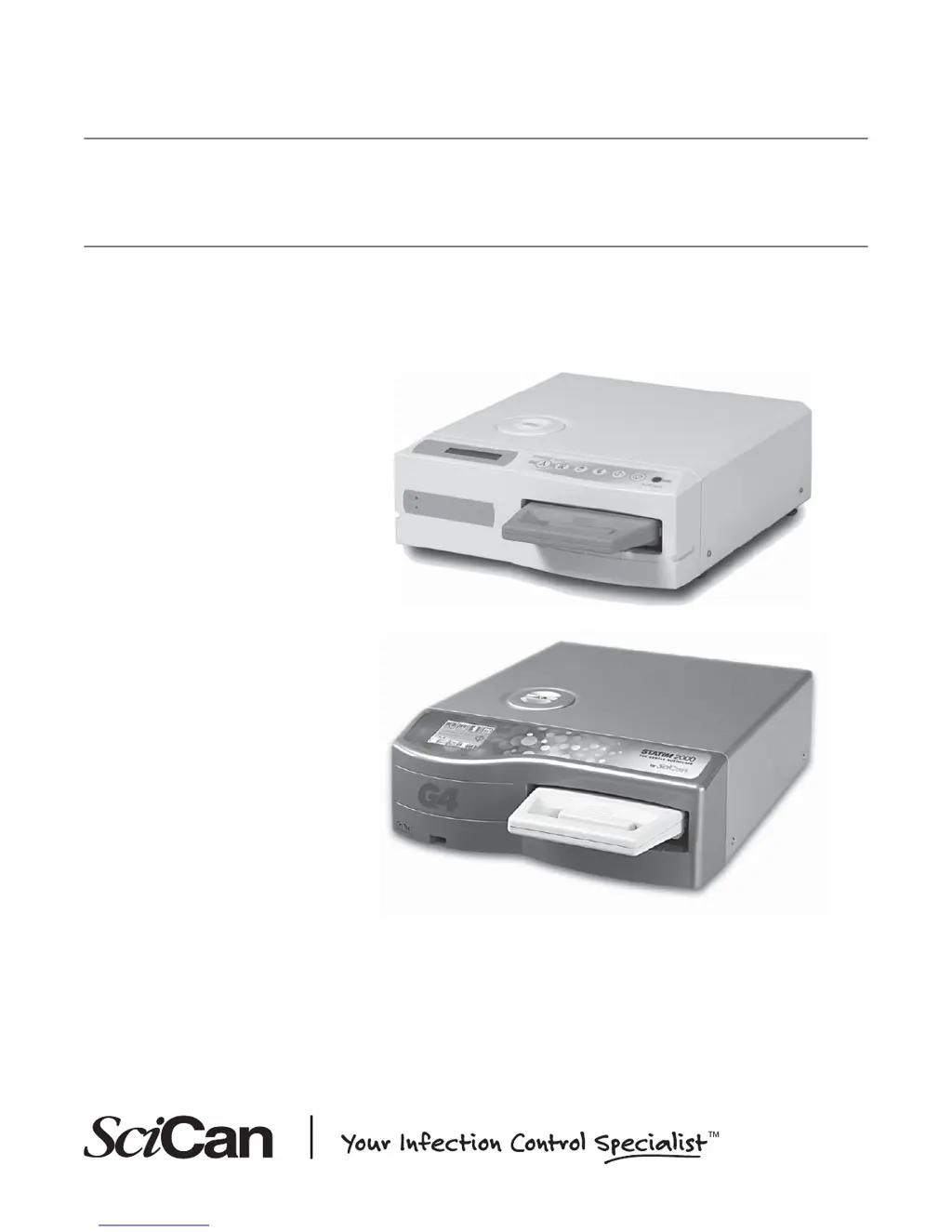
2000/2000S/2000 G4
CASSETTE AUTOCLAVE
Service Manual
STAT
IM
2000 Service Manual 96-108639 Rev 3.0. Copyright 2012 SciCan Ltd. All rights reserved.

Table of Contents

Other manuals for SciCan Statim 2000

Questions and Answers

  • A
    Anthony McbrideSep 12, 2025
    Why does my SciCan Laboratory Equipment printer print blank pages?
    • D
      Daniel FlowersSep 12, 2025
      If the SciCan Laboratory Equipment printer appears to work but nothing prints, ensure the paper is loaded correctly. The paper should leave the roll from the top, so the treated surface of the thermal paper contacts the thermal print head.
  • M
    mistyhernandezAug 22, 2025
    What to do if there is water under SciCan Statim 2000 Laboratory Equipment?
    • M
      Megan LaraAug 23, 2025
      If you find water under your SciCan Laboratory Equipment, it's likely due to a leaking cassette. First, check the cassette seal for any misalignment or damage; if you spot any, replace the seal. If water continues to drip from the unit's underside during operation, inspect the cassette seal again for misalignment or damage and replace it if needed. Should the leak persist, turn the unit OFF, remove and unload the cassette, unplug the unit, and contact your dealer.
  • M
    Michael WilliamsAug 25, 2025
    How to improve drying in SciCan Statim 2000?
    • A
      amber88Aug 25, 2025
      If instruments are not drying in your SciCan Laboratory Equipment, ensure the cycle completes fully. Proper loading of instruments in the cassette is important. Verify the unit is level. Inspect air filters and replace them if dirty. Clean the cassette's interior and apply Stat-Dri / Stat-Dri Plus drying agent. Also, check the exhaust tube for any kinks.
  • C
    christopher17Aug 27, 2025
    What does 'Drying interrupted – LOAD NOT STERILE' mean on my SciCan Statim 2000?
    • W
      Wayne AyalaAug 28, 2025
      If you see the 'Drying interrupted – LOAD NOT STERILE' message on your SciCan Laboratory Equipment, it likely means the STOP button was pressed during the drying phase. Repackage the instruments if necessary, and rerun another sterilization cycle.
  • V
    Virginia WilsonAug 29, 2025
    What to do if there is water under my SciCan Statim 2000 Laboratory Equipment?
    • J
      Joshua CarterAug 29, 2025
      If you find water under the SciCan Laboratory Equipment during operation, it could be a leaking cassette. Check the cassette seal for misalignment or damage and replace it if necessary. Be careful, as the metal parts will be hot, and the cassette will contain hot steam. Attempt another cycle.
  • B
    Barbara CastilloAug 30, 2025
    How to fix SciCan Statim 2000 Laboratory Equipment that does not power ON?
    • C
      Catherine SalazarAug 30, 2025
      If your SciCan Laboratory Equipment isn't powering on, make sure it's plugged into a properly grounded outlet and that the power cord is firmly seated at the rear of the machine. Try using a different electrical circuit. Power the unit OFF for 10 seconds, then power it back ON. Also, check the condition of the line circuit breaker or fuse.
  • J
    Jay EvansNov 25, 2025
    What to do if my SciCan Statim 2000 Laboratory Equipment shows 'Cycle interrupted — NOT STERILE'?
    • J
      James WolfNov 25, 2025
      If you see 'Cycle interrupted — NOT STERILE', 'Cycle aborted — NOT STERILE' and 'CYCLE FAULT' messages on your SciCan Laboratory Equipment, record the CYCLE FAULT number. Wait a few minutes before attempting another cycle. If the message continues, remove the cassette and check that the holes in the back of the seal are aligned perfectly and the flexible lip of the seal is completely free. Inspect the exhaust tube for kinks or obstructions; straighten if needed. If the tube can't be straightened, remove it from the STATIM fitting by depressing the collar and firmly pulling the tube. Cut away any damaged sections, ensuring enough tube remains for reattachment. If the tube is too short, contact your SciCan dealer for a replacement. Try another cycle. If the problem persists, record the cycle...
  • C
    claytonphamSep 14, 2025
    What does 'MSD NOT CONNECTED' mean on my SciCan Laboratory Equipment?
    • C
      christopher12Sep 14, 2025
      If the SciCan Laboratory Equipment displays 'MSD NOT CONNECTED INSERT MSD/FLASH', check the serial cable and power connections. Ensure the lower red LED is lit. Verify the Mass Storage Device is properly inserted. Repeat the instructions for installing the SciCan Data Logger on your STATIM.
  • R
    Rebecca GalvanSep 12, 2025
    Why is my SciCan Statim 2000 Laboratory Equipment printer not working?
    • S
      Sarah DawsonSep 12, 2025
      If the SciCan Laboratory Equipment printer isn't working, make sure the printer cable is securely connected to both the STATIM and the Statprinter. Ensure the printer is powered on. Power the unit off for 10 seconds, then back on.
  • R
    rdavidSep 7, 2025
    Why is there excessive steam coming from my SciCan Laboratory Equipment?
    • J
      Jordan BrownSep 8, 2025
      If there is excessive steam coming from the front of the SciCan Laboratory Equipment, remove and reinsert the cassette, then try another cycle. If the leak persists, remove the cassette and inspect the cassette seal for misalignment or damage; replace the seal if needed. If the leak continues, turn the unit off, remove and unload the cassette, and contact your SciCan dealer.

Summary

Tools, Maintenance Schedules, Procedures and Testing

Tools

List of STATIM specific and generic tools required for servicing the unit.

Annual Service Requirements

Schedule and parts required for annual servicing of STATIM 2000/5000/G4 units.

Routine Maintenance Schedule and Procedures

Guidelines for daily, weekly, and semi-annual maintenance to keep STATIM in good order.

Electrical Safety Testing

Procedures for dielectric strength test (Hi-Pot) and protective bonding impedance test.

Diagnostics and Troubleshooting Cycle Faults

Basic Mechanical Diagnostics

Functional checks recommended when the cause of a problem is unknown or a cycle fault is unavailable.

Using Software as a Diagnostic Tool

Guidance on using unit software and service menus for diagnosis and information gathering.

Troubleshooting Cycle Faults

Explanation of different types of cycle fault formats and their descriptions.

STATIM 2000 Calibration

Calibration Procedure 1: for Rev 3.x or 4.x Boards

Step-by-step guide for calibrating STATIM 2000 non S units with Rev 3.x or 4.x controller boards.

Calibration Procedure 2: for Rev 2.x or 5.x Boards, Software R1.xx or R2.xx

Calibration procedure for STATIM 2000/5000 non S units with Rev 2.x/5.x boards and R1.xx/R2.xx software.

Calibration Procedure 3: for Rev. 6.x Board, Software Rev. 4.xx and 5.xx

Calibration procedure for STATIM 2000/5000 non S units with Rev 6.x boards and R4.xx/R5.xx software.

Calibration Procedure 4: for Rev. 7.x Board, Software Rev. 6.xx

Calibration procedure for STATIM 2000/5000 non S units with Rev 7.x boards and R6.xx software.

Calibration Procedure 8: for non-S G4 units with Rev. 7.x Board, Software Rev. 7.xx, SL 00 R1.xx

Calibration procedure for STATIM 2000/5000 G4 non S units with Rev 7.x boards and R7.xx/SL00R1.xx software.

STATIM 2000 S Calibration

Calibration Procedure 5: for Rev 2.x or 5.x Boards, Software R1.xx and R2.xx

Calibration procedure for S-class STATIM 2000 units with Rev 2.x/5.x boards and R1.xx/R2.xx software.

Calibration Procedure 6: for Rev 6.x Boards, Software R4.xx and R5.xx

Calibration procedure for S-class STATIM 2000 units with Rev 6.x boards and R4.xx/R5.xx software.

Calibration Procedure 7: for Rev 7.x Boards, Software R6.xx

Calibration procedure for S-class STATIM 2000 units with Rev 7.x boards and R6.xx software.

Calibration Procedure 9: for S-class G4 Units with Rev. 7.x Board, Software Rev. 7.xx, SL 00 R1.xx

Calibration procedure for S-class STATIM G4 units with Rev 7.x boards and R7.xx/SL00R1.xx software.

Electrical and Electronic Components

Controller Board

Information on identifying and working with STATIM controller boards.

Removing the Controller Board Assembly

Step-by-step instructions for removing the controller board assembly from STATIM units.

Water Pumps, Reservoir, and Compressor

Water Pumps

Identifies the three types of pumps used in STATIM units and notes on interchangeability.

Testing Pump Flow

Procedure to test water pump flow for all STATIM unit types.

Performing Filter Maintenance

Details on filter maintenance for STATIM 2000/2000S units, including internal and in-line filters.

Performing Internal Pump Filter Maintenance

Steps to perform maintenance on internal filters located within the pump assembly.

Performing Pump Tube Replacement

Guide to replacing pump tubes to ensure correct water delivery for sterilization cycles.

Checking the Conductivity Sensor

Steps to check the conductivity sensor's functionality and diagnose problems.

Troubleshooting “WATER QUALITY NOT ACCEPTABLE” Message

Steps to resolve the "WATER QUALITY NOT ACCEPTABLE" message, potentially due to EMI.

Solenoid Valve and Pressure Transducer

Solenoid Valve

Information on the two types of solenoid valves used in STATIM units.

Inspecting and Repairing the Type B Solenoid Valve

Steps to inspect and repair the Type B solenoid valve assembly.

Pressure Transducer

Information about pressure transducers used in STATIM S models.

Identifying and Checking the Pressure Transducer

Methods for identifying and checking the pressure transducer types and their output.

Checking the Transducer

Procedure for checking the transducer's functionality and diagnosing faults.

Armature, Isoplate, and Probe Bracket and Chamber Thermocouple

Aligning the Probe Bracket and Chamber Thermocouple Subassembly

Guide to aligning the probe bracket and chamber thermocouple using a jig or manually.

Printer and Data Logger

Data Logger Troubleshooting

Steps to troubleshoot common issues with the Data Logger, like MSD detection errors.

Installation

Filling the STATIM Reservoir

Procedure for filling the reservoir with steam-process distilled water.

Priming the STATIM Pump

Steps to prime the STATIM pump before initial use or after servicing.

Preparing Unit for Use

Final steps before initial use, including running cycles and cleaning the cassette.

Testing the Unit

Steps for powering up and running tests on the installed STATIM unit.

SciCan Statim 2000 Specifications

General IconGeneral
Water ConsumptionApproximately 60 ml per cycle
Warranty1 year
Sterilization Temperature135°C (275°F)
Sterilization Time3.5 minutes
Sterilization MethodSteam

Related product manuals