Page 241
STAT
IM
2000/2000S Service Guide
96-108639 Rev 3.0
12. Printer and Data Logger
STATIM 2000/2000S/2000 G4 Service Guide
Printer and Data Logger
Printer
CAUTION: Never pull printer paper backwards through the printer. This will damage the print
head. STATprinter units contain electronic components that may be damaged or destroyed
by electro-static discharge (esd). Observe appropriate safeguards when servicing. Always
transport electronic components and assembles in static-protected packaging.
The STATPrinter is an optional recording device for use with STATIM 2000/2000S units with revision
2.x/5.x/6.x controller boards and the 25 pin communication port on the rear of the unit. Newer,
revision 7 STATIMs with the 9 pin RS 232 communication port CANNOT use the Stat Printer. If a
printer is required for a revision 7 unit, consult the list later in this section on page 211.
Removing and Replacing the STAT
Printer
Cover
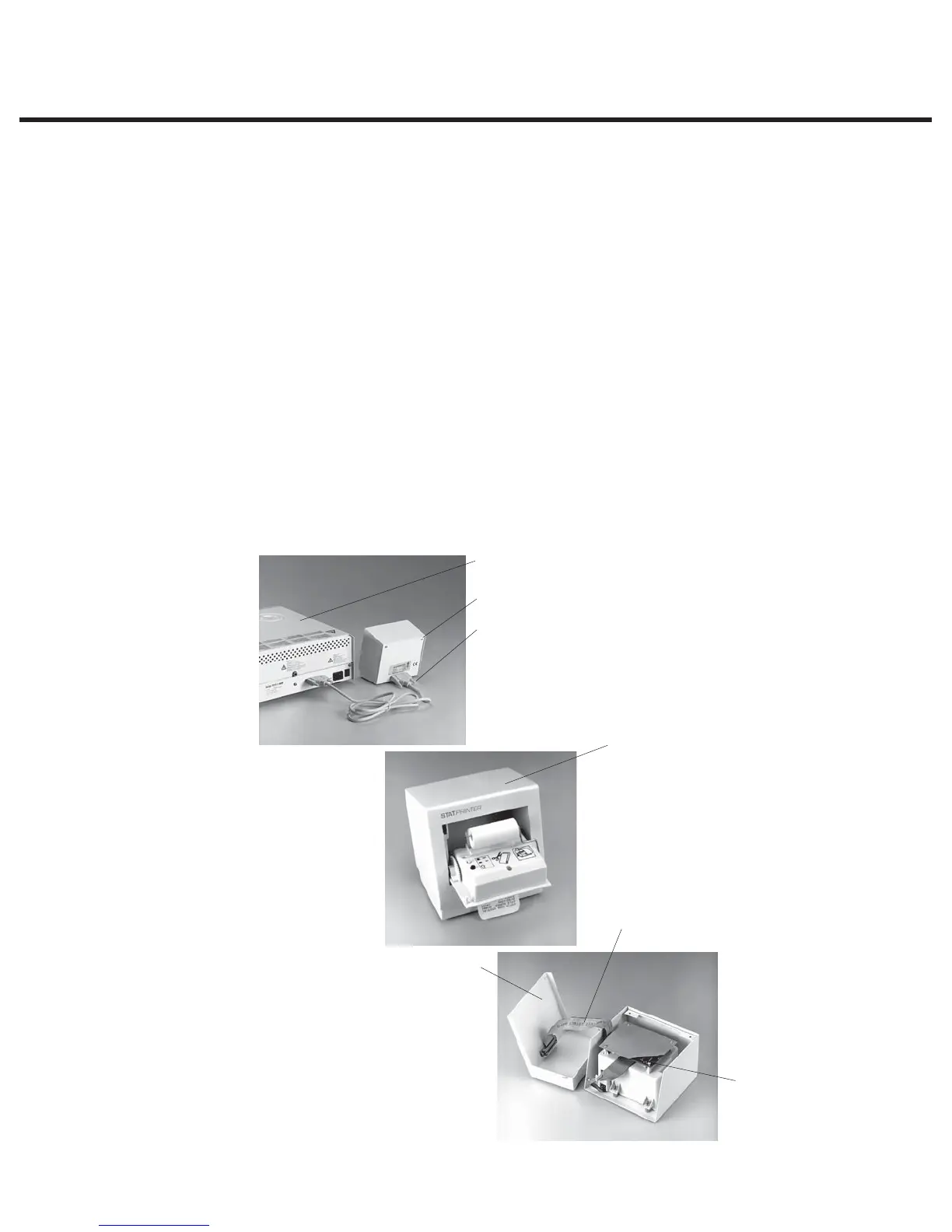
To remove the STATprinter cover (1), proceed as follows, (see Figure 1):
4
5
6
Host unit
1
2
3
1. Cover
2. Printer cable
3. Screws
4. Printer base
5. Printer driver cable
6. Printer interface board
Figure 1



 To Next Page