Page 104
STAT
IM
2000/2000S Service Guide
96-108639 Rev 3.0
5. STAT
IM
2000S Calibration
4. Ensure that the thermocouple and digital thermometer have matched serial numbers.
5. Attach the pressure reference meter to the pressure tube and the pressure tube to the test
cassette. (Self locking couplings).
6. Install the calibration jumper to Controller Board pins marked W1.
7. Locate TC ADJ and Vref potentiometers.
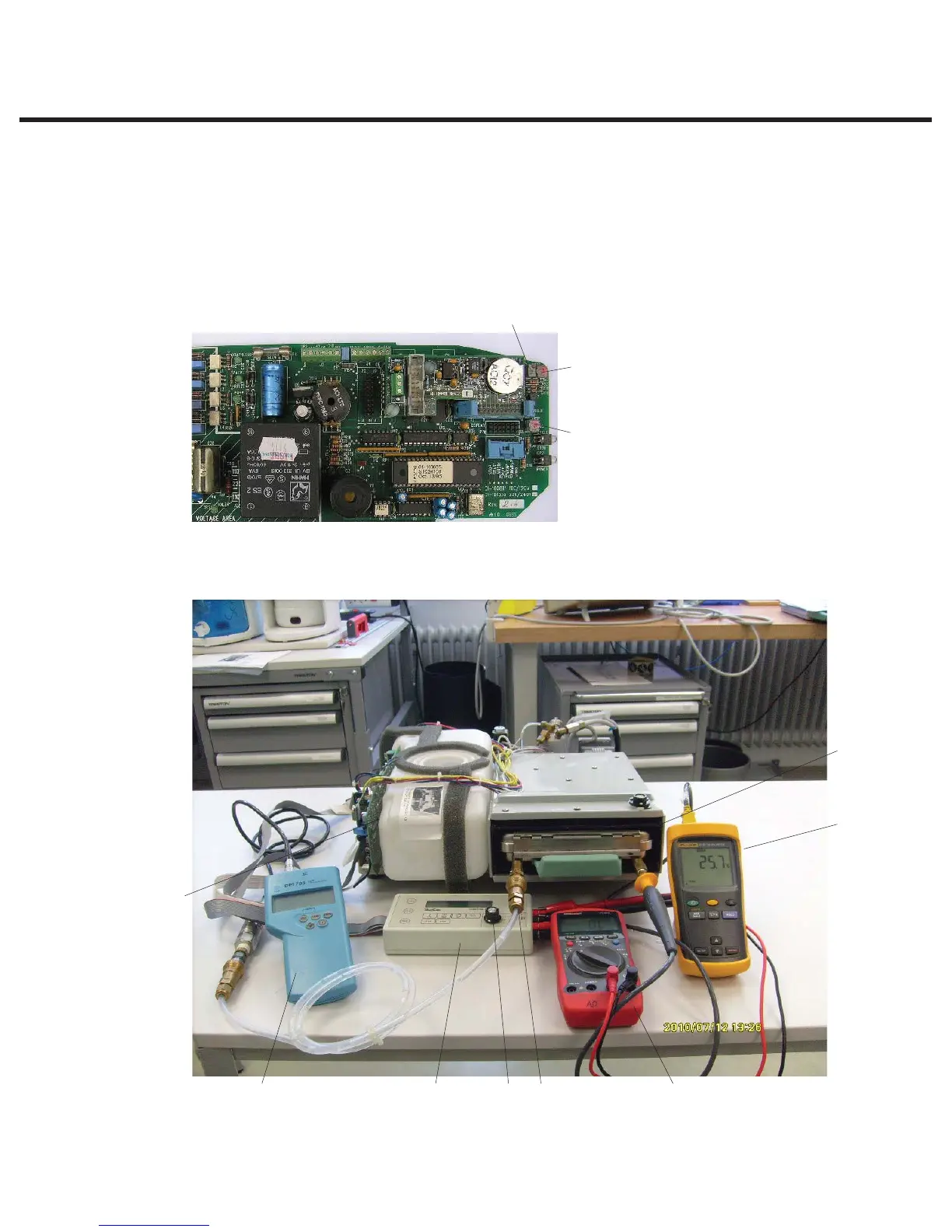
1. Control box
2. Controller board
3. SELECT knob
4. VRH potentiometer
5. Digital voltmeter
6. Calibration cassette
7. Thermocouple
8. Digital thermometer
9. TC-BLR potentiometer
10. TC-CHM potentiometer
11. Pressure meter
Figure 1
10
4
9
STATIM 2000/2000S/2000 G4 Service Guide
111
2
35
6
7
8



 To Next Page