Page 7
STAT
IM
2000/2000S Service Guide
96-108639 Rev 3.0
1. Identifying STAT
IM
2000 Units
STATIM 2000/2000S/2000 G4 Service Guide
Identifying STAT
IM
2000 Units
(Does not include ‘E’ models)
There are two main types of STAT
IM
2000 units, the G4 touchscreen version and Statim Classic
with keypad. Each of these two versions have a North American specification or “non S” unit,
and the European specification or “S” unit. In the Classic series, they are labeled respectively as
“STAT
IM
2000” and “STAT
IM
2000S”.The G4 series models do not use the “S” designation in their
names, but the G4 series does include S-class models for distribution in markets requiring these
cycle types, and non S-class for the North American market.
There are many mechanical identifiers to differentiate between the set types, (e.g., pressure
transducer for ‘S’ class, no pressure transducer for the non ‘S’ class). The details in the matrix
further below will help you identify units based on their factory specifications.
Note that this section does not cover STAT
IM
2000E models. For more information on these,
contact SciCan Technical Service.
Identifying Software Versions
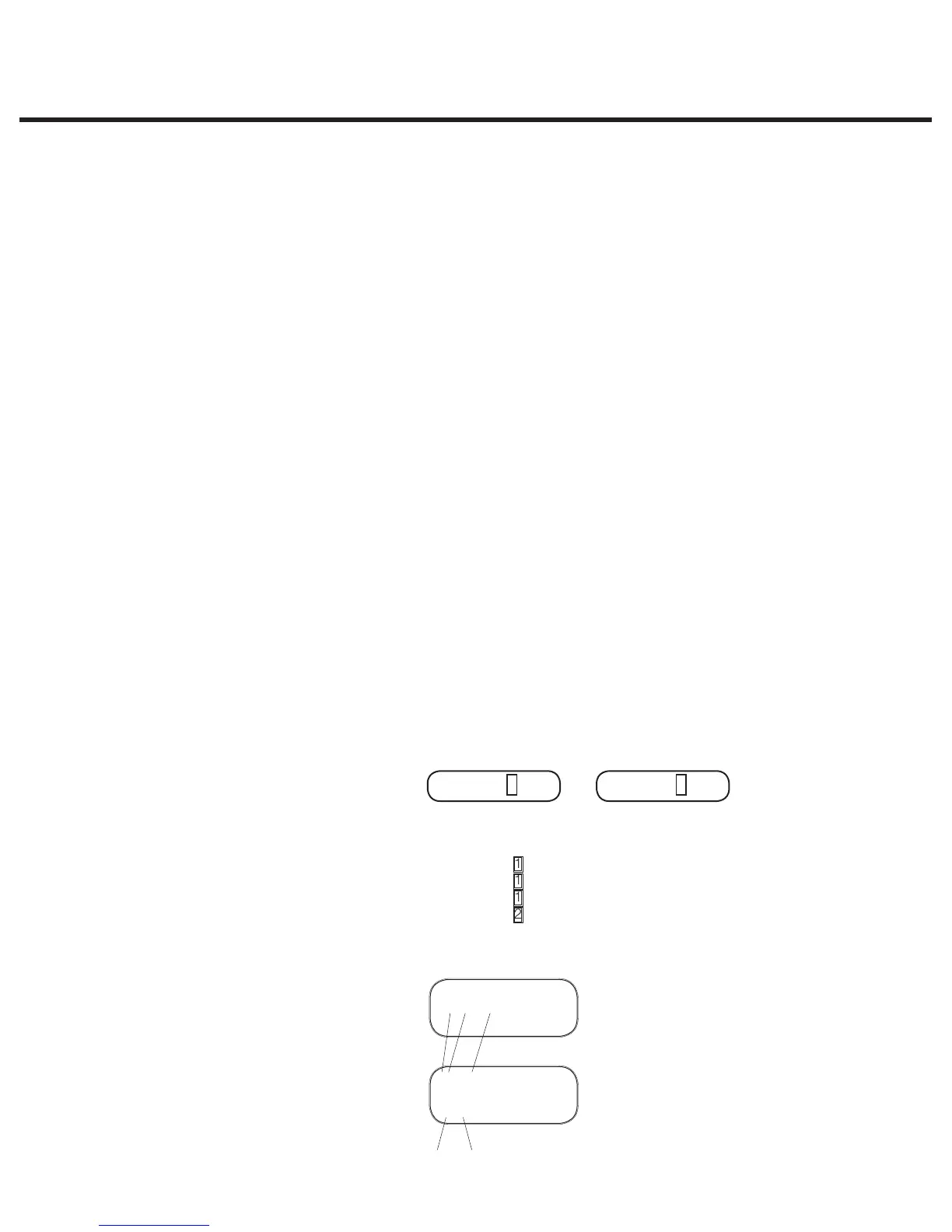
To identify a unit’s software version, power it OFF and back ON again. During start up, a
number is briefly displayed in the upper right-hand corner of the LCD that indicates which
software is installed (See Figure 1). This number is also printed on the label attached to the U14
microprocessor and the U8EEPROM device on the Controller Board (See Figure 2).
Note that units with Revision 3.x or 4.x controller boards WILL NOT display the software revision
on the LCD display. These units will display “SELECT A CYCLE”.
The software version number is the character to the immediate right of the R as indicated by:
Figure 1
S501R102 S501R200
example example
LCD readout on Power-up
S501R100 is software version 1.00
S501R101 is software version 1.01
S501R102 is software version 1.02
S501R200 is software version 2.00
For example:
Figure 2
01-xxxxxx
S502R102
Sept. XX 03
52102
0319
Microprocessor label example:
EPROM label
example:
Product Year / week



 To Next Page