Page 42
STAT
IM
2000/2000S Service Guide
96-108639 Rev 3.0
2. Tools, Maintenance Schedules, Procedures and Testing
STATIM 2000/2000S/2000 G4 Service Guide
Using the STAT
IM
G4 remote access function
Users can allow offsite technicians to remotely access the LCD touchscreens and web portals of
STAT
IM
G4 units connected to a network.
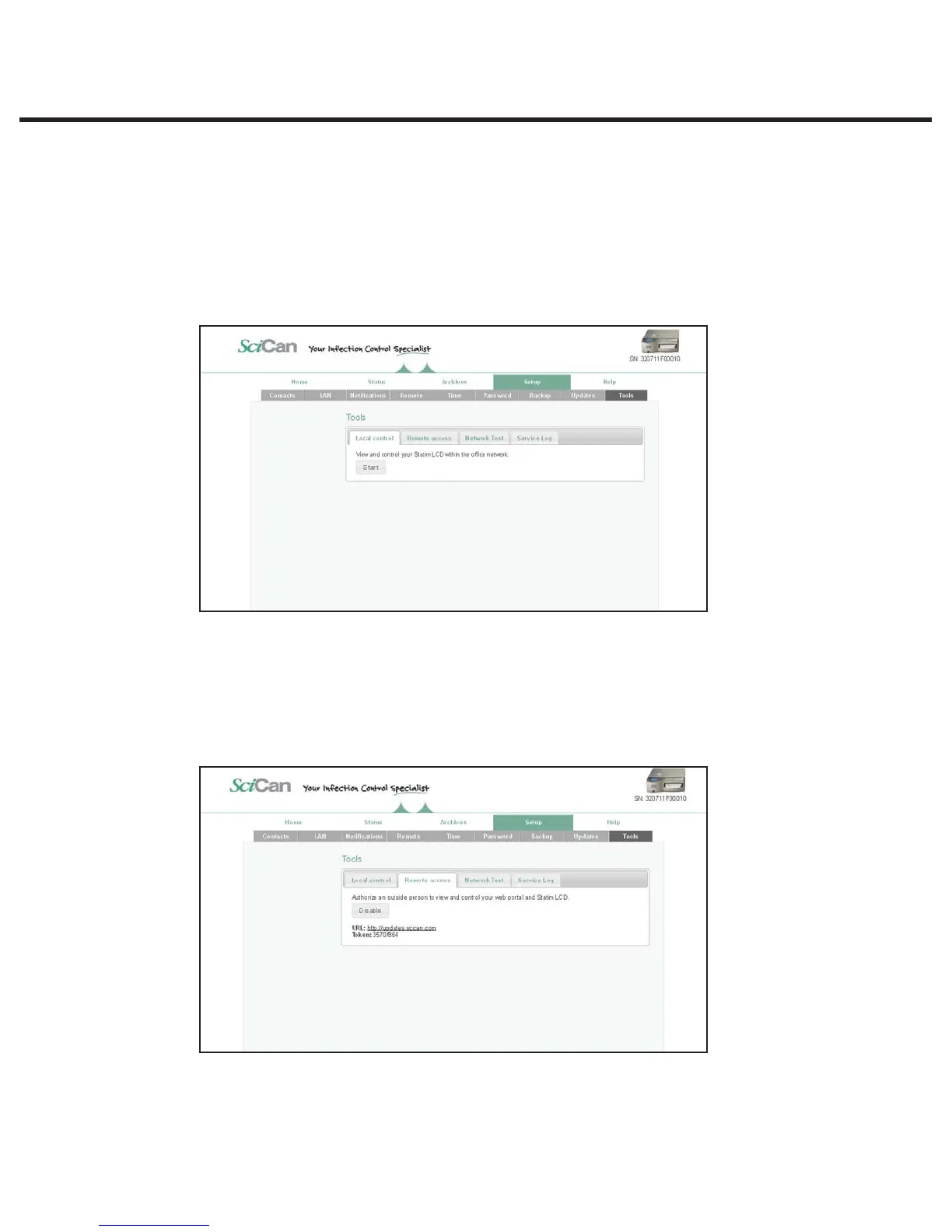
For local network remote access, proceed as follows:
1. From the TOOLS page, click on the LOCAL CONTROL tab.
2. Click on the start button to start a local connection. It will open up a page that mirrors your
STAT
IM
unit’s touchscreen so that it can be controlled remotely within your local network.
For remote access of a STAT
IM
web portal or touchscreen from outside a local network,
proceed as follows:
1. Someone onsite with the unit or from within the network must provide access to an outside
user by generating a ‘token’ (or code).
t 5PHFOFSBUFBVOJRVFUPLFOVTJOHUIFXFCQPSUBMHPUPUIF500-4QBHFBOEDMJDLPO
the REMOTE ACCESS tab.



 To Next Page