Page 165
STAT
IM
2000/2000S Service Guide
96-108639 Rev 3.0
7. Electrical and Electronic Components
STATIM 2000/2000S/2000 G4 Service Guide
LCD DC Power Source for STAT
IM
2000 G4
Removing and Replacing the STAT
IM
2000 G4
LCD DC Power Source
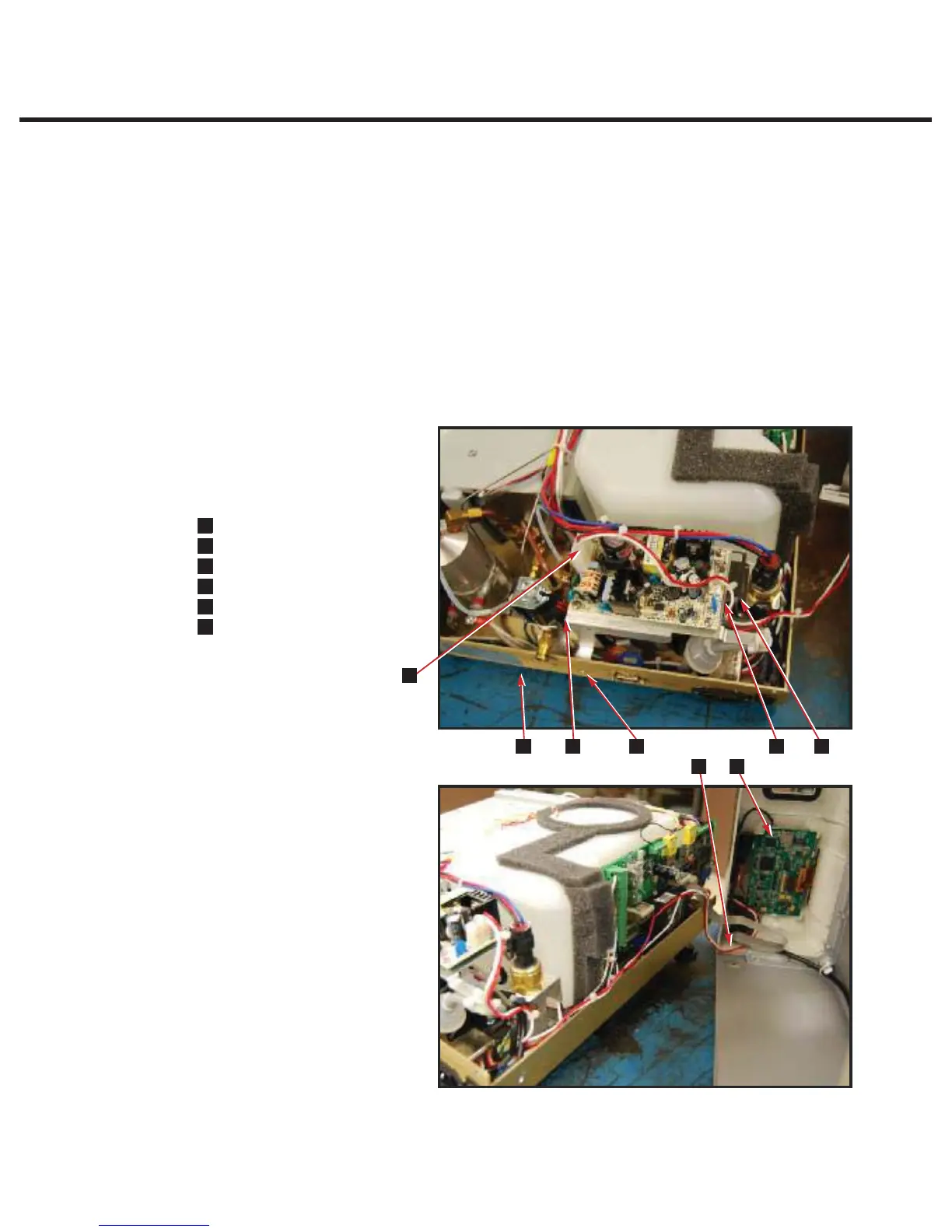
To remove the LCD DC power source, remove the cover and place it on its side next to the unit.
Then follow these steps (see Figure 24):
1. Disconnect the DC power source wires (1) from the power source (2) located at the back of the
unit.
2. The DC power source bracket is held to the chassis by two screws, one from the back of the
chassis. Remove the remaining screw (4) and cut the cable tie to lift clear from the unit.
To replace the LCD DC power source, reverse the removal instructions.
#;;
LCD DC power source wires
0;;
LCD controller board
0;;
Fascia (not shown)
0;;
Screws
0;;
DC power source bracket
0;;
Chassis
52,9:;
Figure 24



 To Next Page