Page 227
STAT
IM
2000/2000S Service Guide
96-108639 Rev 3.0
11. Steam Generator, Check Valve, Thermal Fuse and Pressure Relief Valve
STATIM 2000/2000S/2000 G4 Service Guide
Reinstalling the Stainless Steel Steam Generator
NOTE: This section is NOT for REPLACING or UPGRADING stainless steel steam generators
to the newer Alex type. It is only to be used for RE-INSTALLING the stainless steel steam
generator that has been removed.
Instructions for UPGRADING to the Alex unit vary depending on the unit that is being upgraded
(i.e., what controller and software revisions it has) and may also change from time to time. For
the most up to date procedures concerning an upgrade, use the matrix in Figure 2 to find the
appropriate kit number and follow the instructions included with the kit.
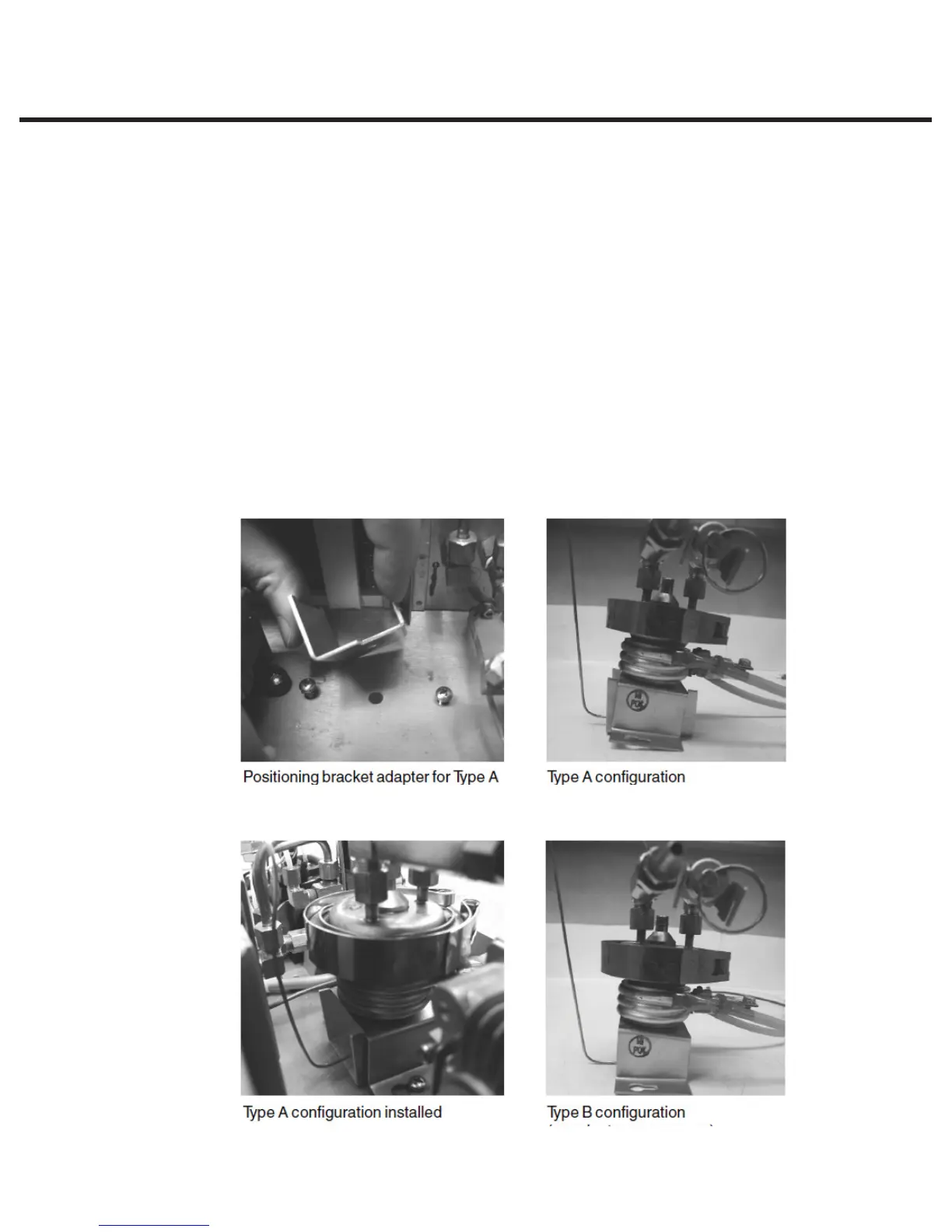
To reinstall the steam generator, proceed as follows (see Figures 4, 5, 6, 7, and 8):
When servicing a STAT
IM
2000 / 2000S equipped with a stainless steel steam generator, you
may encounter one of two steam generator bracket configurations (see Figures 5-8). Type A has a
steam generator bracket and a separate bracket adapter. Type B has an integral modified steam
generator bracket.
Both scenarios ensure that, when properly installed, the steam generator terminals are angled
slightly downward.
Figure 6
Figure 8
Figure 5
Figure 7



 To Next Page