Page 210
STAT
IM
2000/2000S Service Guide
96-108639 Rev 3.0
10. Armature, Isoplate, and Probe Bracket and Chamber Thermocouple
Removing the isoplate from the armature-isoplate subassembly
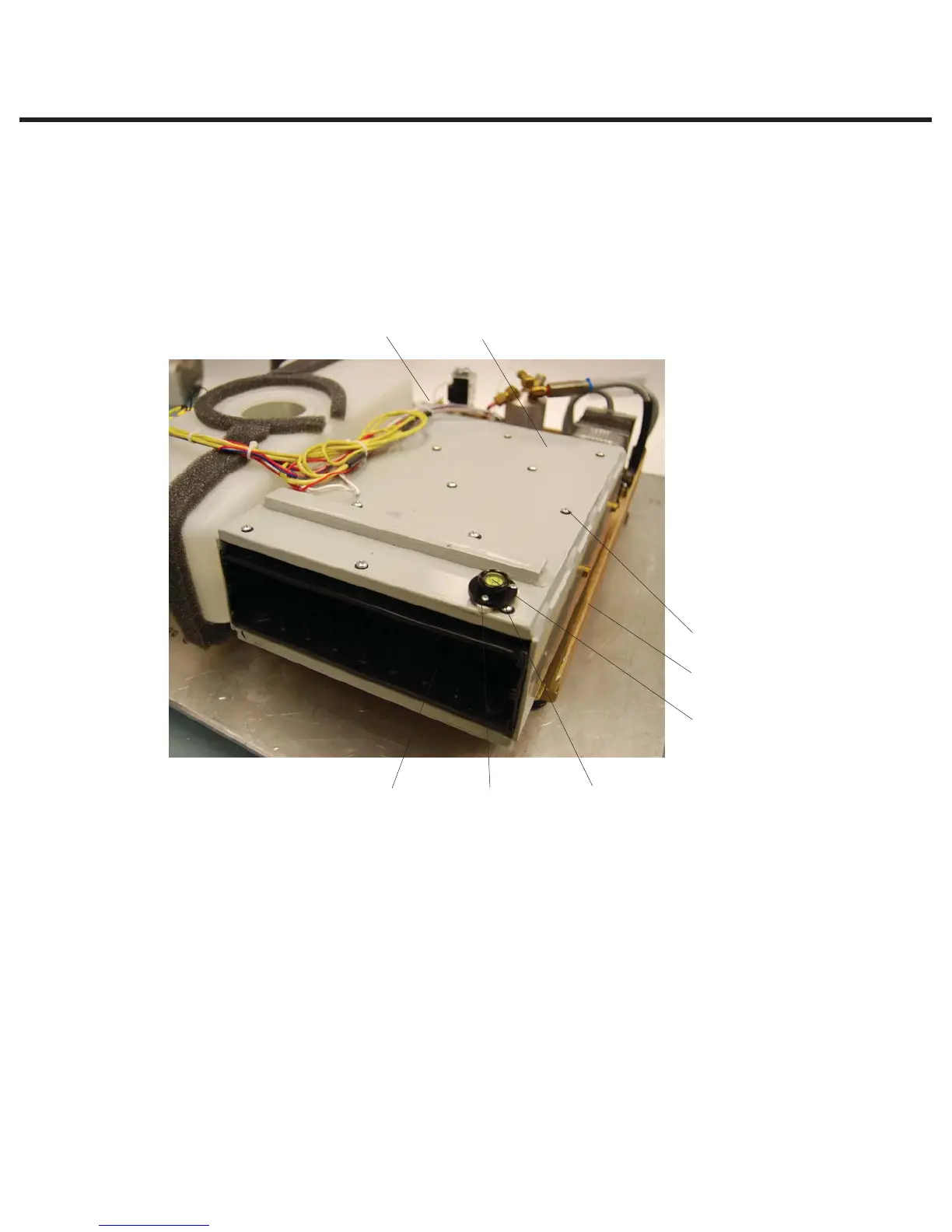
The Isoplate is a plastic box secured inside the armature. It is designed to hold and insulate the
cassette in the unit during operation.
To remove the isoplate assembly (1) from inside the armature (2) proceed as follows (see Figure 2):
1. If not already undertaken, remove the armature from the chassis and place it on a secure work
surface (see above).
2. Remove the three screws (3) securing the bubble level (4) to the bubble level base (5) on
the front right corner of the armature. (The bubble level obscures a fastener that must be
removed.)
3. The drain tube (6) passes through the bottom of the armature near the probe bracket opening
and is attached to the isoplate. Using a pair of pliers, pull the drain tube off and retain.
4. The isoplate is secured in the armature using screws with washers (7) on the top and bottom
of the armature. Remove and retain all the screws with washers.
5. When all fasteners are removed, slide the isoplate out of the armature.
1. Isoplate
2. Armature
3. Three screws for
bubble level
4. Bubble level
5. Bubble level base
6. Drain tube (protrudes
through bottom of
chassis, view obscured)
7. Screws with washers
8. Probe bracket gasket
(not shown)
Figure 2
82
7
6
4
531
STATIM 2000/2000S/2000 G4 Service Guide



 To Next Page