Page 262
STAT
IM
2000/2000S Service Guide
96-108639 Rev 3.0
13. Installation
STATIM 2000/2000S/2000 G4 Service Guide
Setting the Time and Date
For STATIM G4:
See Using the LCD Service Menu on the STATIM G4 in Chapter 3 to access Time and Date.
1. For STATIM Classic, follow these steps and watch the blinking cursor on the LCD:Power the
STATIM OFF.
2. Press and hold the UNWRAPPED cycle button.
3. While pressing the UNWRAPPED cycle button,
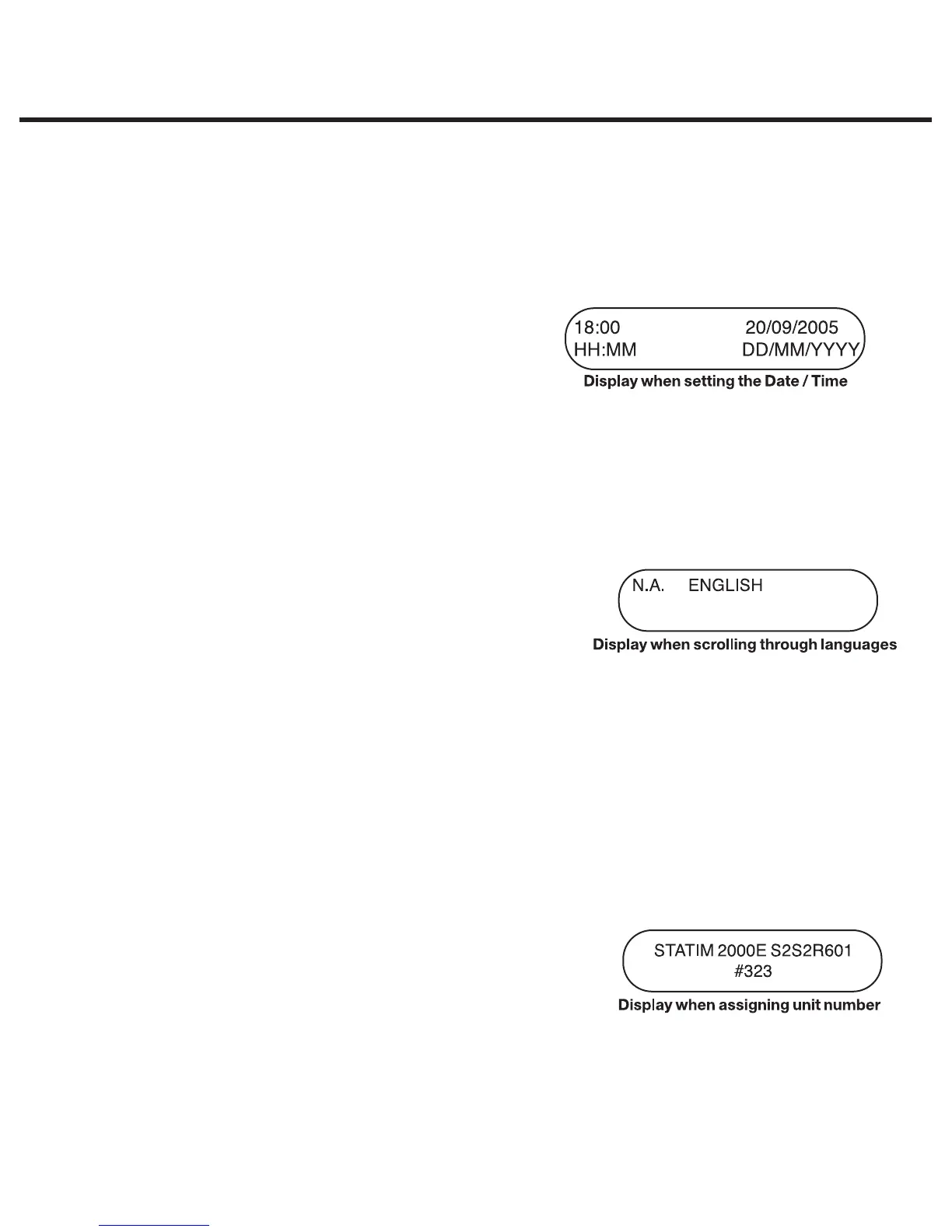
power the STATIM ON. The LCD display reads:
4. Use the cycle buttons to select and change the
selected field’s value. To increase a field’s value,
press the UNWRAPPED cycle button. Hold the
button down to increase the value.
5. To select the next field, press the START button.
6. To save changes and return to the regular operating mode, press the STOP button.
7. To quit without making changes, power the STATIM OFF.
Language Selection
For STATIM G4: See Using the LCD Service Menu on the
STATIM G4 in Chapter 3 to access Language Selection.
For STATIM Classic, the messages displayed on the LCD
can be changed to a number of different languages.
To change the current language selections, follow these
steps:
1. Turn the power switch at the back of the unit OFF.
2. Press and hold the WRAPPED cycle button.
3. While depressing the WRAPPED cycle button, turn the power switch at the back of the unit to ON.
4. Press the UNWRAPPED cycle button to scroll to the next language selection.
5. Press the WRAPPED cycle button to scroll to the previous language.
6. When the desired language is displayed, press the STOP button to save the selection and
return to the regular operating mode..
Assigning Unit Identifier Number
For STATIM G4: See Using the LCD Service Menu on the
STATIM G4 in Chapter 3 to access Assigning Unit number
For STATIM Classic, follow these steps:
1. Power the STATIM OFF.
2. Press and hold the RUBBER / PLASTIC cycle button.
3. While pressing the RUBBER / PLASTIC cycle button, power the STATIM ON.
4. Using the cycle buttons, select a maximum of 3 digits to be used as the unit’s identifier. The
UNWRAPPED button will increase the selected value. Use the RUBBER / PLASTIC to move to
the next digit.
5. To save changes and return to the regular operating mode, press the STOP button.



 To Next Page