Page 43
STAT
IM
2000/2000S Service Guide
96-108639 Rev 3.0
2. Tools, Maintenance Schedules, Procedures and Testing
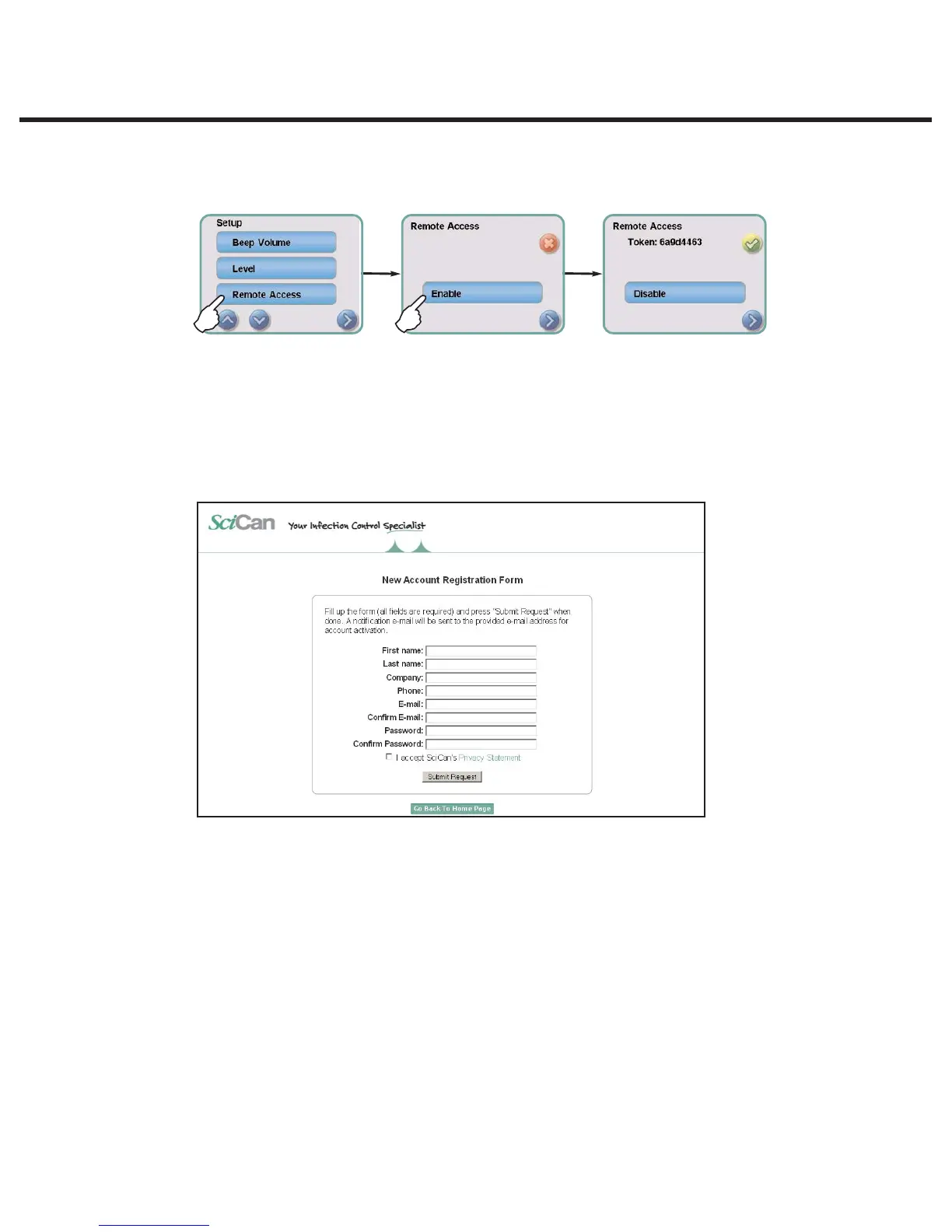
t 5PHFOFSBUFBVOJRVFUPLFOVTJOHUIFVOJUT-$%UPVDITDSFFOHPUPUIF4FUUJOHTNFOV
and scroll to Remote access and follow the prompts to enable remote access.
2. The technician attempting to access the G4 from outside the network will need to go to the
following URL: http://updates.scican.com and enter their registered email address, password,
token and STAT
IM
Serial Number (optional).
To create a new account to enable remote access for a STATIM, click on the CREATE NEW
ACCOUNT link, complete the form, and click on the SUBMIT FORM link. The system will send
a confirmation email to verify the account. Once confirmed, the account will be ready to use.
With a valid user name, password and token, a technician can remotely access the
STATIM G4 unit’s web portal page.
3. Go to SETUP. Another username and password prompt will appear.
To access the web portal only, use the following default values:
User name: scican
User password: scican (user can change this password)
To access the web portal and remote access the LCD touchscreen, use the following
default values:
User name: scican
User password: s23can173
4. Upon authentication, go to TOOLS and click on REMOTE ACCESS. A page will open that
mirrors the STAT
IM
unit’s touchscreen so that it can be controlled remotely from outside its
local network.
STATIM 2000/2000S/2000 G4 Service Guide



 To Next Page