The device must be connected to a PC.
First of all select the type of the test based on the material of microtiter plate:
Opaque plate test,
Transparent plate test.
For easy orientation, the left panel displays all the steps that the application takes during the auto-
diagnostic test:
Basic mechanics. System checks mechanical damage of moving parts.
Lighting. System checks all lighting types.
Tray (opaque/transparent plate). System checks mechanical damage of moving parts.
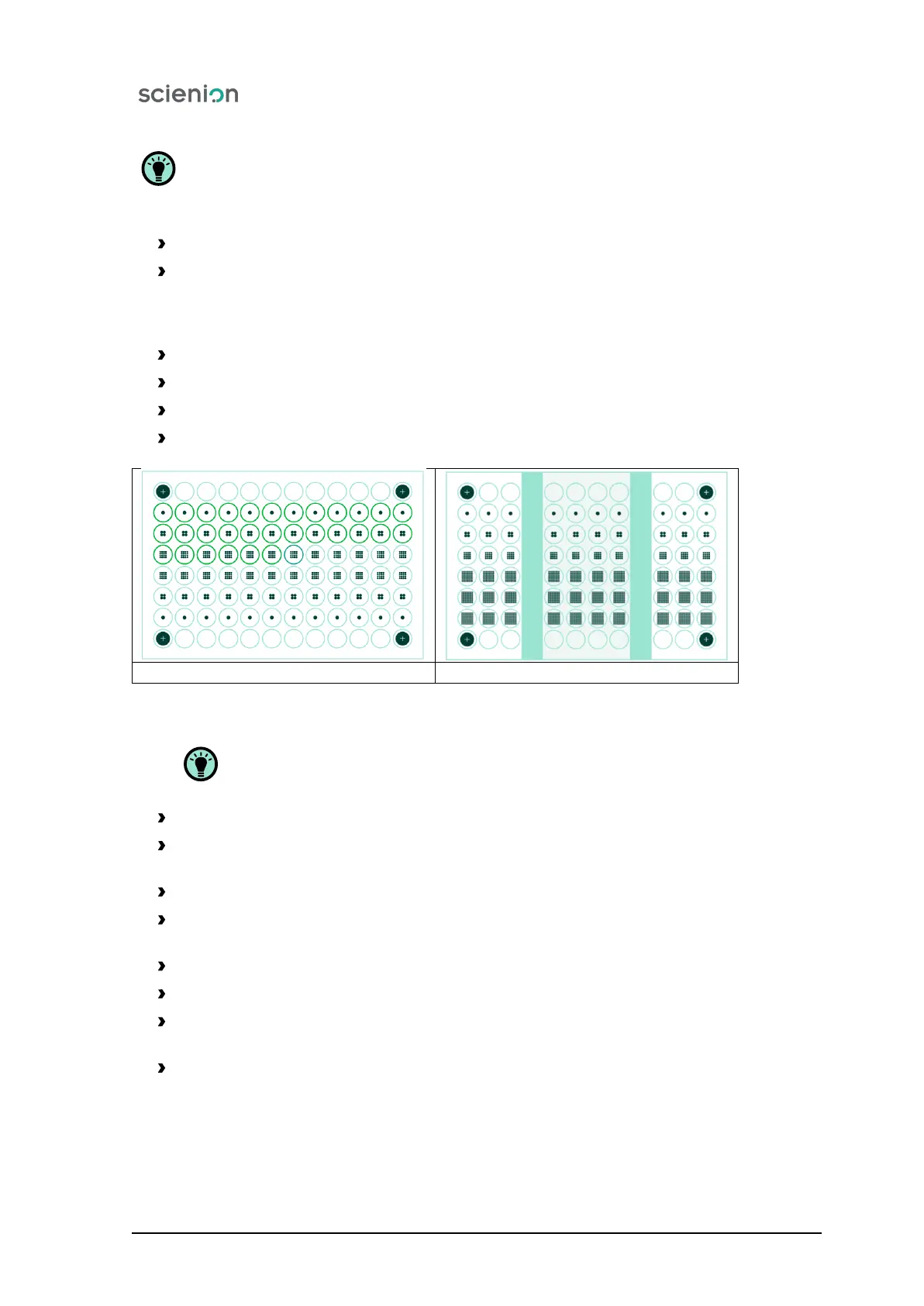
Plate recognition. System check the type of inserted plate - flat or elevated plate.
Flat plate Elevated plate
Figure 9: Plate types.
After plate recognition the next steps follow:
Camera and lighting (opaque/transparent plate). Testing lighting conditions.
Plate positioning (opaque/transparent plate). System check position of the control plate in the
tray.
Well reading (opaque/transparent plate). System checks functionality of wells licalisation.
Control of setting of top lighting system (opaque plate). Control of setting of top lighting system
(transparent plate).
Well reading (opaque/transparent plate). System checks functionality of wells licalisation.
Analysis (opaque/transparent plate). System performs qualitative and qualitative colony analysis.
Well reading, adjusted Z (opaque/transparent plate). System checks functionality of wells
licalisation.
Analysis, adjusted Z (opaque/transparent plate). System performs qualitative and qualitative
colony analysis.
Scienion AG, 2019, Original user manual, sciREADER CL2 17


 To Next Page