Insert the device and accessories into the original packaging in which the device was delivered.
If you do not have this packaging anymore, pack the device in adequate packaging ensuring
the sameprotection of the instrument during transport. For any packaging instructions,
please contact service support.
6.3.2. The device is out of order
In case the device is not possible to be turned on and put into operation, it is not possible to make
ejection/insertion of the rack using the eject button, follow these instructions:
Fill out the decontamination protocol, see annex A Decontamination Protocol.
Turn off the sciREADER CL2 device using the Power ON/OFF .
Switch off the device using the Power Main button to disconnect the power supply.
Disconnect the cables from the device.
Take off the user-servicing cover.
Push the tray to the back wall of the device.
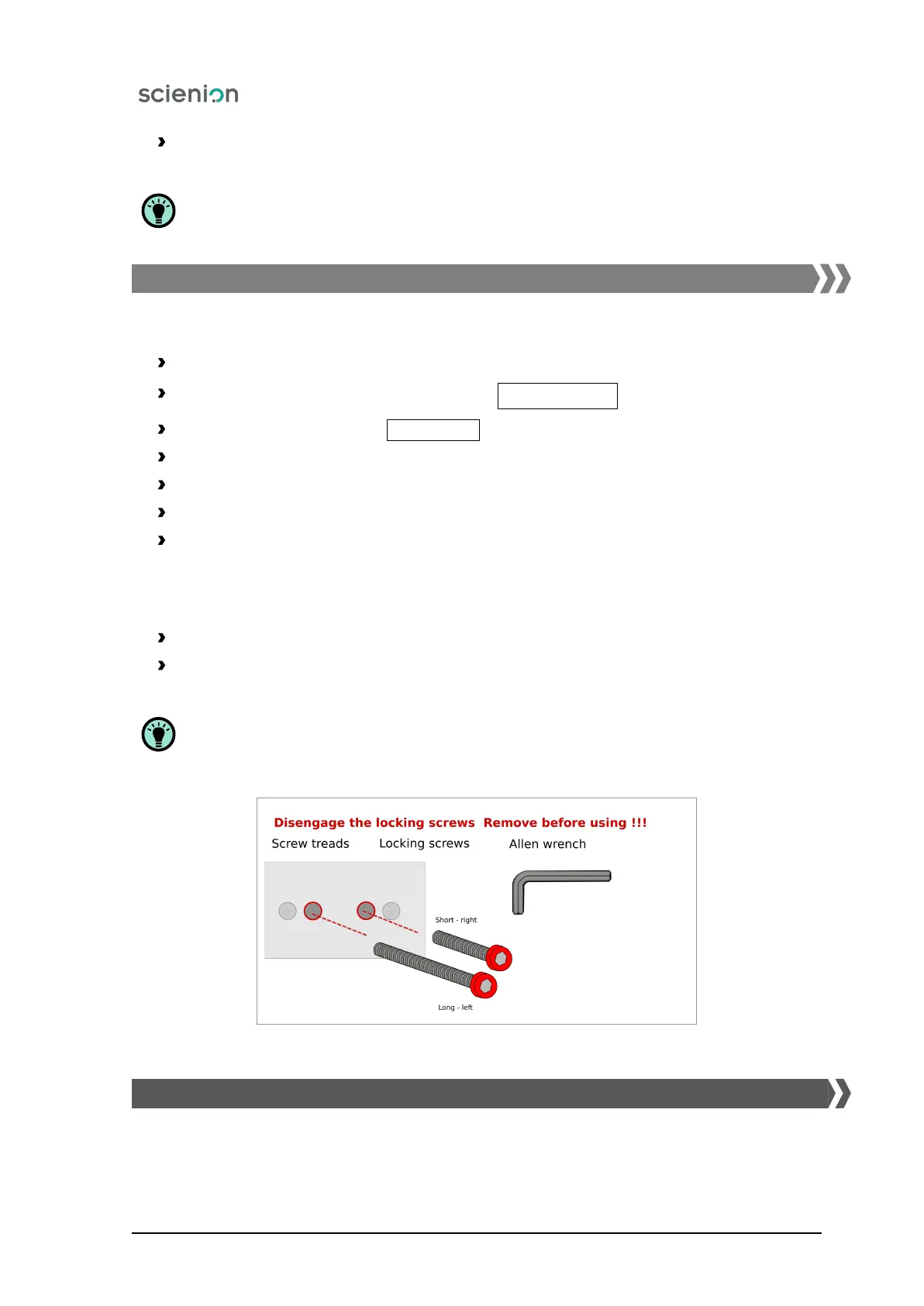
Secure the tray with locking screws (Figure 13).
– Screw in the shorter locking screw first.
– The rear part of the tray must be touching the end of the screw.
– Now tighten the longer screw into the tray so that any tray movement is prevented.
Fasten the user-servicing cover.
Insert the device and accessories into the original packaging in which the device was delivered.
If you do not have this packaging anymore, pack the device in adequate packaging ensuring
the sameprotection of the instrument during transport. For any packaging instructions,
please contact service support.
Figure 13: The procedure for securing the locking screws.
6.4. Device storage and handling
Scienion AG, 2019, Original user manual, sciREADER CL2 22


 To Next Page