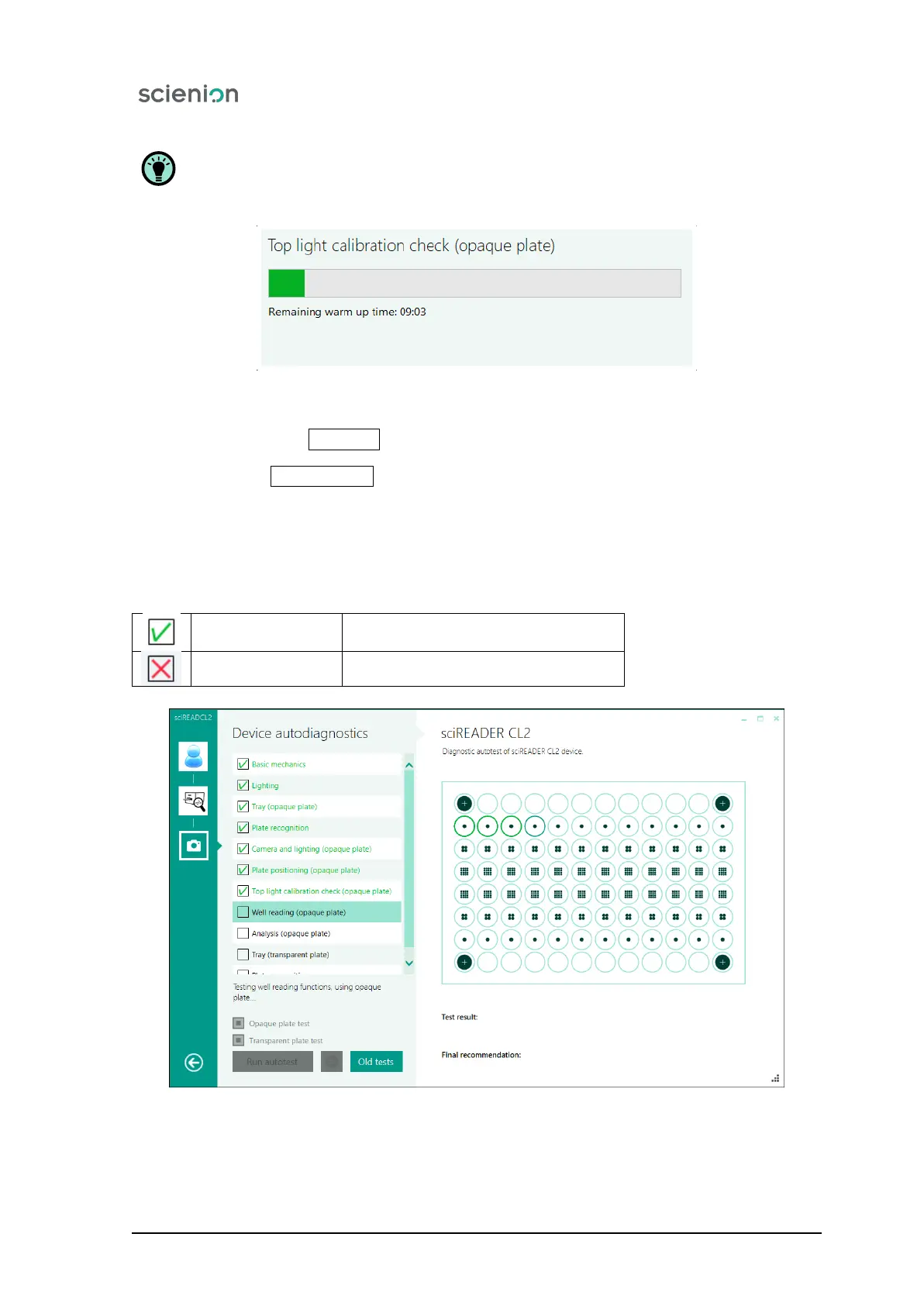
Before making the exposure check, the warm-up phase of 10 minutes is run for each exposure.
(Figure 10).
Figure 10: Warming up and lighting check.
After pressing the button Old tests the record of already performed test is shown.
Pressing the button Run Autotest triggers the auto-diagnostic procedure.
While running the auto-diagnostic test, for each particular test description is shown in the right part of
the screen.
Successfully-performed test is indicated by a symbol next to the test name box. If a red cross appears,
the test has not been successful.
Status IS OK.
Test was sucessfully completed.
Status is NOT OK.
Test was not sucessfully completed.
Figure 11: The progress of the analysis of the Calibration plate.
Scienion AG, 2019, Original user manual, sciREADER CL2 18


 To Next Page